
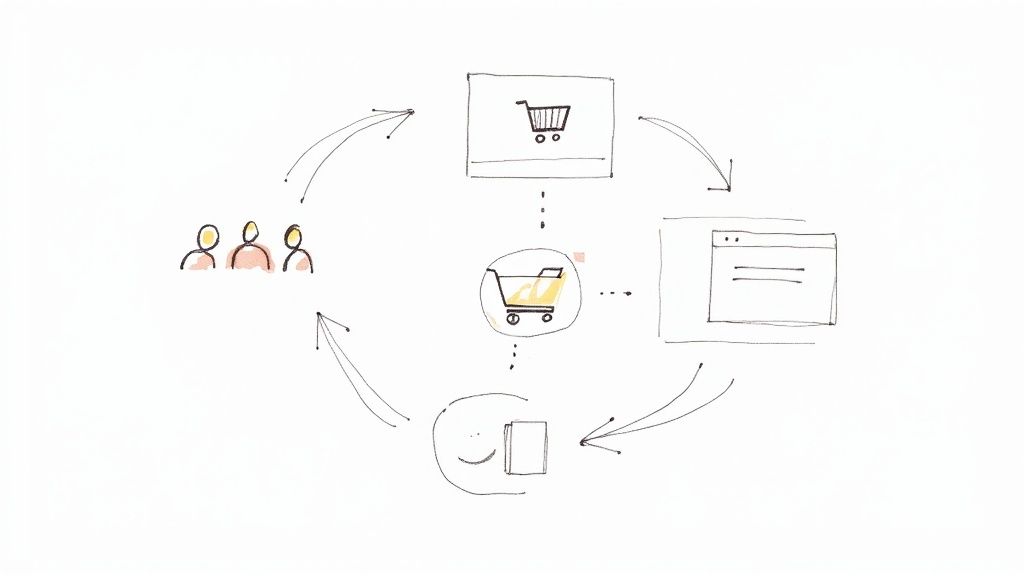
Let's face it: almost nobody buys on their first visit to a website. Think of a retargeting ad campaign as your secret weapon for getting a second chance. It’s all about showing relevant ads to people who’ve already checked out your site or app, giving them a gentle nudge to come back and finish what they started.
Why Retargeting Is Your Most Powerful Second Chance
Think about your own browsing habits. You add something to your cart, a notification pops up, and just like that, you've moved on. That lost sale is gone for good unless you have a way to reel that visitor back in. This is exactly why Google Ads retargeting campaigns are so critical.
Instead of spending your budget trying to find brand new customers out of thin air, retargeting focuses on a much warmer audience—people who are already familiar with you. They’ve clicked through your product pages, read your blog posts, or watched your demo videos. That initial interaction means they're far more likely to convert when you remind them why they were interested in the first place.
The Data-Backed Impact of a Second Look
This isn't just a hunch; the numbers prove it. Retargeting campaigns work because you're talking to a pre-qualified audience, and they consistently blow standard display ads out of the water.
For a quick overview of how these campaigns stack up against traditional display ads, take a look at the key metrics below. The data clearly shows why retargeting is such a valuable part of any digital marketing strategy.
Key Retargeting Metrics at a Glance
| Metric | Retargeting Campaign Average | Standard Display Campaign Average | Impact |
|---|---|---|---|
| Conversion Rate | Up to 150% higher | Baseline | Drastically increases the likelihood of a sale or lead. |
| Click-Through Rate (CTR) | ~0.7% | ~0.07% | Nearly 10x higher, indicating much stronger ad relevance. |
| Visitor Conversion Likelihood | 70% more likely to convert | Varies | Re-engages interested users who are closer to making a decision. |
As you can see, the difference is night and day. By re-engaging users who already know you, you’re not just improving ad performance; you’re efficiently turning curious visitors into paying customers. You can explore more data on retargeting's effectiveness in recent industry studies.
By reconnecting with users who have already shown interest, you are essentially picking the low-hanging fruit of digital marketing—transforming window shoppers into loyal customers with a timely, relevant reminder.
A Roadmap to Retargeting Success
This guide is your practical playbook for turning those near-misses into solid wins. We’ll walk through everything you need to know to plan, build, and optimize a powerful Google retargeting campaign from the ground up.
Here’s a glimpse of what’s ahead:
- Flawless Technical Setup: We'll start with the essentials, from installing the Google Tag correctly to ensuring your conversion tracking is spot-on.
- Smart Audience Building: You'll learn how to create high-intent audience lists by segmenting users based on their specific actions, going way beyond a simple "all visitors" approach.
- Crafting Compelling Ads: We'll dive into designing ad creatives and writing copy that actually resonates with your different audience segments and pulls them back in.
- Optimizing for Maximum ROI: Finally, we’ll get into the nitty-gritty of bidding strategies, frequency capping, and performance analysis to make sure every dollar you spend is working for you.
By the time you're done, you'll have a clear, actionable framework for launching retargeting campaigns that drive real results.
Laying the Technical Groundwork for Retargeting
Before you even think about audiences or ad creative, you have to get the technical plumbing right. I can't stress this enough. Think of it as building the foundation for a house—if it's not solid, everything you build on top will be shaky and unreliable. In the world of retargeting ad campaigns, that foundation is all about clean, accurate data.
Getting this part right is non-negotiable. It's the only way to ensure you're collecting the right information about your website visitors, which is the very fuel for every retargeting list you'll build. If your data is messy, you're just throwing money away on ads that miss the mark.
The whole process we're aiming for is beautifully simple in concept, but it all hinges on this initial setup.
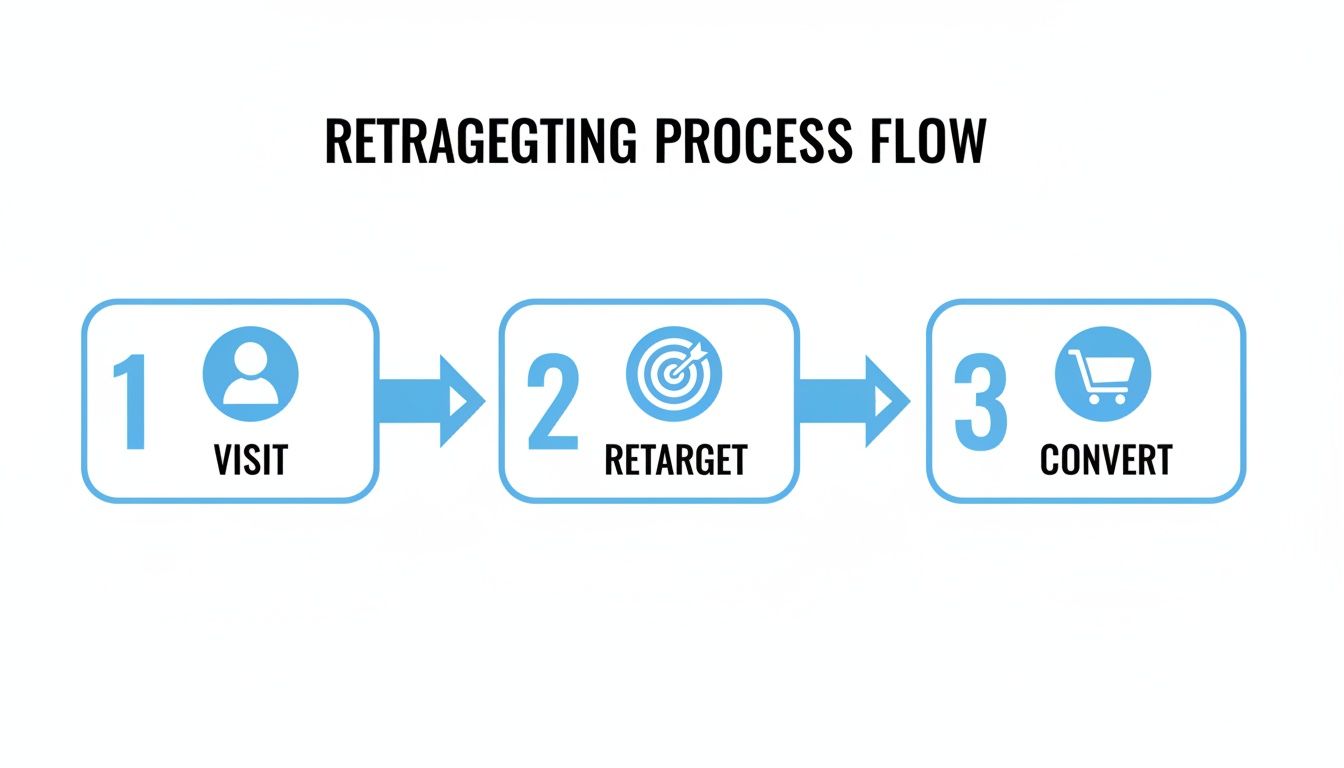
A user visits, you bring them back with a targeted ad, and they convert. Simple. But it all starts with tracking that first visit perfectly.
Master the Google Tag
First things first: the Google Tag (gtag.js). This little snippet of code is the central nervous system for all your data collection. You need to place it on every single page of your website. It's the piece that allows Google Ads and Google Analytics to talk to your site, watching who visits and what they do.
You'll find your unique Google Tag inside your Google Ads or Analytics account. Getting it onto your site is usually pretty straightforward—just copy the code and paste it into the <head> section of your site's HTML. Most website platforms have an easy way to do this.
My Go-To Tip: Don't just install it and hope for the best. Use the free Google Tag Assistant Chrome extension to double-check that your tag is installed correctly and firing on all your pages. This one simple check can save you a world of data headaches later.
Connect Google Ads and Google Analytics
With your tag collecting data, the next move is to link your Google Ads and Google Analytics accounts. This is where the magic really starts to happen. Connecting them unlocks a much deeper understanding of how people are interacting with your site after they click an ad.
Here’s why you absolutely have to do this:
- Smarter Audience Building: You can create incredibly specific retargeting lists right inside Analytics based on things like time spent on a page, number of pages viewed, or specific goals they completed.
- Clearer User Behavior: You'll finally see how your ad traffic actually behaves on your site compared to traffic from SEO or social media.
- Simplified Conversion Tracking: You can import your Analytics goals directly into Google Ads as conversions, which makes tracking what matters so much easier.
Linking them is a five-minute job. Just head to the "Linked Accounts" section in the admin panel of either platform and follow the prompts. It's a small task that pays off big time.
Track the Actions That Matter (Conversions)
Finally, you need to tell Google what a "win" actually looks like for your business. We do this with conversion tracking. And remember, a conversion isn't always a sale. It can be any action you deem valuable.
For most businesses, the key conversions for retargeting are actions that show clear intent:
- Lead Form Submissions: The bread and butter for B2B and service businesses.
- "Add to Cart" Clicks: A massive signal for e-commerce sites.
- Newsletter Sign-ups: Great for building your long-term audience.
- Key Page Visits: Someone checking out your pricing or contact page is a warm lead.
Setting these up in Google Ads involves creating a conversion action and placing a small "event snippet" on the page that confirms the action happened—like the "thank you" page a user sees after filling out a form. This tells Google's algorithm exactly what you want more of, so it can go out and find people likely to take that action.
As we move away from third-party cookies, getting this right is more important than ever. You should really get familiar with Google Ads Enhanced Conversions. This feature helps you get a more accurate picture of performance by using consented, first-party data, making your retargeting that much more effective.
Building Google Ads Audiences That Actually Work
Let's be honest, the real magic in a great retargeting ad campaign isn't the ad creative itself—it's the audience list. Just lumping all your site visitors into one big bucket is a classic rookie mistake, and a surefire way to burn through your budget.
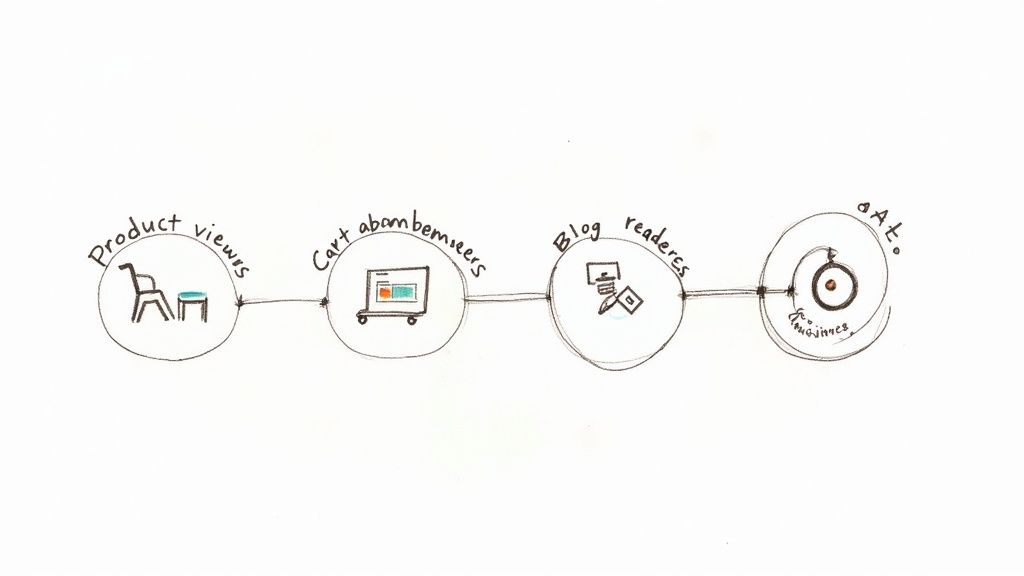
The goal is to get surgical. We need to slice and dice your visitors into smaller, more meaningful groups based on what they actually did on your site. When you understand their actions, you understand their intent. Someone who ditched a full shopping cart is miles ahead in their buying journey compared to someone who just skimmed a blog post. If you talk to them the same way, you're missing the point entirely.
Segmenting Audiences Based on Intent
Let’s dig into the most valuable audience segments you should be building inside Google Ads. Each one signals a different level of interest, and each one needs a slightly different message to coax them back.
- Cart Abandoners: These folks are gold. They were this close to buying. Something stopped them at the last second. Your job is simple: gently remind them what they’re missing and make it incredibly easy to finish checking out.
- Product Page Viewers: This group is warm. They showed definite interest in a specific product but weren't quite convinced. You can retarget them with ads that highlight that product’s benefits, show social proof like reviews, or even suggest similar items.
- Blog or Content Readers: These are your top-of-funnel visitors. They're curious about the problem you solve but probably aren't ready for a hard sell. Nurture them. Show them ads for a related guide, a free webinar, or another helpful piece of content to build trust and stay on their radar.
- Previous Converters: Never forget your existing customers! It’s far easier to sell to someone who already trusts you. Create lists to upsell complementary products (like lenses for a camera they bought) or cross-sell other relevant services.
Segmenting like this lets you craft ad copy that speaks directly to where the user is in their journey. For a deeper dive into more advanced methods, our guide on marketing targeting strategies can help you dial in your approach even more.
The Power of Dynamic Remarketing
Okay, so you've got your audiences segmented. Now, how do you show them ads? You have two main tools in your belt: static and dynamic remarketing. Knowing when to use each is key.
Static remarketing is the old-school approach. You create a fixed ad—say, a banner with a "20% Off" coupon—and show it to a specific audience, like everyone who visited your pricing page. It works for general brand awareness, but it's not personal.
Dynamic remarketing, on the other hand, is where things get really powerful. It automatically creates ads featuring the exact products a person just looked at on your site.
This isn't just a small optimization; it's a total game-changer. By syncing your product feed with Google Ads, your ads essentially become a personal shopper, reminding people of the items they were already interested in.
To get this running, you need to set up a product feed in the Google Merchant Center and link it to your Google Ads account. This feed is just a big file with all your product info—IDs, images, prices, etc. Google uses that data to build hyper-relevant ads on the fly.
And it works. We consistently see dynamic product ads pull in 2–3 times higher click-through rates and conversion rates than their static counterparts. Why? Because they're always relevant, reflecting real-time price drops or inventory changes.
When to Choose Static vs. Dynamic
So, which one should you use? It really depends on your business and what you're trying to achieve. Here’s a quick cheat sheet based on my experience:
| Campaign Goal | Best Approach | Why It Works |
|---|---|---|
| E-commerce Cart Abandonment | Dynamic | Showing someone the exact items they left behind is the most powerful nudge you can give. |
| General Brand Awareness | Static | A clean, consistent brand message works perfectly for audiences who are just getting to know you. |
| Lead Generation (Services) | Static | You're promoting a specific offer (e.g., a free demo), so a single, focused ad is all you need. |
| Large Product Catalogs | Dynamic | It's simply impossible to create unique ads for thousands of products manually. This automates it all. |
The truth is, the best retargeting strategies use a mix of both. You might hit your cart abandoners with dynamic ads while nurturing your blog readers with a static ad promoting an ebook. Matching the ad type to the audience's intent is how you build a campaign that brings people back, no matter where they are in their journey.
Crafting Ads That Bring Visitors Back
Let’s be honest: even the most perfectly targeted audience list won't do you any good if the ad itself is a dud. The creative—your images, videos, and words—is what does the real work in a retargeting ad campaign. It’s your chance to turn a flicker of past interest into a decisive click back to your site. This is where you connect with your audience’s previous actions and give them a compelling reason to come back.
Think about it. The message you show someone who left a full shopping cart needs to be completely different from the one you show a person who just glanced at a blog post. One user is right on the edge of buying; the other is still just getting to know you. Your ads have to respect that difference.
Tailor Your Message to the Moment
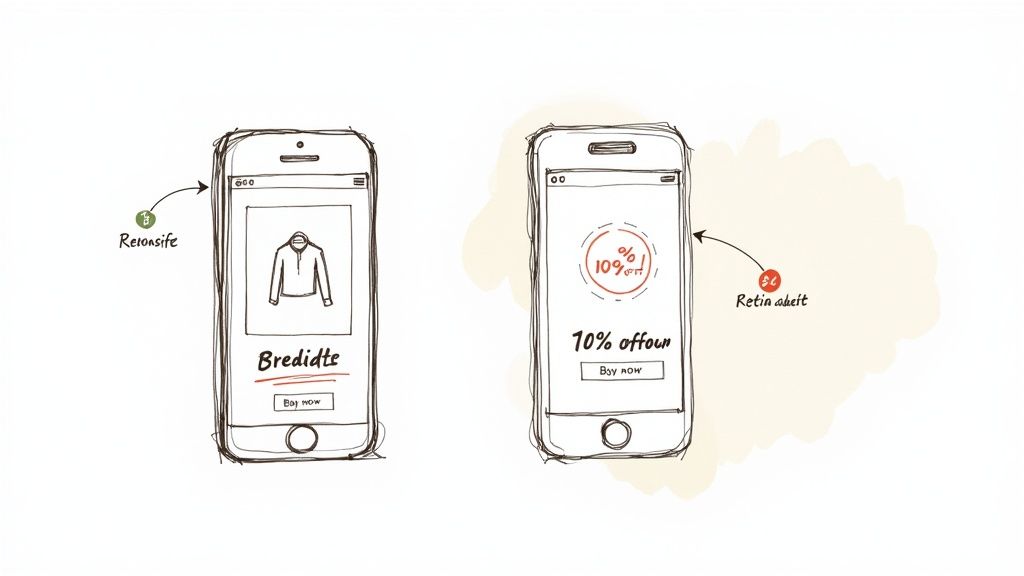
Great retargeting isn't about shouting the same generic offer at everyone. It's about whispering the right message at the right time. Your ad needs to acknowledge their past visit without being creepy, offering a logical next step that feels helpful, not pushy.
Here’s a practical breakdown of how to match your message to where they are in their journey:
- For Cart Abandoners: Get straight to the point. Remind them of the exact products they left behind using dynamic ads. A simple, "Still thinking it over?" paired with their items can work wonders. If you want to give them a final nudge, an incentive like 10% off or free shipping can be just the ticket.
- For Product Page Viewers: These people were interested but needed more convincing. Use your ad to reinforce the product's value. You could highlight a key benefit they might have missed, showcase a glowing five-star review, or create a little urgency with copy like, "Limited stock available."
- For Blog Readers: This audience is warm, but a hard sell will just scare them away. Your goal here is to keep building trust. Offer them another piece of valuable content, like a downloadable guide, an invite to a free webinar, or another article on a similar topic. Keep them engaged and position your brand as the expert.
Design Tips for the Google Display Network
Most of your retargeting ads will probably run on the Google Display Network (GDN), which is massive—it reaches over 90% of internet users worldwide. To stand out in that crowded space, your ads need to be sharp and professional.
Your best bet is to use Responsive Display Ads. There's a reason this is Google's default ad type. You just upload your assets—headlines, descriptions, images, and logos—and Google’s AI automatically mixes and matches them to create ads that fit perfectly wherever they appear. This means your message looks great whether it's a tiny banner on a mobile app or a big box on a news site.
A critical mistake I see all the time is cramming way too much text into the ad image. Let the visual be the hero. Use a high-quality, eye-catching image that clearly shows your product or service, and let the headline and description do the talking.
Keep these design principles in mind:
- Stay On-Brand: Use your brand’s colors, fonts, and logo. A user should instantly recognize the ad as yours, which creates a smooth, trustworthy experience.
- Keep It Simple: Cluttered ads get ignored. Focus on one clear message, a clean visual, and a single call-to-action.
- Use High-Contrast Colors: Make sure your call-to-action button and key text pop. You want to draw the user’s eye right where you want it to go.
The Power of a Clear Call-to-Action
Every single ad you run needs a crystal-clear call-to-action (CTA). You have to tell people exactly what you want them to do next. Weak, generic CTAs like "Click Here" or "Learn More" just don't cut it anymore.
Be specific and action-oriented. For example:
| Instead of… | Try… |
|---|---|
| Learn More | Shop the Collection |
| Submit | Get Your Free Quote |
| Download | Grab Your Free Ebook |
Your CTA is the final command that bridges the gap between seeing your ad and actually taking action. By making it specific and compelling, you radically improve your chances of getting that click and bringing your visitor back to finish what they started.
Optimizing Bids and Settings for Peak Performance
Launching your retargeting campaigns is a great first step, but the real magic happens next. The ongoing tweaks you make to your bids, budget, and settings are what separate a decent campaign from a truly profitable one. This is where you move beyond just reaching people and start driving real, measurable results.
Think of it like tuning an instrument. At first, it might sound okay, but with careful adjustments, you can find the perfect harmony between your spending, your audience, and your business goals. Getting these settings right ensures you’re not just spending money, but investing it smartly to bring back your most valuable prospects.
Choosing the Right Google Ads Bidding Strategy
Google's automated bidding is powerful, but you have to give it the right instructions. Your choice of bidding strategy should line up perfectly with what you’re trying to achieve. Let's break down the best options for retargeting.
To really nail this, you need to lean on your data. Applying insights from paid search analytics for measurable growth is non-negotiable. Performance data tells you which bidding strategy will actually deliver on your goals.
Google Ads Bidding Strategies for Retargeting
Choosing the right automated bidding strategy in Google Ads is critical. The best choice depends entirely on your campaign goals and business model. This table breaks down the most effective options to help you decide.
| Bidding Strategy | Primary Goal | Best For | Key Consideration |
|---|---|---|---|
| Target CPA (Cost Per Action) | Generate leads or conversions at a specific cost. | Service-based businesses or campaigns with a clear, non-variable conversion value (e.g., a form fill). | You must have enough historical conversion data for Google's algorithm to work effectively. |
| Target ROAS (Return On Ad Spend) | Achieve a specific return for every dollar spent on ads. | E-commerce businesses with varying product prices and order values. | Requires accurate conversion value tracking to be set up. |
| Maximize Conversions | Drive the most conversions possible within your daily budget. | New campaigns or when you want to quickly gather conversion data without a strict cost-per-action goal. | Can sometimes lead to a higher CPA, as it prioritizes volume over efficiency. |
| Maximize Conversion Value | Generate the highest total revenue from your campaigns within your budget. | E-commerce stores looking to maximize overall revenue, regardless of the return on individual ad spend. | Similar to Target ROAS, it relies heavily on accurate conversion value tracking. |
Ultimately, the goal is to align your bidding with your financial objectives. For e-commerce, Target ROAS or Maximize Conversion Value usually makes the most sense. For lead generation, Target CPA is often the go-to.
Preventing Ad Fatigue with Frequency Capping
Ever felt like a single ad is stalking you across the internet? That’s ad fatigue, and it’s a campaign killer. Blasting the same person with the same ad doesn't just waste your budget—it can genuinely annoy potential customers and hurt your brand.
That's where frequency capping comes in.
This simple setting lets you limit how many times one person sees your ad in a given day, week, or month. There’s no universal magic number, but a good starting point is usually around 3-5 impressions per user per day.
Pro Tip: Setting a frequency cap is one of the easiest wins in campaign management. It protects your budget and keeps the user experience positive, ensuring your message stays helpful instead of becoming digital noise.
Keep an eye on the "Avg. impr. freq. per user" metric in your campaign. If your click-through rate (CTR) starts to dip as that number climbs, it’s a dead giveaway that your audience is tired of your ads. It's time to tighten that cap.
With the retargeting software market projected to hit $8.8 billion by 2029, smart optimization is key. And since 64% of digital ad budgets go to mobile and an expected 73% of e-commerce sales will happen on mobile, managing frequency on smaller screens is more critical than ever.
Telling a Story with Ad Sequencing
Instead of just repeating yourself, why not tell a story? Ad sequencing is a powerful feature that lets you show a series of ads to a user in a specific order. It’s perfect for products or services that require a little more thought before purchase.
For example, imagine a SaaS company retargeting someone who watched a demo video but didn't sign up:
- Ad 1 (Days 1-3): Start with a video ad showing a customer testimonial that hits on a common pain point.
- Ad 2 (Days 4-7): Follow up with an image ad that highlights the one key feature that solves that exact problem.
- Ad 3 (Days 8-10): Close with a direct call-to-action—a special offer or a free trial to seal the deal.
This approach turns your retargeting from a simple reminder into a persuasive conversation. You’re building a case, educating the prospect, and earning their trust step-by-step. It’s a thoughtful strategy that respects the buyer's journey and delivers much better results.
Answering Your Top Retargeting Questions
No matter how well you plan, you're going to have questions and hit a few snags when running retargeting ad campaigns. It's just part of the process. As you get deeper into Google Ads, you'll run into specific problems that need clear, straightforward answers.
Think of this section as your quick-reference FAQ. I’ve put together answers to the most common questions I hear from advertisers to help you troubleshoot issues and sharpen your strategy.
How Long Should My Audience Membership Last?
In Google Ads, "membership duration" just means how long a user stays on your retargeting list. There’s no magic number here—it really comes down to your sales cycle.
If you're an e-commerce store selling t-shirts, the decision to buy is pretty fast. A 30 to 90-day window usually works great. But if you’re selling a high-end B2B software with a six-month sales process, you’ll want to extend that duration to 180 days or even longer to stay in front of them.
The goal is to match your audience duration to your customer's thinking process. Too short, and you lose people who are still considering. Too long, and you're just wasting money on people who've already moved on.
Why Isn't My Retargeting List Growing?
This is a classic and incredibly frustrating problem. You set up a brilliant audience, but the list size is stuck at zero or just isn't growing. Nine times out of ten, this is a technical hiccup with your tracking setup.
Here are the usual suspects:
- The Tag is Broken or Missing: Your Google Tag (gtag.js) might not be installed on every page, or it could be set up incorrectly. The first thing you should do is use the Google Tag Assistant extension to check that it’s firing properly across your site.
- A Typo in Your Audience Rules: Double-check the rules you created. Something as simple as a typo in a URL (like
/pricinng/instead of/pricing/) will stop the list from populating because nobody matches the criteria. - Not Enough Traffic: Your list needs a certain number of active users before Google will start serving ads to it—for the Display Network, that's 100 active users in the last 30 days. If the page you’re targeting gets very little traffic, your list might simply be too small to activate.
Can I Retarget People Who Watched My YouTube Videos?
Absolutely, and you definitely should. This is one of the most effective ways to use retargeting. When you link your YouTube channel to your Google Ads account, you open up a whole new world of highly engaged audiences.
You can create lists of people who have:
- Watched any video on your channel
- Subscribed to your channel
- Liked one of your videos
- Added a video to a playlist
This lets you re-engage an audience that already knows and likes your content. Imagine showing a Display ad for a free trial specifically to users who just watched your 10-minute product demo. That’s a powerful way to guide them from interest to action.
What’s a Good Frequency Cap for Display Ads?
Ad fatigue is a real campaign killer. If people see your ad too many times, they'll start ignoring it, and your performance will tank. A frequency cap prevents this by limiting how many times one person sees your ad in a given period.
For most retargeting campaigns, a good starting point is 3 to 5 impressions per user, per day. It’s enough to stay top-of-mind without becoming annoying.
Keep a close eye on the "Avg. impr. freq. per user" metric in your campaign reports. If you notice your click-through rate (CTR) dropping as your frequency rises, that’s your signal to tighten the cap.
Stop losing leads because you're too busy to check Google Ads. With Pushmylead, every lead from your Google Ads campaigns is sent straight to your email inbox in real time. Learn more and get started with Pushmylead today!