

Ever wonder which of your Google Ads campaigns really make a difference? Cross-channel marketing attribution is all about figuring that out. It’s the process of giving credit to the different marketing touchpoints a customer interacts with on their way to making a purchase.
Within Google Ads, this means understanding how a YouTube ad, a Display banner, and a final Search click all worked together to land a sale, instead of just giving all the credit to the last thing they clicked.
Why Your Last Click Is Only Part of the Story

Let’s be honest, we’ve all been there. Trying to figure out which Google Ads campaigns are actually driving sales can feel like a total guessing game. The easy route is to just look at the last click before a purchase. But what if that simple approach is actually costing you money and hiding your most effective campaigns?
Think of your customer’s journey like a relay race. The final runner crosses the finish line and gets all the glory, but the team couldn't have won without the first runner's explosive start or the steady pace of the runners in the middle. Last-click attribution is like handing the gold medal only to that final runner, completely ignoring the crucial roles everyone else played.
The Real Cost of the Attribution Gap
In the world of Google Ads, this "last-click bias" has real financial consequences. You might see a Search campaign with a fantastic ROAS and, naturally, decide to pour more budget into it. At the same time, you might slash the budget for a YouTube awareness campaign that looks like it's underperforming because it isn't driving sales directly.
Here's the problem: that YouTube campaign might be the very first touchpoint that introduces your brand to 80% of your eventual customers. By cutting it, you're starving the top of your funnel, and before you know it, the performance of your "hero" Search campaign starts to drop. This is the real-world impact of poor cross channel marketing attribution.
This isn't a small issue. Global digital ad spend is projected to soar past $830 billion by 2025, yet so many businesses can't connect the dots within their Google Ads accounts. In fact, nearly 70% of retailers say they struggle to link their digital campaigns to actual sales. This creates a massive "attribution gap" where marketing dollars are spent without a clear connection to revenue.
Adopting a Broader Perspective
To make smarter budget decisions, you have to see the entire customer journey within the Google ecosystem. This means recognizing the value of every single interaction, from the first ad they saw to the final click they made. Moving beyond simplistic last-click thinking requires a deeper understanding of multi-touch attribution, which is key to valuing every touchpoint accurately.
By taking a full-funnel view, you can:
- Invest with Confidence: Put your money into channels that introduce and nurture leads, not just the ones that close the deal.
- Identify Hidden Gems: Discover the true value of upper-funnel campaigns on platforms like Display and YouTube that build crucial brand awareness.
- Optimize the Entire Journey: See exactly how different channels work together to guide people from discovery to purchase.
At the end of the day, effective attribution isn't just about giving credit where it's due. It’s about making smart, data-backed decisions that maximize your return on ad spend across the entire Google Ads platform.
Choosing the Right Google Ads Attribution Model
Once you realize the last click doesn’t tell the whole story, you have to pick a new storyteller. Inside Google Ads and Google Analytics 4 (GA4), you’ll find a whole toolbox of attribution models, and each one gives you a different lens to view your customer's journey.
Think of it like filming a game-winning goal. One camera angle might only show the ball crossing the line, giving all the credit to the shooter. Another camera captures the entire play—the defender who stole the ball, the midfielder’s perfect pass, and the final shot. Neither view is wrong, but they tell completely different stories about who made the win happen.
The model you pick directly shapes how you value your campaigns and, more importantly, where you spend your client's money. Get it wrong, and you're right back where you started, making decisions on incomplete data.
The Classic Models: Last-Click and First-Click
Let's start with the basics. The simplest models are Last-Click and First-Click. Last-Click gives 100% of the credit to the very last thing a customer did before converting. It's clean, simple, and a decent fit for campaigns with short sales cycles, like a branded search ad where the customer was already ready to buy.
First-Click is its mirror image, giving all the credit to the very first interaction. This model is the go-to for brand awareness campaigns. If you're launching a new product, First-Click helps you see which channels—like YouTube or Display ads—are actually getting your name out there and starting the conversation.
Even with their limitations, these single-touch models are surprisingly common. About 41% of marketers still default to last-touch attribution. At the same time, around 44% find first-touch models more effective for certain goals, which just goes to show there's no single rule that works for everyone. You can find more on these marketing statistics here.
A More Balanced View: Multi-Touch Models
For a more complete picture, multi-touch models spread the credit across several interactions. They operate on the simple premise that most conversions don't happen in a vacuum.
- Linear: This is the "everyone gets a trophy" model. It splits credit equally among every single touchpoint. It’s a good way to see the whole path but can water down the impact of the most critical steps.
- Time-Decay: This model gives more credit to the touchpoints closest to the conversion. The logic is that the ads a user saw right before they bought had the biggest influence. It's a great choice for longer sales cycles where you need to reignite interest near the end.
- Position-Based (U-Shaped): This is a hybrid approach. It gives 40% of the credit to the first touchpoint, 40% to the last one, and splits the remaining 20% across all the interactions in the middle. It values both what started the journey and what closed the deal.
These models are a big step up from single-touch, but they still work off pre-set rules that are just educated guesses about what a customer is actually thinking.
The Gold Standard: Data-Driven Attribution (DDA)
This brings us to the most sophisticated option in Google's toolkit: Data-Driven Attribution (DDA). Instead of following rigid rules, DDA uses machine learning to crunch the numbers on all your converting and non-converting paths. By comparing these paths, it figures out which touchpoints truly move the needle.
Data-Driven Attribution gets rid of the guesswork. It assigns credit based on the actual impact of each interaction, giving you the most accurate and useful view of your campaign performance.
Because it’s custom-built from your own account data, DDA is smart enough to know when a mid-funnel Display ad was the real hero for one customer, while a top-of-funnel YouTube ad did the heavy lifting for another. It adapts to how your customers actually behave.
For most advertisers with enough conversion data, DDA is the clear winner and the recommended model in both Google Ads and GA4. It gives you the clearest picture of what’s working, so you can make smarter decisions and drive real growth for your clients.
Choosing the Right Google Ads Attribution Model
This table breaks down the most common attribution models, their best use cases in the Google ecosystem, and the core questions they help answer.
| Attribution Model | How It Works | Best For… | Answers the Question… |
|---|---|---|---|
| Last-Click | Gives 100% credit to the final touchpoint before conversion. | Campaigns with short sales cycles (e.g., Branded Search). | "Which ads are closing deals?" |
| First-Click | Gives 100% credit to the first touchpoint in the journey. | Brand awareness and top-of-funnel campaigns. | "Which channels are introducing us to new customers?" |
| Linear | Distributes credit equally across all touchpoints. | Understanding the full customer path during a long sales cycle. | "What role does each channel play in the entire journey?" |
| Time-Decay | Gives more credit to touchpoints closer to the conversion time. | Longer consideration cycles where recent interactions are key. | "Which channels are most influential right before a purchase?" |
| Position-Based | Gives 40% credit to the first touch, 40% to the last, and 20% to the middle. | Valuing both the initial interaction and the final conversion point. | "Which channels are best at both starting and closing?" |
| Data-Driven (DDA) | Uses machine learning to assign credit based on actual conversion impact. | Most advertisers with sufficient data; optimizing for growth. | "What is the true, data-backed value of each touchpoint?" |
Ultimately, the goal is to move beyond simple, rule-based models toward a more intelligent, data-led approach. While the classic models have their place, DDA provides the nuance needed to truly understand performance and optimize for the best results.
Navigating Modern Attribution Roadblocks
Picking a better attribution model is a great start, but it's not a magic wand. Real-world marketing is messy, and even the best models can get tripped up by the hurdles that stand between you and clean data.
Think of it like building a high-performance engine. You can have the most powerful model, but if your fuel lines—your data sources—are leaky or disconnected, you're not going anywhere fast. Modern marketing is full of these potential leaks.
To get attribution right in Google Ads, you have to face these roadblocks head-on. From people bouncing between phones and laptops to the ever-present shadow of privacy updates, knowing the challenges is the first step to building a system that actually works.
The Cross-Device Conundrum
Hardly anyone sees an ad and buys on the same device anymore. The journey is fractured. Someone might see your ad on their smart TV, research your brand on a work laptop, and then finally pull the trigger and buy on their phone during their commute. To a basic tracking setup, that looks like three different people.
If you can't connect those dots, your attribution model is flying blind. It sees fragmented pieces instead of one cohesive customer journey. This is where a tool like Google Signals comes in.
When users are logged into their Google account and have ad personalization turned on, Google Signals can link their activity across those different devices. It stitches that fragmented journey back together, helping you see how an ad they saw on their phone really did lead to a purchase on their desktop a day later.
Bridging the Online-to-Offline Gap
Let's be real: not all conversions are clicks. For many businesses—especially in service industries or high-ticket retail—the most important actions happen offline. A phone call, a showroom visit, a signed contract. These are the conversions that truly matter, but they’re notoriously hard to tie back to the digital ads that started it all.
Picture this: a customer clicks your Search ad, browses your landing page, then picks up the phone to book an appointment. Without a way to connect that call to the original click, your campaign gets zero credit. Poof. The value is lost.
This is where Offline Conversion Imports become your best friend. The key is to capture a unique identifier like the Google Click ID (GCLID) at the moment of the click and pass it into your CRM along with the lead's information. Once that lead converts offline, you can upload that GCLID and conversion data back into Google Ads. Suddenly, your campaigns get the credit they deserve for driving real-world business.
The Privacy-First Imperative
The biggest roadblock on the horizon? Privacy. The slow death of third-party cookies and new data regulations are completely changing the game. The old way of tracking just doesn't work anymore.
The shift toward privacy means that first-party data—the information you collect directly from your audience—is now your most valuable asset. Building a strategy around it is essential for accurate attribution.
This new reality makes first-party data and server-side tracking non-negotiable. By shifting tracking logic from the user's browser (client-side) to your own server, you take back control. Your data becomes more accurate and resilient, less susceptible to ad blockers, browser restrictions, and cookie limitations.
This trend is also pushing marketers to lean more on aggregated measurement. Since we can't always rely on user-level data, methods like marketing-mix modeling (MMM) and other AI-powered attribution tools are making a comeback. They can analyze performance without needing granular, user-by-user data. Thankfully, modern MMM is becoming faster and more affordable, making it a practical complement to traditional models. You can find more digital attribution trends on entropyconsulting.io.
Putting Your Attribution Framework Together, Piece by Piece
Alright, let's move from theory to action. Building a solid cross-channel marketing attribution framework isn't about flipping a switch; it's about methodically connecting the dots within your marketing ecosystem to get a clean, uninterrupted flow of data. This is your blueprint for a system you can actually trust.
Think of it like building a bridge. Every single component—the foundation, the support cables, the road itself—has to be installed and connected perfectly for traffic to move smoothly. Your attribution framework is no different. We'll start with the most critical pieces and build our way up.
Laying a Solid Foundation with UTMs and GCLID
Before you can analyze a single click, you need to collect clean data. This all starts with two essential identifiers: UTM parameters for your non-Google campaigns and GCLID for everything happening inside Google Ads. Getting this right isn't just important; it's non-negotiable.
UTM parameters are simply tags you add to your URLs from places like email newsletters, organic social media posts, or affiliate links. They act like little signposts, telling Google Analytics 4 (GA4) exactly where your traffic came from. If you’re not consistent with your UTMs, you’ll see valuable interactions get lost in the dreaded "Direct" or "(not set)" traffic buckets.
For your Google Ads campaigns, things are even easier. The Google Click ID (GCLID) is a unique string of characters that Google automatically tacks onto your ad URLs when you enable auto-tagging. This little ID creates a powerful, direct link between someone clicking your ad and every action they take afterward.
The GCLID is truly the backbone of Google Ads conversion tracking. It’s what allows you to import rich offline sales data from your CRM and connect it directly back to the specific campaign, ad group, and keyword that started it all.
Make sure auto-tagging is on in Google Ads and that your UTMs are consistently applied everywhere else. That's how you create a data collection system where every single touchpoint is properly accounted for.
As this chart shows, a well-built framework is your best defense against the common roadblocks that mess up attribution.
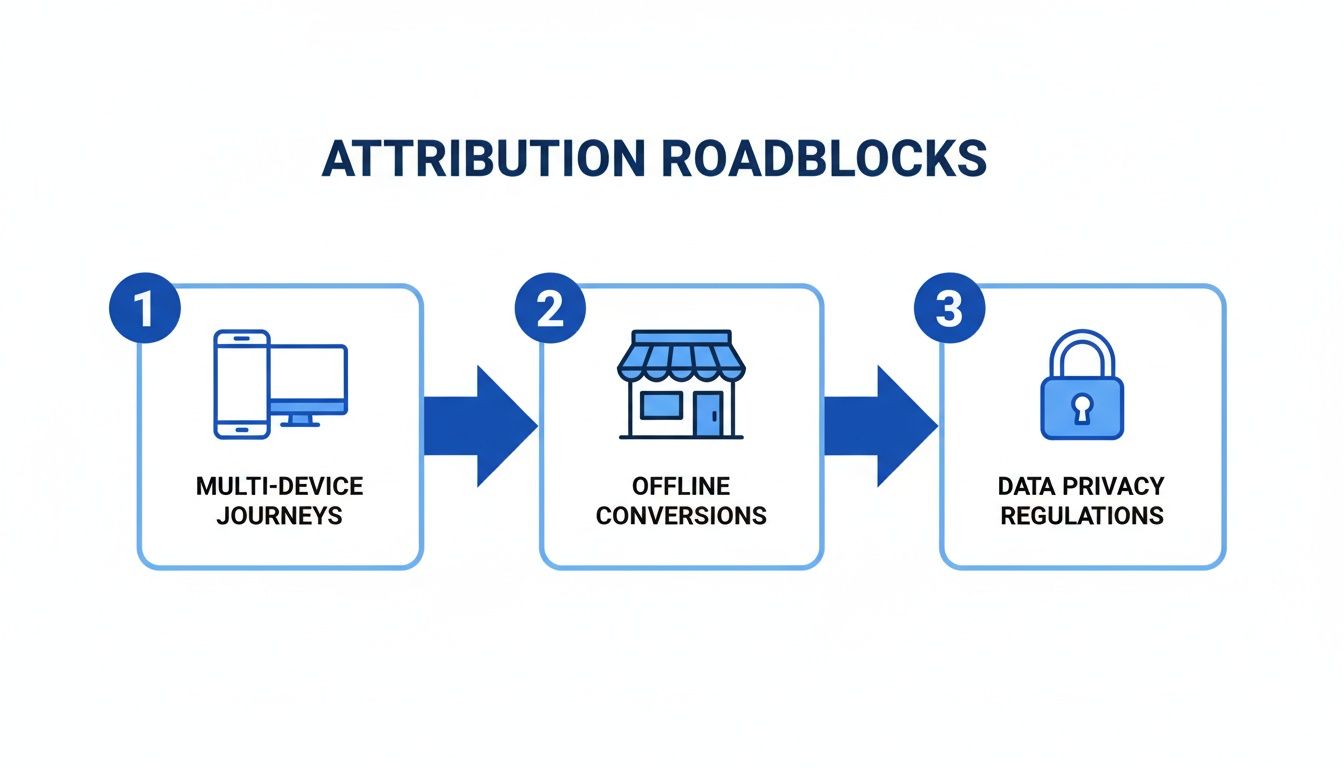
The reality is that customer journeys are messy. They jump between devices, often finish offline, and are increasingly shielded by privacy rules, which makes a robust tracking setup absolutely essential.
Boosting Data Accuracy with Server-Side Tracking
In a world full of ad blockers, browser restrictions, and the slow death of third-party cookies, old-school client-side tracking (which runs in the user's browser) is getting shakier by the day. This is where server-side tracking, set up through Google Tag Manager (GTM), comes in as a much more reliable solution.
Here’s the difference: instead of sending data straight from a user's browser to Google Analytics, the data first goes to a secure server that you control. From there, your server forwards it to your analytics and ad platforms. This might sound technical, but the benefits are huge:
- More Accurate Data: It’s much less vulnerable to ad blockers and browser tracking protections, which means you capture more complete data.
- Tighter Security: You get full control over exactly what data is shared with third-party tools, giving you better data governance.
- Better Site Performance: It can reduce the amount of code running on your website, often leading to faster page load times.
While setting up a server-side GTM container is more involved, the payoff in data quality and resilience is massive for any serious advertiser.
Connecting the Dots with Offline Conversion Imports
For so many businesses, the conversions that really matter—a signed contract, a qualified sales lead, a major purchase—happen offline, sometimes days or weeks after the initial ad click. Offline Conversion Imports are how you tie these real-world business results back to your Google Ads campaigns.
Here’s a look at how that process works:
- Capture the GCLID: When someone clicks your ad and fills out a lead form, you have to capture their unique GCLID along with their contact info and save it in your CRM.
- Track the Lead's Journey: Your sales team works the lead. When that person becomes a qualified prospect or a paying customer, you update their status in the CRM.
- Prep the Conversion Data: You then create a file containing the GCLID, the conversion name (like "Qualified Lead" or "Sale"), the deal value, and the time it happened.
- Upload to Google Ads: Finally, you upload this file directly into Google Ads. Google uses the GCLID to match that offline event all the way back to the original click, ad, and campaign.
This final step is what closes the loop. It lets you optimize your campaigns based on actual revenue and lead quality, not just surface-level form fills. It gives you the ground truth you need for an effective cross-channel marketing attribution strategy.
By putting all these pieces together—UTMs, GCLID, server-side tracking, and offline imports—you build a framework that can handle modern marketing challenges and finally give you the clarity you've been looking for.
Turning Attribution Data into Actionable Insights
Collecting attribution data is one thing; actually using it to make smarter decisions is where the magic happens. A solid cross channel marketing attribution setup gives you a mountain of information. The real skill is turning that raw data into a clear roadmap for growth.
This is all about moving past surface-level numbers. Instead of just glancing at the overall ROAS, you need to get your hands dirty and look at how each channel performs, which ones are assisting sales, and what your acquisition cost looks like across the entire customer journey.
Identifying KPIs That Truly Matter
Your whole attribution strategy lives or dies by the metrics you choose to watch. If you're still just looking at last-click conversions, you're flying blind. To get the full story and decide where to put your budget, your agency should be obsessed with these KPIs.
- Channel-Specific ROAS: Don't just look at the account-wide number. What’s the Return on Ad Spend for Search vs. Display vs. YouTube? Each one plays a different role.
- Assisted Conversions: This is your secret weapon for proving the value of top-of-funnel channels. It tells you how many times a channel showed up and helped move a customer along, even if it wasn't the one to score the final goal.
- Full-Funnel Cost Per Acquisition (CPA): Think beyond the final sale. Calculate your CPA for smaller steps along the way—like a newsletter signup or a whitepaper download. These are the breadcrumbs that lead to the big conversions.
When you track these metrics, you can finally prove the value of every single marketing dollar. It becomes easy to justify spending on channels that might not close the deal directly but are critical for teeing up the final shot.
Building a Practical Attribution Report
To share what you’ve learned, you need a report that people can actually understand. A great cross-channel attribution report tells a story, visualizing the customer's path and showing how different touchpoints work as a team. The goal is to avoid data dumps that make stakeholders' eyes glaze over.
Your report should paint a picture. Show how that first YouTube ad created awareness, which led to a brand search a week later, and finally a conversion. It's about demonstrating the teamwork between your channels.
A simple, effective report template should include:
- Top Conversion Paths: Highlight the most common channel sequences that lead to a purchase.
- Model Comparison: Put Last-Click data right next to your new model (like Data-Driven) to instantly show the value of those unsung hero channels.
- Key KPI Summary: A clean dashboard showing the essential metrics we just talked about, with clear trends over time.
Troubleshooting Common Data Issues
Keeping your data clean is a constant battle. Bad data leads to bad decisions, so it pays to know what to look for when things seem off. Here’s a quick checklist for the usual suspects.
- Data Discrepancies Between Google Ads and GA4: This is a classic. It's usually because the platforms are using different attribution models or conversion windows. Make sure you’re comparing apples to apples by aligning these settings in both platforms before you pull a report.
- Failing Offline Conversion Imports: Nine times out of ten, this is a GCLID problem. Check that the Google Click ID is being captured correctly by your forms and isn't getting lost or mangled on its way to the CRM.
- Low Match Rates for Phone Call Conversions: When calls aren't tying back to your ads, something is broken in the setup. If you're running into this, our guide on PPC call tracking is a great place to start digging in to make sure every call gets credited.
Staying on top of these common hiccups means you can trust your data, make decisions with confidence, and ultimately drive much better results for your clients.
Accelerating Attribution with Real-Time Data
Even with a perfect setup, there's often a frustrating delay between when a lead comes in from Google Ads and when that conversion data makes its way back from the CRM. This lag is a killer for cross-channel marketing attribution because it forces you to make optimization decisions based on old news.
It’s like trying to navigate a busy highway by only looking in the rearview mirror. You can see where you’ve been, but you have no idea what’s happening right in front of you. This delay means you might keep pouring money into a campaign that isn't working for days—or even weeks—before the data finally tells you to stop.
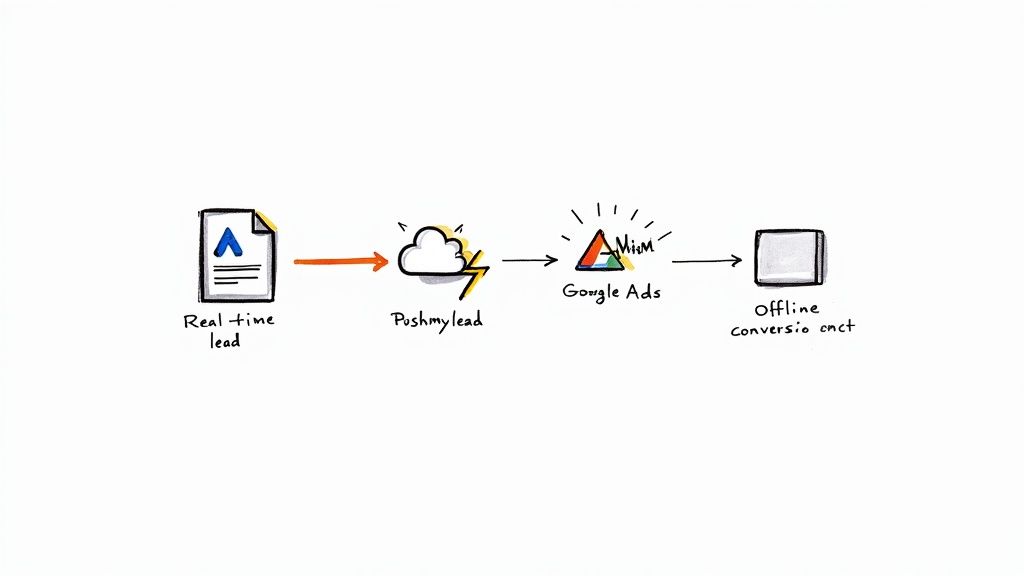
This is where a tool like Pushmylead comes in. It acts as a bridge, instantly firing lead data from Google Ads over to your CRM and sales team, closing the time gap and creating a much faster feedback loop for your sales process and your attribution.
From Lagging Reports to a Live Feedback Loop
The key is to get rid of the manual steps that create the bottleneck. Tools like Pushmylead solve this by instantly taking lead form data from your Google Ads campaigns and sending it straight into your CRM or your sales team's inbox. The impact is twofold.
First, your sales team gets a notification to follow up on a lead within minutes, not hours. We all know the stats—contacting a lead within the first five minutes can skyrocket conversion rates. That speed alone can seriously boost the quality and number of your offline conversions.
Second, the lead data, including that all-important GCLID, is already in the CRM. This makes the whole process of importing offline conversions back into Google Ads much, much smoother. No more waiting around for someone to do manual data entry or for the weekly batch upload to run.
Making Decisions in Real-Time
This instant data flow turns attribution from a backward-glancing report into a live, actionable feedback system. It gives your agency the power to make faster, smarter decisions. For a complete picture, you can pair this with real-time engagement tracking dashboards to see performance as it happens.
By closing the data loop, you empower Google's Smart Bidding algorithms with fresher, higher-quality conversion data. This allows the system to optimize bids based on what is driving actual sales now, not last week.
Instead of waiting for a month-end report to tell you a campaign is a hit, you can see the results almost immediately. This means you can confidently shift budgets, tweak bids, and double down on what’s working, getting your client a much better return and keeping you way ahead of the curve.
Got Questions About Google Ads Attribution? We Have Answers.
Jumping into cross-channel marketing attribution can feel like opening a can of worms, especially within the Google Ads world. Let's clear up some of the most common questions that pop up for agencies and advertisers.
Google Ads vs. GA4 Attribution
What's the real difference between attribution in Google Ads and GA4?
Think of it like this: Google Ads attribution has tunnel vision—in a good way. It’s laser-focused on the paths that lead to conversions inside its own universe, like your Search, Display, and YouTube campaigns. It’s built to help you optimize what’s happening within your ad account.
Google Analytics 4 (GA4), on the other hand, gives you the big picture. It pulls in data from all your channels—organic search, email, social media, you name it. This helps you see how everything works together across the entire customer journey. For a complete view, you really need to use both.
How Long Does Data-Driven Attribution Take to Kick In?
So, how long does Data-Driven Attribution (DDA) need to "learn"?
Google's DDA model is hungry for data before it can start making smart decisions. As a rule of thumb, you need at least 3,000 ad clicks and 300 conversions within a 30-day window for the model to even turn on.
The initial learning phase can take a few weeks to get going. After that, it’s not a "set it and forget it" thing; the DDA model is constantly crunching new data to refine how it assigns credit, getting sharper over time.
Why Your Conversion Numbers Don't Match
Why do my conversions in Google Ads never line up with my GA4 data?
First off, don't panic. It's totally normal to see different numbers, and it rarely means something is broken. The discrepancies almost always come down to a few usual suspects:
- Different Attribution Models: You might be comparing apples and oranges. For instance, your ads could be set to Last-Click while GA4 is using a Data-Driven model.
- Conversion Counting: The platforms can log a conversion at slightly different moments, especially with multi-day journeys.
- Tracking Setups: Tiny variations in how your tracking is implemented can also create small gaps.
To get a clearer picture, make sure you're always comparing reports that use the same attribution model and date ranges. It’s the easiest way to minimize those frustrating gaps.
You can speed up your attribution by closing the gap between when a lead comes in and when it hits your CRM. Pushmylead sends Google Ads leads over instantly, which means faster follow-ups and much quicker offline conversion tracking. Learn how to speed up your data flow at Pushmylead.