
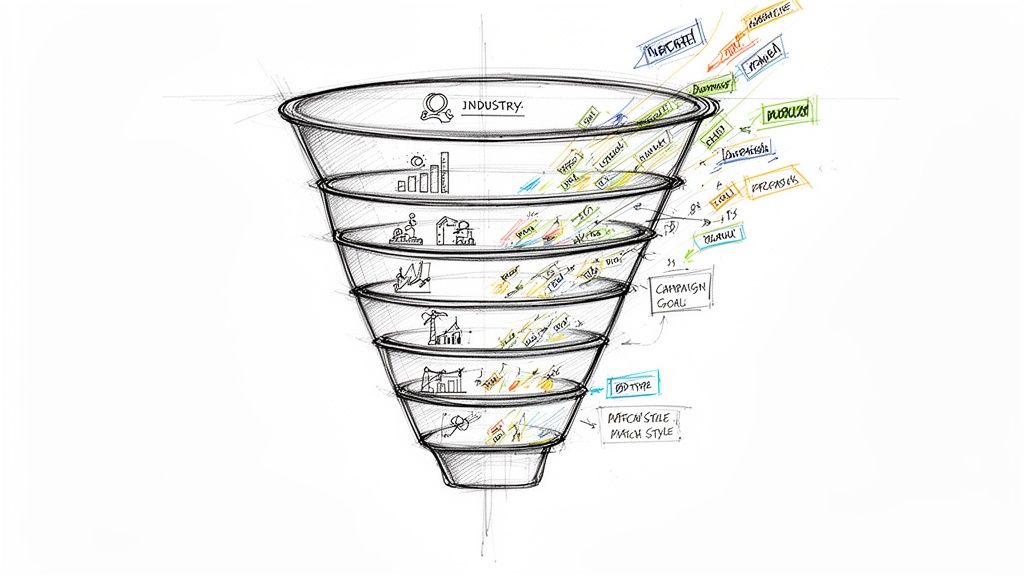
In the competitive world of Google Ads, every click counts, and every wrong click costs money. A well-crafted negative keyword strategy is the single most powerful tool you have to protect your budget, improve lead quality, and skyrocket your return on ad spend (ROAS). It's the difference between a campaign that drains your bank account and one that consistently delivers high-value conversions.
This isn't just about avoiding a few bad clicks; it's a fundamental campaign management discipline. By proactively eliminating irrelevant search queries, negative keywords play a crucial role in reducing your overall customer acquisition cost. This is especially critical when you're aiming for high-quality leads, as you want every form submission to represent a genuine business opportunity, not a dead end.
But where do you start? Finding the right terms to block can feel overwhelming. This comprehensive guide moves beyond theory and provides a complete negative keywords example for every major scenario you'll encounter within the Google Ads ecosystem. We'll break down eight critical categories, explaining the strategic 'why' behind each example and giving you actionable, replicable tactics to implement in your own Google Ads account today.
From filtering out price-shoppers to blocking irrelevant job seekers, these examples cover broad match, phrase match, and exact match types. You'll learn how to refine your targeting with surgical precision. Prepare to transform your campaigns from a leaky bucket into a targeted lead generation machine.
1. Broad Match Negative Keywords for Irrelevant Search Intent
Broad match negative keywords are your first line of defense against wasted ad spend in Google Ads. They act as a powerful filter, preventing your ads from showing for search queries that contain your specified negative keyword terms, regardless of word order. This is the most expansive negative match type, making it perfect for blocking entire categories of irrelevant search intent that will never convert.
Think of it as setting a non-negotiable rule for your Google Ads campaigns. When you add free as a broad match negative, you're telling the system, "Under no circumstances show my ad if the user's search includes the word 'free'." This simple action immediately disqualifies searchers whose intent is fundamentally misaligned with your business goals, such as generating high-quality leads for a premium service. For a deeper dive into the mechanics, you can learn more about how negative keywords work on PushMyLead.com.
Strategic Breakdown and Examples
The core strategy here is to eliminate entire audiences based on a single word that signals mismatch. This is a crucial negative keywords example for maintaining a high return on ad spend (ROAS) in your Google Ads account.
- For B2B SaaS: Adding
-freeas a broad negative is essential. It filters out users looking for freeware or open-source solutions, who are unlikely to pay for your premium software subscription. This ensures your budget is spent on prospects evaluating paid solutions. - For Lead Generation Agencies: A broad match negative like
-studentis vital. It excludes individuals conducting research for school projects or academic purposes, ensuring your lead forms are filled out by genuine business prospects, not researchers. - For a Google Ads Consultant: Using
-job,-career, or-salaryas broad negatives weeds out job seekers looking for employment. This focuses your budget exclusively on businesses searching for expert help to manage their campaigns.
Key Insight: Use broad match negative keywords for terms that universally signify an unqualified lead for your business model. This approach is about efficiency, cutting off large segments of irrelevant traffic with minimal effort within the Google Ads platform.
Actionable Takeaways
To implement this effectively within your Google Ads campaigns, follow these tactical steps:
- Start with the Obvious: Brainstorm and add terms that are unambiguously wrong for your business. Think
free,DIY,jobs,hiring,examples,template,course, andtutorial. - Analyze Your Search Query Report: Make it a monthly habit. Go into your Google Ads account, navigate to "Keywords" > "Search terms," and look for patterns. Sort by impressions and cost to find high-volume, low-value queries that are wasting money.
- Validate with Conversion Data: When you identify a potential negative keyword, check its conversion data. If a term has generated significant clicks but zero conversions, it's a prime candidate for a broad match negative. This data-driven approach confirms your decision and protects your budget from future waste.
2. Phrase Match Negative Keywords for Context-Specific Exclusion
Phrase match negative keywords offer a more controlled way to refine your ad targeting in Google Ads compared to broad match. They prevent your ads from showing when a search query contains your specified negative keyword phrase in the exact order, although other words can appear before or after it. This match type provides a crucial balance, giving you precision without being as restrictive as an exact match.
This approach is ideal for excluding specific user intents that are closely related to your keywords but ultimately unqualified. For instance, when you add -"how to" as a phrase match negative, you’re telling Google Ads, "Don't show my ad if the user is looking for instructions." This is perfect for a service-based business that sells a "done-for-you" solution, immediately filtering out DIY-oriented searchers who will never convert into paying customers. This targeted exclusion is a powerful negative keywords example for protecting your Google Ads budget.
Strategic Breakdown and Examples
The strategy here is to intercept and block specific, multi-word phrases that signal a clear mismatch in user intent. This is especially valuable for Google Ads campaigns using lead form extensions, where lead quality is paramount.
- For a B2B Service Provider: Adding
-"how to"as a phrase negative excludes searchers seeking educational or DIY content. A query like "how to set up a sales funnel" is blocked, but your ad can still show for "sales funnel expert," capturing high-intent commercial queries. - For a Google Ads Agency: Using
-"best cheap"filters out prospects whose primary concern is price over quality. This prevents your ad from showing for "best cheap google ads management," focusing your ad spend on clients looking for value and expertise, not the lowest bidder. - For a National Lead Generation Platform: A phrase match negative like
-"near me"is essential. It stops your national campaign from wasting money on users searching for local providers, ensuring your budget is allocated to prospects seeking a solution that operates on a broader scale.
Key Insight: Use phrase match negative keywords to eliminate specific, predictable search patterns that indicate low-quality intent. This level of control is perfect for refining Google Ads campaigns that are already performing well but are leaking budget on closely-related, yet unqualified, search queries.
Actionable Takeaways
To implement this targeted approach effectively in Google Ads, follow these steps:
- Analyze Search Query Phrasing: Regularly review your search terms report for recurring phrases that precede or follow your target keywords but lead to zero conversions. Look for patterns like
what is,how to,best free, ornear me. - Block Unwanted Comparisons: Create phrase negatives around competitor names combined with terms like
alternativeorvs. Adding-"competitor name vs"ensures you don't pay for clicks from users in the early research phase of comparing solutions. - Refine Based on Intent-Modifiers: Identify words that change the meaning of a search. Terms like
DIY,cheap,tutorial, andtemplateare excellent candidates for phrase match negatives when they appear alongside your core service keywords. Review these quarterly as language and search trends evolve.
3. Exact Match Negative Keywords for Surgical Lead Filtering
Exact match negative keywords offer the most precise control over ad visibility in the Google Ads platform. They act like a scalpel, preventing your ads from showing only when the user's search query perfectly matches your specified negative keyword, including close variants like plurals or misspellings. This surgical approach is ideal for excluding very specific, high-volume search phrases that are proven to be irrelevant but are too similar to valuable keywords to block with broader match types.
Think of it as setting a highly specific exclusion rule in your Google Ads account. When you add [google ads agency jobs] as an exact match negative, you're telling the system, "Only block my ad if the search query is this exact phrase or a very close variant of it." This allows you to still show for related, valuable searches like "google ads agency for small business" while surgically removing the single, known-bad query. This precision is essential for maximizing budget efficiency without accidentally cutting off valuable traffic.
![A search bar with '[free trial]' blocked by a 'BLOCKED' stamp, illustrating exact negative keywords.](https://cdn.outrank.so/356c71cb-6dfa-4469-9330-a4b067064797/d1eef77e-1be4-4d02-ac54-52610e3b8c56/negative-keywords-example-negative-keywords.jpg)
Strategic Breakdown and Examples
The strategy here is to eliminate specific, underperforming queries without impacting the performance of similar, high-converting terms. This particular negative keywords example is a hallmark of a mature, well-optimized Google Ads account.
- For B2B Software: A company might bid on the broad match keyword
business software. They may find the exact search[small business software free]generates clicks but never conversions. Using an exact match negative blocks this specific query while allowing them to still appear forsmall business software reviews. - For a Marketing Consultant: While targeting keywords related to "business coaching," you might find the specific query
[logo design for my business]wastes ad spend. Adding-[logo design for my business]prevents this, focusing your budget on prospects seeking strategic guidance, not graphic design services. - For a SaaS Company: A company targeting users looking for its tool might see unqualified traffic from the exact search
[saas company stock price]. Adding this as an exact negative eliminates investors and job-seekers, ensuring the budget is reserved for potential customers.
Key Insight: Use exact match negative keywords when a specific search phrase consistently wastes budget but broader negatives (like
-freeor-stock) would block valuable, long-tail queries. This is a high-precision tool for advanced Google Ads account optimization.
Actionable Takeaways
To implement this with surgical precision in your Google Ads account, follow these tactical steps:
- Become an Expert in Your Search Terms Report: Make the Search Terms Report your best friend. Schedule a weekly review to identify exact phrases with high impressions and clicks but zero conversions or leads. These are your top candidates.
- Filter for High-Cost, No-Return Queries: In your report, filter for search terms that have spent a significant portion of your budget (e.g., >$50) without a single conversion. If the query is specific and predictable, add it as an exact match negative.
- Manage Branded Competitor Traffic: If you bid on competitor names, you might find that searches like
[competitor name careers]or[competitor name login]are wasting money. Add these as exact match negatives to filter out job seekers and existing customers, focusing only on prospects looking to switch.
4. Price-Point Negative Keywords for Lead Quality Threshold Setting
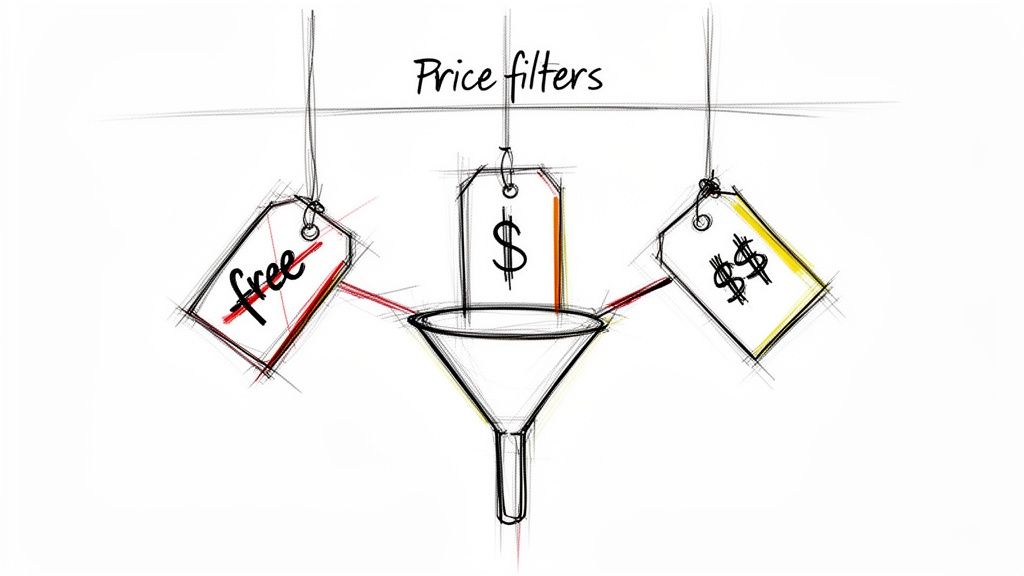
Price-point negative keywords are a crucial tool within the Google Ads ecosystem for setting lead quality thresholds, especially for businesses with premium offerings. This strategy involves excluding search queries that contain terms indicating a user's budget is too low or that they are primarily motivated by cost-saving. It acts as a financial filter, ensuring your ad spend is directed toward prospects who can afford and value your services, rather than those who will never convert due to price sensitivity.
By adding negatives like cheap or budget, you tell the Google Ads system to stop showing your ads to searchers whose primary purchase driver is finding the lowest possible price. This is essential for SaaS companies, high-end agencies, and premium service providers who need to maintain profitability and avoid wasting time on unqualified leads. This tactic aligns your ad visibility directly with your business's pricing structure.
Strategic Breakdown and Examples
The core strategy is to define and protect your minimum viable customer budget. This negative keywords example is about attracting leads who perceive value beyond just the price tag, leading to higher-quality conversations and better close rates.
- For Enterprise Software Companies: Adding
-free trialor-free demoas negatives can be powerful if your sales cycle is complex and requires a guided, high-touch demo with qualified leads, not tire-kickers. It focuses budget on prospects ready for a serious evaluation. - For Digital Marketing Agencies: Filtering out queries like
-cheap SEO servicesor-affordable PPC managementis vital. This prevents your agency from competing on price and attracts clients who are looking for expertise, results, and a strong ROI, not just the lowest bidder. - For a Consulting Firm: Using negatives like
-budget solutionor-low cost adviceexcludes price-shopping inquiries. This ensures your intake forms are filled by organizations prepared to invest in premium strategic guidance.
Key Insight: Use price-point negative keywords to pre-qualify your audience based on financial intent. This shifts the focus from lead quantity to lead quality, dramatically improving the efficiency of your sales team.
Actionable Takeaways
To implement this price-filtering strategy effectively in Google Ads, follow these steps:
- Define Your Customer's Budget: Before adding any negatives, clearly define the minimum viable budget a customer needs to have. Brainstorm all the terms that signal a searcher falls below this threshold, such as
cheap,affordable,low cost,budget, anddiscount. - Review Your Search Terms Report: Go to your Google Ads account and analyze the search terms that trigger your ads. Look for price-related modifiers that have high impressions or clicks but zero conversions or lead quality. These are prime candidates for your negative keyword list.
- Combine with Audience Targeting: For maximum precision, layer your price-point negatives with Google Ads audience targeting. For example, in a B2B context, you can target specific industries or job titles (like C-suite executives) who are less likely to be price-sensitive, making your negative keywords even more effective.
5. Competitor Name Negative Keywords with Intent Modifiers
Adding competitor names with intent modifiers as phrase match negatives is a sophisticated tactic to refine ad targeting within the Google Ads platform. This strategy prevents your ads from appearing when a user is explicitly comparing, reviewing, or looking for alternatives to your competitors. While bidding on competitor names can be a valid strategy, showing up for these specific analytical queries often wastes budget on users who are deep in the consideration phase for another solution, not yours.
This approach acts as a precision filter. By adding "[competitor name] review" as a phrase match negative, you're telling Google Ads, "Show my ad if someone searches for my competitor, but not if their intent is clearly to evaluate or compare that specific competitor against others." This protects your budget from low-intent clicks and focuses spending on users who are more open to discovering your brand as a primary solution.
Strategic Breakdown and Examples
The core strategy is to surgically remove your ads from competitor-focused research queries while potentially remaining visible for broader competitor searches. This is a powerful negative keywords example for businesses in highly competitive markets, ensuring your ad budget is allocated to searches with higher purchase intent.
- For B2B SaaS: A marketing automation platform might exclude
"-hubspot alternative"and"-salesforce vs". This stops their ads from showing to users already committed to finding a replacement for HubSpot or directly comparing it with Salesforce, who are less likely to consider a third, unknown option. - For a Project Management Tool: A company like Asana could use
"-monday.com comparison"to avoid appearing in searches where users are specifically evaluating Monday.com against its known rivals. The search intent is comparison, not new solution discovery. - For a Google Ads Management Platform: An agency tool could add
-[competitor name] review, for example"-optmyzr review". This filters out users looking for social proof and user feedback on a competitor's platform, indicating they are far down the funnel with that specific provider.
Key Insight: Use phrase match for competitor names combined with modifiers like
review,vs,comparison, oralternative. This allows you to carve out very specific, low-value search contexts without completely blocking all competitor-related traffic.
Actionable Takeaways
To implement this advanced Google Ads strategy effectively, follow these steps:
- Build Your Competitor List: Compile a comprehensive list of your direct and indirect competitors. Don't forget to include both established market leaders and emerging players.
- Combine with Intent Modifiers: For each competitor, create a list of phrase match negatives. Use common comparison terms:
"[competitor] vs","[competitor] alternative","[competitor] comparison","[competitor] review", and even"[competitor] pricing". - Perform Quarterly Competitor Audits: The competitive landscape changes quickly. Set a reminder to review and update your competitor negative list every quarter to account for new entrants, acquisitions, or shifts in market positioning. Use your Google Ads search query report to spot new competitor names cropping up in your searches.
6. Location-Based Negative Keywords for Geographic Targeting Precision
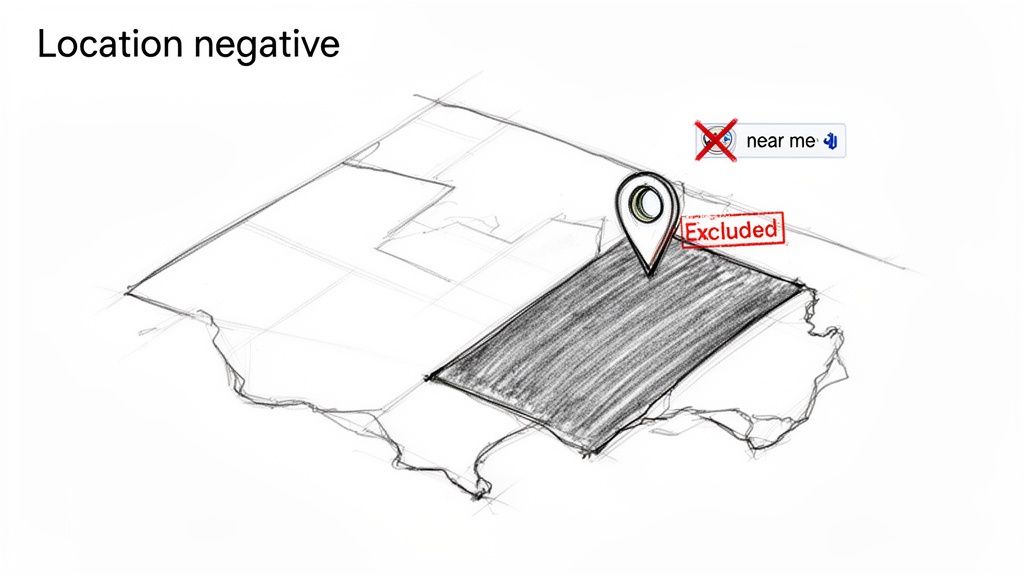
Location-based negative keywords are essential for advertisers who operate within specific geographic boundaries. While Google Ads location targeting is powerful, it doesn't stop users outside your area from searching for services inside your area. Adding geographic terms as negatives prevents your ads from showing for searches that specify a location you don't serve, ensuring your budget is spent only on geographically qualified prospects.
This tactic acts as a crucial second layer of filtering on top of your campaign's location settings. For example, if your plumbing company serves Dallas but not the neighboring city of Fort Worth, a user in California searching for "plumbers in fort worth" could still see your ad if their search intent is deemed relevant. By adding -fort worth as a negative, you explicitly tell Google, "If the user mentions this city I don't serve, do not show my ad," which stops budget waste on clicks from irrelevant service areas.
Strategic Breakdown and Examples
The strategy here is to align your ad visibility with your operational footprint, eliminating any ambiguity caused by user search behavior. This is a vital negative keywords example for any local service business aiming for maximum efficiency and lead quality in their Google Ads campaigns.
- For a Local Plumbing Service: A plumber based in Brooklyn should add negatives for other boroughs like
-[queens],-[manhattan], and-[the bronx]to their campaigns. This ensures they only pay for clicks from users specifically seeking a plumber within their Brooklyn service zone. - For a Regional Law Firm: If a firm is licensed only in Texas, adding phrase match negatives like
-"new york lawyer"or-"california attorney"is critical. This filters out users whose legal needs are tied to a jurisdiction the firm cannot serve, preventing costly consultations with unqualified leads. - For a Home Cleaning Company: A provider covering only the northern suburbs of a city should use negatives for southern suburbs. Adding
-[south chicago]or-[hyde park]would prevent their ads from appearing to homeowners in areas they cannot physically reach, focusing spend on their target market.
Key Insight: Combine campaign-level location targeting with ad-group-level geographic negative keywords in your Google Ads account. This layered approach provides the highest level of precision, ensuring both the user's physical location and their stated search intent match your service area.
Actionable Takeaways
To implement this with precision in Google Ads, follow these tactical steps:
- Map Your Borders: Clearly define your service area and create a list of all major cities, counties, neighborhoods, and even zip codes that fall just outside it. These will form the basis of your negative keyword list.
- Use Your Search Terms Report: Regularly review your Search Terms Report for geographic modifiers. If you're a "Chicago roofer" and see clicks from queries like "roofer in Naperville," add
Napervilleas a negative keyword immediately if you don't serve that area. - Implement at the Right Level: Apply broad, state-level negatives (e.g.,
-Florida) at the campaign level. For more granular exclusions like specific towns or neighborhoods, apply them at the ad group level to maintain customized control over different service-based campaigns.
7. Industry/Role Mismatch Negative Keywords for B2B Lead Alignment
Industry and role mismatch negative keywords are critical for B2B advertisers using Google Ads, serving as a precision tool to filter out leads who, despite showing interest, don't fit your ideal customer profile (ICP). They prevent your ads from appearing for searches that include specific job titles, industries, or business types that your product or service isn't designed for. This is essential for aligning your ad spend with sales-qualified leads, not just any lead.
For B2B lead generation via Google Ads, the prospect's role and industry are paramount. A click from a student researching a term is fundamentally different from a click from a C-suite executive with purchasing power. By adding negative keywords like student or freelancer, you are telling Google Ads to disqualify audiences that lack the authority, budget, or organizational context to become a customer, ensuring your budget is spent targeting high-value decision-makers.
Strategic Breakdown and Examples
The strategy here is to move beyond generic negatives and align your keyword targeting directly with your sales team's ICP. This is an advanced negative keywords example that significantly improves lead quality and shortens the sales cycle by filtering out wrong-fit inquiries at the very first touchpoint in your Google Ads funnel.
- For Enterprise Software Companies: Adding
-studentand-educationalprevents budget waste on academic researchers. It ensures that clicks and conversions come from commercial enterprises evaluating a new solution for their operations. - For a B2B SaaS Platform: Using phrase match negatives like
-"for freelancers"or-"for contractors"is crucial if your platform is built for teams. This filters out solo practitioners who don't match your multi-seat license model. - For a Management Consulting Firm: Negatives like
-job,-employment, and-internshipare vital. They block job seekers from consuming the ad budget, focusing spend exclusively on business leaders seeking consulting services.
Key Insight: Use industry and role-based negative keywords to build a protective barrier around your ideal customer profile within your Google Ads campaigns. This proactive filtering ensures that your marketing efforts attract prospects your sales team actually wants to talk to, boosting conversion rates and sales efficiency.
Actionable Takeaways
To implement this with precision in your Google Ads B2B campaigns, follow these tactical steps:
- Define Your Anti-Persona: Work with your sales team to define not just who your customer is, but also who they are not. List the job titles, company sizes, and industries that are a consistently poor fit.
- Review Sales Feedback: Make it a monthly practice to review disqualified leads with your sales team. Ask them why a lead wasn't a good fit and look for recurring roles or industries that can be translated into negative keywords.
- Use Phrase Match for Context: For job titles or specific roles, use phrase match (e.g.,
-"project manager") instead of broad match. This prevents you from accidentally blocking a relevant query like "software for a marketing project manager" while still excluding searches specifically for job roles.
8. Content-Intent Negative Keywords for Filtering Research-Stage Prospects
Content-intent negative keywords are a precision tool in the Google Ads ecosystem designed to filter out searchers who are in the early, informational stages of the buyer's journey. These users are looking for content to consume, not a product or service to purchase immediately. Adding these negatives prevents your ads from appearing for queries that signal an intent to learn, research, or self-educate, rather than buy.
This approach is crucial for Google Ads campaigns focused on generating high-quality, sales-ready leads. When you add -how to as a negative keyword, you're instructing Google Ads to disqualify users who are trying to solve a problem themselves. This ensures your budget is reserved for prospects who understand their problem and are actively searching for a professional solution like yours, making it a powerful negative keywords example for lead quality optimization.
Strategic Breakdown and Examples
The core strategy here is to separate informational intent from transactional intent. By blocking queries associated with content consumption, you can significantly improve the quality of your incoming leads and focus your ad spend on users who are much closer to making a purchasing decision.
- For B2B SaaS: Adding
-how toand-tutorialprevents your ads from showing to users looking for DIY instructions. This filters out individuals who want to build a solution themselves instead of paying for your platform, directing your budget toward prospects evaluating ready-made software. - For a Google Ads Agency: Using negatives like
-free guideand-templateexcludes users searching for educational resources they can use on their own. This ensures your lead forms are filled by businesses actively seeking expert management, not free materials to manage their own campaigns. - For a Digital Marketing Platform: A negative keyword combination like
-learnpaired with your product name filters out students or aspiring marketers using your brand for research. This focuses ad spend on potential customers ready to sign up for a demo or trial.
Key Insight: Use content-intent negative keywords to align ad visibility with your sales cycle. If your Google Ads campaign goal is immediate lead generation, filtering out "top-of-funnel" research queries is one of the fastest ways to improve lead quality and ROAS.
Actionable Takeaways
To implement this Google Ads strategy effectively, follow these tactical steps:
- Identify Informational Keywords: Brainstorm terms that signal a search for content. Common examples include
guide,tutorial,learn,how to,what is,template,course, andebook. - Scour Your Search Terms Report: Regularly review your search terms report for these patterns. Look for queries that have high impressions and clicks but result in low-quality leads or zero conversions. These are prime candidates for your negative keyword list.
- Use with Branded Campaigns: Be particularly vigilant with branded campaigns. Adding content-intent negatives here protects your brand budget from being spent on users who are simply learning about your company for academic or research purposes rather than intending to buy.
8-Point Negative Keywords Comparison
| Match Type | Complexity 🔄 | Maintenance & Resources 💡 | Expected Outcomes ⭐📊 | Ideal Use Case | Key Advantages ⚡ |
|---|---|---|---|---|---|
| Broad Match Negative Keywords for Irrelevant Search Intent | Low — simple to implement, but coarse control | Low — minimal upkeep; monitor search reports monthly | ⭐ Reduces irrelevant traffic significantly; may lower overall impressions 📊 | Multi-campaign setups needing aggressive CPL reduction | ⚡ Broadest filtering with low maintenance |
| Phrase Match Negative Keywords for Context-Specific Exclusion | Moderate — requires phrase selection and testing | Moderate — regular review (quarterly) to refine list | ⭐ Balanced precision and coverage; fewer false positives than broad 📊 | B2B/professional services where intent nuance matters | ⚡ Better precision while retaining reasonable reach |
| Exact Match Negative Keywords for Surgical Lead Filtering | High — detailed list and continuous tuning | High — intensive monitoring and frequent updates | ⭐ Maximum precision; minimal accidental blocking 📊 | High-budget, optimized campaigns with solid ROI data | ⚡ Surgical filtering that protects budget and impressions |
| Price-Point Negative Keywords for Lead Quality Threshold Setting | Low–Moderate — depends on terms selected | Moderate — requires price-position clarity and A/B tests | ⭐ Improves lead-to-customer conversion; reduces unqualified inquiries 📊 | Premium-priced products/services prioritizing quality over volume | ⚡ Cuts time on unviable prospects and lowers cost-per-qualified-lead |
| Competitor Name Negative Keywords with Intent Modifiers | Moderate — needs competitor research and modifiers | Moderate — update competitor list quarterly | ⭐ Lowers spend on comparison-stage traffic; improves ad relevance 📊 | Competitive markets where alternatives drive low-converting clicks | ⚡ Avoids wasted bids on competitor-brand comparison searches |
| Location-Based Negative Keywords for Geographic Targeting Precision | Moderate — map exclusions to targeting settings | Moderate–High — per-location lists for multi-region accounts | ⭐ Eliminates geographic mismatches; increases local relevance 📊 | Local/regional businesses with defined service territories | ⚡ Improves geographic lead quality and reduces qualification effort |
| Industry/Role Mismatch Negative Keywords for B2B Lead Alignment | Moderate — needs clear ICP and role lists | Moderate — requires sales feedback and persona updates | ⭐ Improves decision-maker alignment and conversion rates 📊 | High-ticket B2B with defined buyer personas and role sensitivity | ⚡ Filters non-decision makers, raising lead quality |
| Content-Intent Negative Keywords for Filtering Research-Stage Prospects | Low–Moderate — identify research language patterns | Moderate — monitor queries and test impact on volume | ⭐ Removes information-seekers, improving sales-ready lead share 📊 | Sales-driven campaigns where immediate purchase intent is required | ⚡ Shortens sales cycle by focusing on ready-to-buy prospects |
Your Blueprint for Profitable, High-Quality Lead Generation
The journey through the world of Google Ads is one of continuous refinement, and the mastery of negative keywords is a cornerstone of that process. Moving past a reactive approach where you simply add irrelevant search terms as they appear is the first step toward transforming your campaigns from a cost center into a predictable revenue engine. The extensive collection of negative keywords examples we've explored isn't just a list to copy; it's a strategic framework for thinking critically about who you want to reach and, more importantly, who you don't.
By embracing this proactive mindset, you stop paying for clicks from users with no intention of converting. You begin to build a protective shield around your ad budget, ensuring every dollar is invested in attracting prospects who are genuinely interested in your solutions. This shift elevates your campaign management from mere maintenance to strategic asset allocation, a discipline that consistently separates the top-performing Google Ads consultants and agencies from the rest.
From Examples to an Evergreen Strategy
The true power of the examples covered in this article, from broad match intent filters to surgical exact match exclusions, lies in their adaptability. Your goal should be to internalize the underlying logic behind each category and build a custom, multi-layered negative keyword strategy that evolves with your business and the market.
Key Strategic Takeaways to Implement Immediately in Google Ads:
- Audit with Intent: Don't just scan your Search Query Report for obvious junk. Actively look for patterns that align with the categories we discussed. Are you seeing price shoppers, job seekers, or DIY researchers? Categorize these queries and build dedicated negative lists.
- Layer Your Match Types: Use broad match negatives for wide-ranging, irrelevant concepts (like "free" or "jobs"). Deploy phrase match to control context (like "how to fix") and reserve exact match for eliminating specific, high-volume, low-value queries that persistently drain your budget.
- Think Beyond Keywords: The most effective strategies connect negative keywords to business goals. If your objective is high-value B2B leads, your negative lists should aggressively filter out terms associated with students, small businesses (if they aren't your target), or individual consumers.
This strategic application of negative keywords is fundamental for any business serious about growth, especially those in highly competitive digital landscapes. For businesses specifically in the B2B or B2C SaaS space, understanding your target audience and excluding irrelevant searches is critical for growth. This is particularly true for Marketing SaaS companies, who constantly seek efficient customer acquisition by filtering out search intent that doesn't align with their ideal customer profile.
Your Action Plan for Immediate Impact
Ultimately, knowledge without action is just trivia. Your next step is to translate these concepts into tangible campaign improvements within your Google Ads account. Start small to build momentum. This week, dedicate one hour to reviewing the Search Query Reports for your highest-spending campaigns.
Choose just one of the categories we've detailed and focus exclusively on it. Perhaps you'll build a list of price-point negatives like "cheap," "lowest price," and "discount." Or maybe you'll focus on filtering out research-intent queries by adding "what is," "examples," and "template" as phrase match negatives. By implementing a single, focused negative keywords example set, you will see a measurable improvement in your click-through rates, cost per conversion, and overall lead quality.
This disciplined, iterative process is the secret to building campaigns that not only generate leads but generate the right leads, profitably and at scale. It transforms your Google Ads account into a finely tuned machine, systematically disqualifying poor-fit prospects before they ever cost you a click.
Once you've refined your campaigns to attract high-quality prospects, the next critical step is ensuring those leads are acted upon instantly. Pushmylead closes the loop by delivering your hard-won Google Ads leads directly to your sales team in real-time via WhatsApp, phone call, or SMS. Stop letting valuable leads go cold and start converting them within seconds using Pushmylead.