
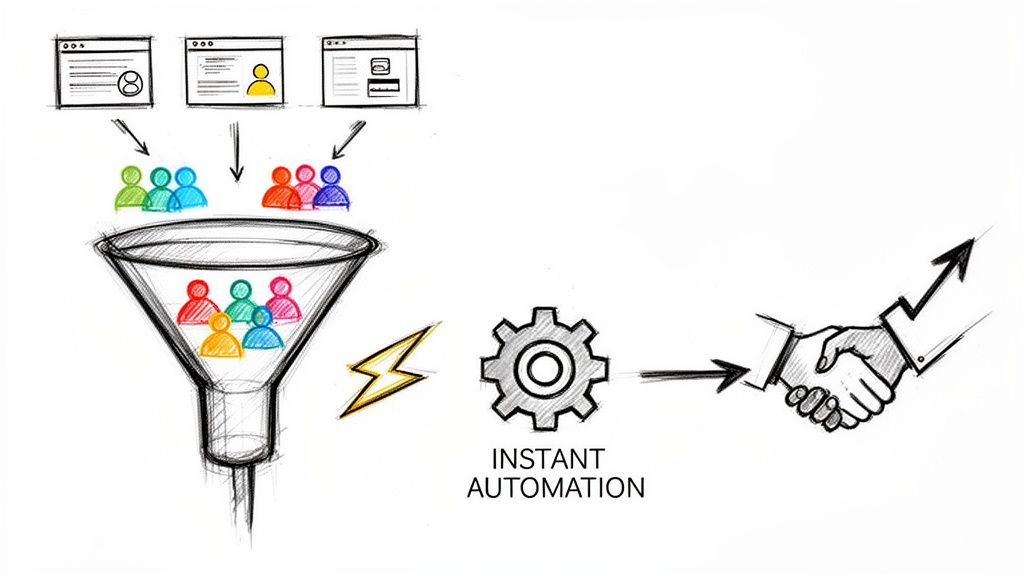
You’ve done all the hard work. Your targeting is dialed in, the ad copy is compelling, and a high-value B2B prospect just filled out your Google Ads lead form. Victory, right? Not so fast.
The biggest leak in most B2B Google Ads funnels isn't the campaign itself—it's what happens after the click. It’s the dead space between a lead hitting "submit" and your sales team actually getting their hands on the information. This gap, often a black hole of manual CSV downloads and data entry, is where your ROI goes to die.
In B2B, speed isn’t just a nice-to-have; it’s your most powerful competitive advantage.
The Hidden Cost of "We'll Get to It Later"
When a lead comes through Google Ads, it feels like a win for the marketing team. But for the sales team, it's the start of a race against the clock. The all-too-common practice of manually downloading lead data is a bottleneck that actively sabotages your results.
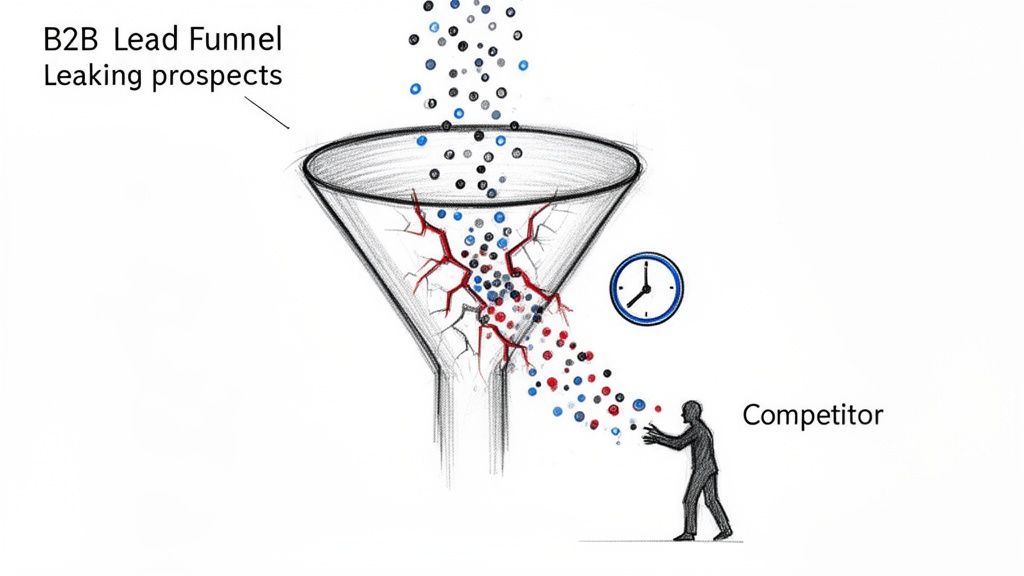
Put yourself in your prospect's shoes. A busy director is researching a new software solution. They find your ad, it speaks to their problem, and they fill out your form. Their intent is at its absolute peak in that exact moment. An hour from now, they're buried in meetings. By tomorrow, they’ve already had a demo with your competitor who called them back in five minutes.
Why Manual Lead Handling Is Obsolete
Logging into Google Ads, fumbling with a CSV export, and then manually uploading it to a CRM is a workflow from a bygone era. It creates friction and delays that are especially toxic in a B2B environment.
Here’s why it’s so damaging:
- Complex Buying Journeys: B2B sales cycles are long and involve multiple decision-makers. Making a strong, immediate first impression is crucial for building the momentum needed to carry a deal across the finish line.
- Sky-High Lead Costs: With the average B2B lead now costing $70.11 and sales cycles lasting 3-6 months, you can't afford to waste a single opportunity. Research shows only 27% of B2B leads are sales-ready right away, so every delay gives them time to cool off. You can explore more on these lead generation statistics for a deeper dive.
- Rapidly Fading Intent: The prospect’s pain point is sharpest right when they're searching. Every minute you make them wait, that urgency dissipates, and your brand's solution fades from their memory.
The table below breaks down just how stark the difference is between the old way and a modern, automated approach.
The Impact of Lead Response Time on B2B Conversions
| Challenge | Traditional Method (Manual Download) | Modern Solution (Instant Notification) |
|---|---|---|
| Speed | Leads sit for hours or days in the Google Ads UI. | Sales team receives lead details in seconds. |
| Efficiency | Manual, error-prone data entry consumes valuable time. | Automated delivery to CRM or email; zero manual work. |
| Sales Readiness | Contact is made when prospect's intent has cooled. | Engagement happens at peak interest, boosting conversation rates. |
| Competitive Edge | Competitors using automation reach the lead first. | You become the first (and often only) vendor they talk to. |
Ultimately, a slow follow-up process means you're not just losing a lead; you're actively handing it to a competitor who has their act together.
The bottom line is simple: a lead's value decays exponentially with time. What is a hot, interested prospect today becomes a competitor's signed client tomorrow if you're too slow to act.
Automating your lead delivery isn’t a minor tweak. It’s a fundamental shift that turns a slow, reactive process into a proactive sales weapon, forming the foundation of an unstoppable PPC B2B lead generation machine.
Building a Foundation for High-Quality B2B Leads
Jumping straight into building Google Ads campaigns without a clear strategy is like trying to build a house with no blueprint. Sure, you might get a structure up, but it’s going to be wobbly, inefficient, and definitely won't attract the right people. From my experience, the most effective PPC B2B lead generation starts long before you ever write a single ad.
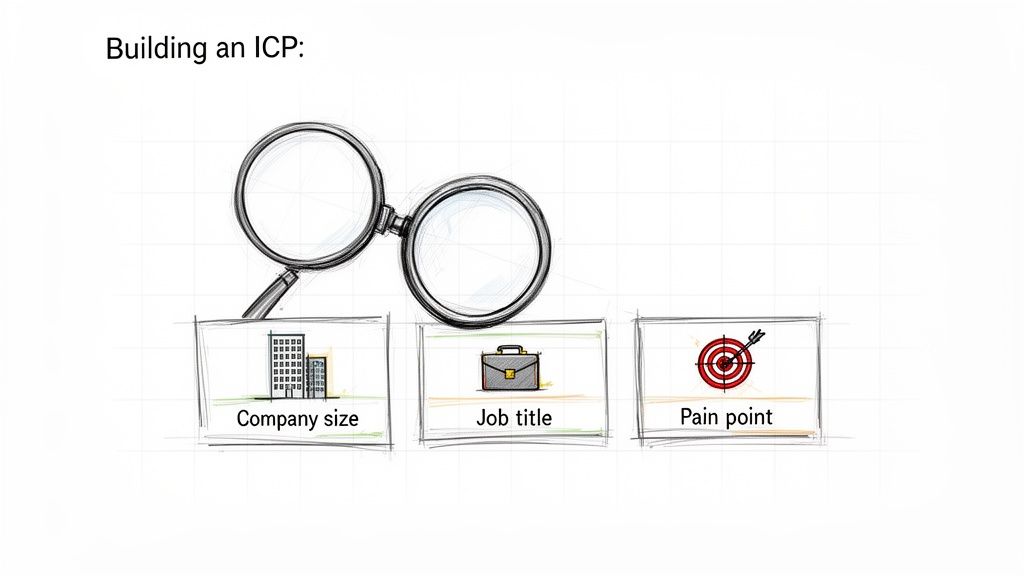
This groundwork is all about getting an almost forensic understanding of who you're trying to reach. This goes way beyond simple demographics. We need to build a rock-solid Ideal Customer Profile (ICP) that will act as the north star for every targeting decision, keyword choice, and line of ad copy you create.
Defining Your Ideal Customer Profile
Your ICP isn't just a persona; it's a detailed portrait of the perfect company to sell to. It’s built on firmographics—the hard data about a company—and the specific roles within that organization who actually make purchasing decisions. Vague descriptions like "tech companies" are a surefire way to burn through your ad spend with little to show for it.
Instead, you have to get granular. Think of your ICP as a living document that can answer these kinds of specific questions:
- Company Size: Are you after startups with 10-50 employees or enterprises with over 1,000? Their needs, budgets, and decision-making processes are worlds apart.
- Industry: Get specific. Don't just say "manufacturing." Drill down to "aerospace parts manufacturing" or "medical device manufacturing."
- Revenue: What's the typical annual revenue of a company that not only affords your solution but gets the most value from it?
- Geography: Where do your best customers live? Are there specific regions, states, or countries where you have the most traction?
- Job Titles: Who holds the purse strings (the VP of Operations), who will use your product every day (the Project Manager), and who will champion it internally (the IT Director)?
- Pain Points: What specific business problems do you solve for them? Be concrete. Think "reducing manual data entry by 20 hours a week," not just "improving efficiency."
Answering these questions transforms your targeting from a wide, hopeful net into a precision spear. It ensures your budget is spent reaching prospects who can actually become customers.
Translating Your ICP into Google Ads Targeting
With a sharp ICP in hand, you can start translating those attributes into Google Ads' powerful audience-targeting tools. While some of the audience types might seem more B2C-focused at first glance, a strategic approach can make them incredibly effective for B2B.
For instance, In-Market Audiences are groups of users Google has flagged as actively researching products or services like yours. While you'll find plenty of consumer categories, segments like "Business Services" or "Software > Business & Productivity Software" are pure gold for B2B advertisers.
Your real secret weapon, though, is Custom Audiences. Here, you can build an audience based on the search terms people have used, the websites they've visited (like your competitors' sites), or even the apps they have on their phones. Imagine creating an audience of people who have recently searched for your top three competitors by name. That's a high-intent group you absolutely want to get in front of.
Your goal isn't just to find an audience; it's to find an audience with active commercial intent. The magic happens when you layer the firmographic data from your ICP with the behavioral signals you get inside Google Ads. This is what separates the average campaigns from the high-performing ones.
High-Intent Keyword Research for B2B
Keyword research is the final piece of your strategic foundation. In the B2B world, you have to fight the urge to go after broad, high-volume keywords. A term like "project management software" gets tons of searches, but the intent is all over the map—from students doing homework to someone looking for a free app for their personal to-do list.
Your focus should be squarely on long-tail, problem-solving keywords that scream buying intent. These are the phrases typed by professionals who have a real budget and a pressing problem that needs solving now.
Get into the mindset of your ICP. They aren't just searching for a product category; they're searching for a solution to a very specific headache.
Take a look at how you can use Google's Keyword Planner to uncover new ideas from a starting point like "B2B CRM software."
The tool will spit back related keywords along with search volume and competition data, helping you find those niche, high-intent terms that your broader competitors are likely ignoring.
Here’s how to think about the difference in practice:
| Broad, Low-Intent Keyword | High-Intent B2B Keyword |
|---|---|
| "crm software" | "crm for manufacturing sales teams" |
| "marketing automation" | "hubspot vs marketo comparison" |
| "cybersecurity solutions" | "best endpoint security for small business" |
The keywords on the right get far fewer searches, but the person typing them is infinitely closer to making a purchase. By focusing your efforts on these specific, intent-driven queries, you'll attract fewer clicks, but the leads you do get will be far more qualified. This foundational work—on your ICP, audience targeting, and keyword strategy—is what ensures every dollar you spend is working as hard as possible to bring in valuable B2B leads.
Structuring Your Google Ads Campaigns to Reach Decision-Makers
With your strategy locked in, it’s time to build a Google Ads campaign structure that actually gets you in front of high-level B2B decision-makers. A messy campaign is like a disorganized filing cabinet—you know the good stuff is in there somewhere, but finding it is a nightmare. For PPC B2B lead generation to work, you need a structure that puts the right message in front of the right person, every time.
Remember, the goal isn't just to rack up clicks. We’re trying to start real conversations with the VPs, directors, and C-suite execs who can actually sign a check. This means we have to go beyond the basic campaign setups and get inside the head of how your audience actually searches for solutions.
Themed vs. Granular Ad Groups
There’s always a debate about how to structure ad groups. Do you go broad with themed groups that cover a bunch of related keywords, or do you get super specific with something like Single Keyword Ad Groups (SKAGs)?
From my experience, a hybrid model is usually the sweet spot for B2B. While true SKAGs can become a beast to manage, the core idea behind them—perfectly matching your ad to the search—is gold. By grouping a small, tight cluster of high-intent keywords into one ad group, you can write copy that speaks directly to that specific search.
Let's look at an example for a cybersecurity firm.
- Themed Ad Group: "Endpoint Security Solutions"
- This might include keywords like "endpoint protection," "business antivirus," and "malware defense for companies."
- The ad copy has to stay pretty general to cover all those terms.
- Granular Ad Group: "Small Business Endpoint Protection"
- Here, the keywords are much more specific: "endpoint security for small business," "smb endpoint protection," "small company antivirus."
- Now, the ad copy can be hyper-relevant: "Endpoint Protection Built for Small Businesses. Secure Your Team Today."
This granular approach gives you a much better chance at higher Quality Scores and click-through rates (CTRs). More importantly, it delivers more qualified leads because your ad is a direct answer to what they were looking for.
Writing Ad Copy That Speaks to the Bottom Line
Decision-makers don't care about flashy features. They care about outcomes—ROI, efficiency, and reducing risk. Your ad copy absolutely has to speak their language. Stop listing what your product does and start showing them what it delivers.
Here are a few principles I always follow for B2B ad copy:
- Lead with the Benefit. Kick off your headline with the end result. "Cut IT Costs by 30%" is way more powerful than "Our New IT Management Software."
- Use Real Numbers. Data builds instant credibility. Using phrases like "Trusted by 5,000+ Enterprises" or "Reduce Onboarding Time by 40%" gives them solid proof of your value.
- Hit a Specific Pain Point. Get right to their problem. An ad that asks, "Tired of Inaccurate Sales Forecasts?" is going to hit home with a Sales VP much harder than a generic ad about CRM features.
- Position Yourself as the Solution. Frame your offer as the clear answer to their challenge. The focus isn't on your product; it's on solving their big, complicated business problems.
A B2B decision-maker's time is their most valuable asset. Your ad has less than three seconds to convince them that clicking is a worthwhile investment. Make every character count by focusing on tangible business impact.
Mastering Google Ads Lead Form Extensions
Google Ads Lead Form extensions are a fantastic tool for B2B. They let people submit their info right there on the search results page, cutting out the need to even visit your landing page. This is a huge win, especially on mobile.
Setting them up is pretty simple, but you need to be strategic to make them work for B2B. You can add them to Search, YouTube, and Discovery campaigns at either the campaign or ad group level.
Here’s a quick rundown on the setup:
- First, head to the campaign you want to add the form to.
- Go to 'Ads & assets' and then click on 'Assets'.
- Hit the blue '+' icon and choose 'Lead form'.
- Now, you can build your form:
- Headline & Business Name: Be clear about what they’re getting. Something like "Get a Custom Demo" works well.
- Questions: Stick to the essentials. For B2B, I usually ask for Name, Work Email, Company Name, and Phone Number. Don't ask for too much right away.
- Privacy Policy: This is a must. You have to include a link to your privacy policy.
- Submission Message: Write a clear thank-you message that tells them what happens next. For example, "Thanks! Our team will be in touch within 24 hours."
For companies that need to scale up or want an expert eye on their campaigns, looking into outsourced PPC campaigns services can be a smart play. They can help fine-tune everything from your ad group structure to your lead form setup, making sure your campaigns are built to perform.
When you architect your campaigns with the decision-maker in mind from the very beginning, you turn your Google Ads account from a simple traffic-driver into a powerful engine for high-quality B2B leads.
How to Automate Lead Delivery for Instant Follow-Up
Your Google Ads campaigns are finally humming. High-intent decision-makers are clicking, filling out your lead forms, and hitting submit. This is the make-or-break moment for your entire PPC B2B lead generation strategy. The tiny window between a prospect raising their hand and your sales team reaching out is where deals are won or lost.
If you're still relying on someone to manually log into Google Ads, download a CSV, and then upload it to your CRM, you've already lost. That's a process built for failure. Every hour that ticks by is an invitation for a competitor to get their foot in the door first.
Automation isn't just a nice-to-have; it's the only reliable bridge between a marketing lead and an actual sales conversation.
Why Manual Downloads Kill Your ROI
Think of a prospect's interest like a rapidly decaying asset. The second they submit their info, their intent is at its peak. They have a problem they need to solve, they think you can help, and they're ready to talk. But when that lead just sits there in the Google Ads interface, its value plummets by the minute.
The only way to fix this is to forge a direct, real-time connection between your Google Ads account and your sales team's workflow. This is where simple but powerful automation tools come in. A service like Pushmylead is built for one job: to instantly push lead data from your Google lead forms directly to your email or CRM the second it arrives.
This is usually done with a webhook, which acts like a digital messenger. When Google Ads snags a lead, the webhook immediately fires that data to wherever you've told it to go—your CRM, a Google Sheet, or a sales inbox. You can learn more about how to set up webhooks for Google Ads integration and see just how straightforward the process can be. This simple tech setup closes the loop and makes sure no lead ever goes cold.
This flowchart breaks down the modern B2B ad process: first you target, then you message, and finally, you capture.
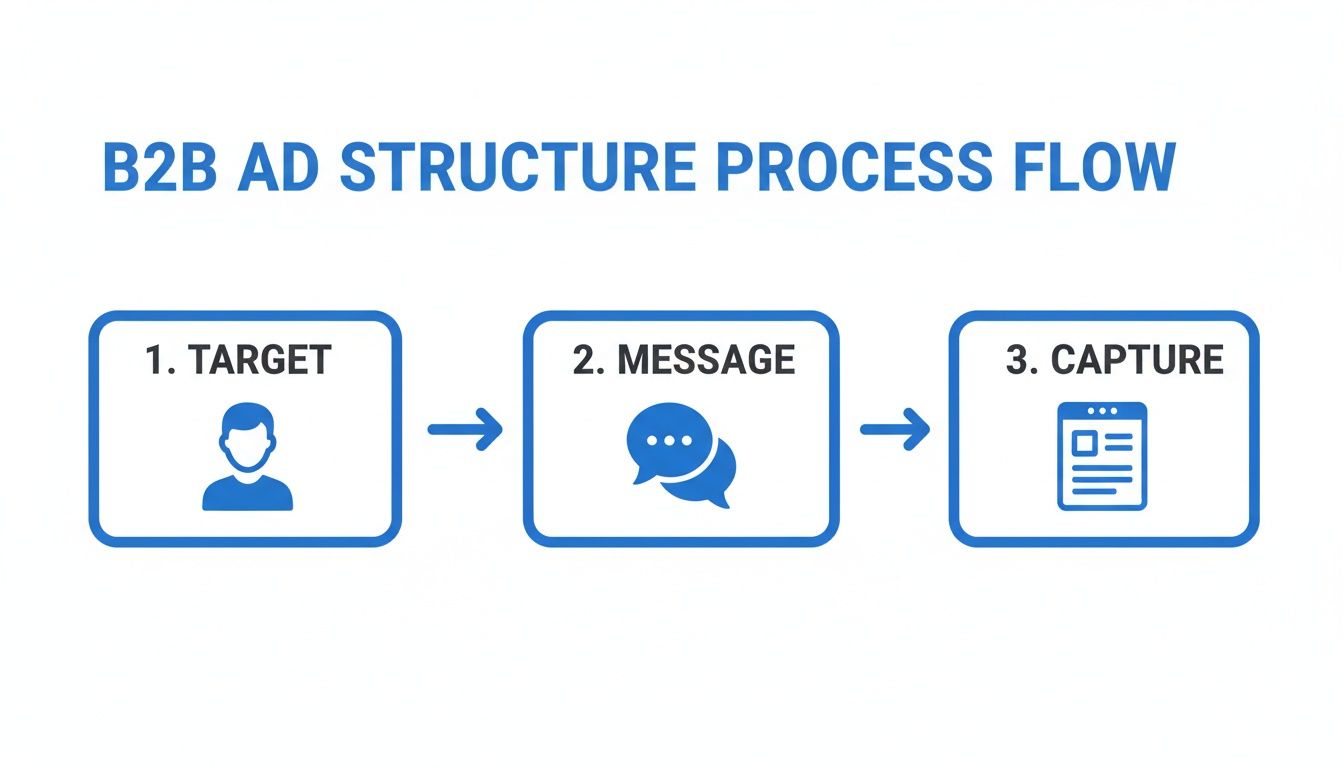
But remember, capturing the lead is only part of the battle. What you do next is what actually drives revenue.
Setting Up Your Automated Lead Workflow
Getting an automated delivery system running is far less complicated than you might think. Whether you're an agency managing dozens of client accounts or an in-house marketer juggling multiple campaigns, this is usually a set-it-and-forget-it task that pays off forever.
It really boils down to connecting your ad account to an automation service and telling it where to send the leads.
- Connect Your Source: First, you’ll grant the tool access to your Google Ads account. If you're an agency, you can do this at the Manager Account (MCC) level to cover all your clients at once.
- Pick Your Destination: Where should the lead data go? This could be a specific email like
sales@yourcompany.com, a CRM like HubSpot or Salesforce, or even a basic Google Sheet for tracking. - Map Your Fields: This is just a simple matching game. You’ll connect the fields from your Google lead form ("Full Name," "Work Email," "Company Name") to the right fields in your CRM or spreadsheet.
- Activate and Test: Once it's all hooked up, send a test lead through the system to make sure everything lands in the right place. From that point on, every real lead gets delivered instantly.
Automating lead delivery isn't just about being more efficient. It fundamentally changes the sales dynamic. Your team goes from chasing stale information to engaging prospects at the absolute peak of their interest. That gives you an almost unbeatable edge.
This small change shifts your sales team from being reactive to proactive. They can follow up in minutes, not hours, already knowing the exact ad and offer the prospect responded to. That speed and context dramatically increase your chances of booking a demo and turning your PPC budget into a healthy sales pipeline.
Get Sales on Your Side to Fine-Tune Your Campaigns
Getting a lead from your PPC campaign is a great start, but it’s really just the first step. The real magic happens after the click, and to make that journey better, you have to close the loop between your marketing campaigns and what actually happens on the sales floor. If you don't have that feedback system in place, you’re just lobbing leads over a wall and hoping for the best.
This is where you turn raw data into real intelligence. It's about tracking what matters, nurturing leads intelligently, and, most importantly, talking to your sales team to find out which leads are gold and which are duds.
Go Beyond "Form Fills" and Track What Really Matters
The default conversion in Google Ads—a simple lead form submission—is fine, but it tells you almost nothing about lead quality. Did that person ghost the sales team? Were they a student doing research? Was their budget a tiny fraction of what you need?
To do this right, you have to track actions that signal genuine interest and intent. This means setting up more meaningful conversion goals in your Google Ads account.
- Offline Conversion Tracking: This is the absolute best way to do it in B2B. By connecting your CRM data, you can tell Google Ads which leads actually turned into a Sales Qualified Lead (SQL) or, even better, a Closed-Won deal. This powerful data feeds Google’s Smart Bidding algorithms so they can hunt for leads that generate revenue, not just form fills.
- Micro-Conversions: Don't forget the small but important actions. Did someone visit your pricing page right after downloading an ebook? Did they spend over three minutes reading a key case study? These are strong signals you can use to build high-intent remarketing audiences.
When you set up this kind of advanced tracking, you get a clear view of what’s actually driving the business forward. It lets you confidently shift your budget to the campaigns and keywords that are filling your sales pipeline with quality opportunities.
Nurture the Leads Who Aren't Ready to Buy Today
Let's be real: most B2B leads aren't ready to buy the second they fill out a form. Industry research consistently shows that around 73% of B2B leads need more time and information before they’re sales-ready. Just throwing these leads over to sales is a waste of everyone's time and often results in them being tossed aside.
A smart lead nurturing strategy keeps you on their radar and builds trust over the long haul.
A "not right now" doesn't mean "not ever." A simple, valuable nurturing sequence can turn a curious prospect from three months ago into your biggest client next quarter. The goal is to provide value, not just a sales pitch.
Think about it this way. A prospect downloads your whitepaper on "Improving Manufacturing Efficiency." Instead of a sales call, they get a simple, automated email sequence:
- Day 1 (Immediately): Here’s that whitepaper you requested. Thanks for your interest!
- Day 4: Check out this case study showing how a similar company got incredible results.
- Day 10: We're hosting a short webinar on a related topic—thought you might find it useful.
- Day 20: Here’s a blog post with a few practical tips you can use right away.
This approach educates your prospect and positions you as a helpful expert. When they are finally ready to pull the trigger, you'll be the first one they call.
Create a Powerful Sales Feedback Loop
Your sales team has the best on-the-ground intelligence you could ask for. They hear directly from prospects about their biggest challenges, their objections, and which competitors are in the mix. Weaving their insights into your PPC strategy is what separates the good advertisers from the truly great ones.
Set up a quick, recurring meeting—maybe 30 minutes every week or two—with marketing and sales. The agenda is simple: talk about the leads coming from your PPC campaigns.
Ask specific, direct questions:
- "Which campaigns sparked the best conversations this week?"
- "Are you hearing any common objections or questions from these leads?"
- "What job titles seem to be the most interested and qualified?"
- "Are any competitor names coming up a lot?"
This kind of feedback is pure gold. If sales tells you that leads from your "competitor alternatives" campaign are fantastic, you know exactly where to put more budget. If they say prospects are always confused about a specific feature, that's your cue to rewrite your ad copy and clarify your landing page.
This quick-reference table breaks down how to connect the dots between your metrics and the actions you should take, informed by that sales feedback.
Key B2B PPC Metrics and Optimization Tactics
The table below gives you a quick way to see which numbers matter most in B2B and what you should do about them.
| Metric | What It Tells You in B2B | Optimization Action |
|---|---|---|
| Cost Per SQL | The true cost to get a lead that sales actually accepts, not just any form fill. | Shift budget away from campaigns with a high Cost Per Lead but low SQL rate. Funnel it into the winners. |
| Lead-to-Opportunity Rate | The percentage of your leads that turn into a real, tangible sales opportunity. | For campaigns with low rates, scrutinize your ad copy and landing pages. Are you setting the wrong expectations? |
| Impression Share | How often your ads are showing up for your target keywords versus how often they could be. | Increase bids or improve your Ad Rank for top-performing keywords where sales feedback has been positive. |
This process combines the hard numbers from Google Ads and your CRM with the invaluable human insights from your sales team.
By creating this constant feedback loop, you build a powerful, self-improving system. Your PPC B2B lead generation efforts will get sharper over time, driving not just more leads, but better leads that create a predictable and profitable pipeline.
Got Questions About B2B PPC? Let’s Clear Things Up.
When you're in the trenches running B2B PPC campaigns, a few questions always seem to pop up. Whether it's about budget, which channels to use, or how to handle leads, getting straight answers is the difference between spinning your wheels and building a real lead-gen machine. Let's tackle some of the most common ones I hear from marketers.
What’s a Realistic Starting Budget for B2B PPC?
This is the big one, but the answer isn't as complicated as you might think. For most B2B SaaS or service companies, a good starting point is somewhere between $5,000 and $15,000 per month. This gives you enough firepower to actually gather meaningful data, test a few different ad groups, and see what works without running out of cash in a week.
If you’re selling high-ticket services with a big average contract value (ACV), you'll need to lean toward the higher end of that range. In competitive B2B spaces, a single click can cost $50 or more. A tiny budget would get chewed up before you learn a thing. The goal in your first 30-90 days isn't necessarily a massive ROI; it's about collecting performance data to make smart decisions later.
Should My B2B Company Be on Every Paid Channel?
Please don't. This is a classic mistake. Spreading your budget too thin across Google, LinkedIn, YouTube, and Display all at once is a surefire way to get mediocre results everywhere. You're far better off dominating one or two channels first.
- Start with Google Search: It’s the king of intent. You’re getting in front of people who are literally typing their problems into a search bar. This is almost always the best place to begin.
- Layer in LinkedIn Ads next: Once Google Search is humming along, bring in LinkedIn. Its targeting is second to none for reaching specific job titles and company types. It’s perfect for getting on the radar of decision-makers who aren't actively looking yet.
Once you've proven the model on these core platforms, you can use your data to strategically expand to other channels where you know your ideal customers hang out.
How Does AI in Google Ads Actually Impact B2B Campaigns?
AI isn't just a buzzword anymore; it’s baked into Google Ads with features like Performance Max (PMax) and all the automated bidding strategies. For B2B campaigns, AI can be a game-changer, but you have to steer it in the right direction.
Automated bidding like Target CPA (Cost Per Action) or Maximize conversions can work wonders, but only if you're feeding the algorithm good, clean data. This is exactly why it’s so critical to set up offline conversion tracking and import your CRM data (like when a lead becomes an SQL). If you don't, you’re just telling Google's AI to get you more form fills, not more qualified customers.
Think of AI as an incredibly smart pilot. It can fly the plane with amazing precision, but it still needs a human co-pilot to tell it where to go. Your job is to set the destination with your strategy and provide the right data fuel.
Is It Better to Generate Leads or Just Buy a List?
Buying a list might feel like a quick win, but trust me, it’s a strategy that almost always backfires. These people have never heard of you and certainly didn't ask to be contacted. When you dig into what B2B lead generation entails, you quickly see that permission and intent are everything.
Here’s why purchased lists fall flat:
- Engagement is abysmal: These leads are ice-cold. Your outreach is an interruption, not a solution.
- Deliverability gets crushed: Blasting emails to people who never opted in is the fastest way to get your domain blacklisted as spam.
- Intent is zero: The magic of PPC is that you're engaging people who have already raised their hand. That intent is the most valuable thing you can have in marketing.
Generating your own leads through PPC builds a pipeline of prospects who are genuinely looking for a solution. It makes the entire sales process smoother and way more effective.
Ready to stop losing valuable B2B leads to manual downloads? Pushmylead ensures every lead from your Google Ads campaigns is delivered instantly to your sales team's inbox or CRM. Close the gap between click and conversation by visiting https://www.pushmylead.com to automate your lead delivery today.