

Marketing automation is more than just a buzzword; it's a critical framework for scaling lead generation and maximizing return on ad spend (ROAS) for Google Ads campaigns. Instead of manually chasing every lead or sending generic follow-ups, automation allows you to create intelligent, responsive systems that nurture prospects, qualify leads, and drive conversions around the clock. This article moves beyond theory to provide concrete, actionable examples of marketing automation specifically tailored for the Google Ads ecosystem.
You will learn how to build practical workflows that bridge the gap between a click on your ad and a paying client. We will break down the triggers, tools, and key metrics for essential automation like lead nurturing sequences, dynamic lead scoring, and customer onboarding. Each example includes a step-by-step playbook you can implement immediately to improve efficiency and campaign performance. To explore a variety of impactful use cases and deepen your understanding of the many possibilities, consider these 10 powerful marketing automation workflow examples as a supplementary resource.
This guide is designed to be a practical resource. Forget high-level concepts; we’re focused on the specific mechanics that turn Google Ads traffic into revenue for your agency and your clients.
1. Automated Lead Nurturing for Search Campaigns
Automated lead nurturing sequences are workflows designed to guide prospects generated from your Google Ads search campaigns through the sales funnel. Instead of sending one-off emails, these sequences deliver a series of targeted messages triggered by a user's action, such as submitting a lead form after searching for a specific keyword. This is one of the most powerful examples of marketing automation because it ensures every new lead receives immediate, consistent, and personalized communication, moving them closer to conversion without manual intervention.
Use Case for the Google Ads Ecosystem
For a PPC manager, this is essential for maximizing the value of every click. A prospect who fills out a "Free PPC Audit" form can be entered into a sequence that first delivers the audit, then follows up with case studies, testimonials, and educational content about common Google Ads mistakes. According to recent data, nurtured leads make 47% larger purchases than non-nurtured leads.
Sample Workflow & Implementation
- Trigger: A new lead is captured from a Google Ads lead form extension.
- Action 1: Use Pushmylead to instantly forward the lead data from your Google Ads account to your CRM (like HubSpot or ActiveCampaign).
- Action 2: The CRM enrolls the contact into a "New Google Ads Lead" workflow.
- Day 1: Instant welcome email with the promised lead magnet (e.g., an audit or guide).
- Day 3: Follow-up email with a relevant case study.
- Day 5: Email highlighting a common pain point and offering a solution.
- Day 7: A final email with a clear call-to-action to schedule a consultation.
- Metrics to Track: Open Rate, Click-Through Rate (CTR), and Cost per Acquisition (CPA) on booked consultations.
2. Shopping Cart Abandonment for Performance Max
Shopping cart abandonment campaigns are automated workflows targeting users who add products to their cart from a Performance Max or Shopping campaign but leave without completing the purchase. Triggered by this specific user inaction, these sequences send timely email or SMS reminders to recover potentially lost sales. This is one of the highest ROI examples of marketing automation for e-commerce, as it re-engages shoppers with strong purchase intent. On average, cart abandonment emails have a 45% open rate.

Use Case for the Google Ads Ecosystem
For an agency managing Google Shopping or Performance Max campaigns, this automation is critical. You're paying for clicks that drive users to the site; recovering abandoned carts ensures that ad spend isn't wasted. By implementing a recovery sequence for your e-commerce clients, you directly increase their conversion rate and revenue, proving the value of your ad management and improving their overall return on ad spend (ROAS).
Sample Workflow & Implementation
- Trigger: A known user from a PMax campaign adds a product to their cart but does not complete the checkout process within 30 minutes.
- Action 1: The e-commerce platform (like Shopify) sends this event data to an email marketing tool (like Klaviyo).
- Action 2: The tool enrolls the contact into a "Cart Abandonment" workflow.
- Hour 1: Initial reminder email with images of the cart items and a direct link back to checkout.
- Day 1: Follow-up email offering a small incentive, like a 10% discount or free shipping.
- Day 3: Final reminder creating urgency, mentioning low stock or that the discount is expiring.
- Metrics to Track: Abandoned Cart Rate, Recovery Rate, and Revenue Recovered from Google Ads traffic.
3. Welcome Series for YouTube Ads Leads
A welcome series is an automated sequence of emails sent immediately after a user subscribes or downloads a resource from a YouTube Ads conversion. This initial interaction is critical for setting expectations and building a relationship from day one. This is one of the most fundamental examples of marketing automation because it capitalizes on the moment a new lead is most engaged, significantly boosting long-term open rates. Welcome emails generate up to 320% more revenue per email than other promotional emails.
Use Case for the Google Ads Ecosystem
For a business using YouTube in-stream ads to promote a lead magnet (e.g., an e-book or webinar), a welcome series is crucial. After a user signs up for your "10 Google Ads Tips" PDF via the ad, the welcome series can introduce your brand's philosophy, share success stories, and guide them toward a paid product or consultation. This transforms a one-time view into a valuable, long-term relationship.
Sample Workflow & Implementation
- Trigger: A user subscribes to a newsletter via a form on a YouTube Ads landing page.
- Action 1: Use Pushmylead to instantly send the new subscriber’s data from your Google Ads campaign to your email marketing platform (like MailerLite).
- Action 2: The platform enrolls the contact into a "New Subscriber Welcome" automation.
- Email 1 (Instant): Welcome message confirming the subscription and delivering the promised lead magnet.
- Email 2 (Day 2): Introduce your brand story and what makes your agency unique.
- Email 3 (Day 4): Share a valuable tip or a link to your best-performing blog post.
- Email 4 (Day 6): A soft call-to-action, like an invitation to follow you on social media or book a discovery call.
- Metrics to Track: Open Rate, Click-Through Rate (CTR) for the first email, and lead-to-customer conversion rate.
4. Automated Lead Scoring for High-Value Keywords
Lead scoring is an automated system that assigns points to prospects based on their behavior, demographics, and engagement. For Google Ads, this can be tied to the keywords they used. It's one of the most efficient examples of marketing automation because it enables your sales team to prioritize their efforts on the hottest prospects, significantly improving conversion rates from your ad traffic. Companies using lead scoring see a 77% increase in lead generation ROI.
Use Case for the Google Ads Ecosystem
A lead from a "Google Ads agency pricing" keyword is likely more sales-ready than one from "what is PPC." Automation can assign a higher initial score to leads from high-intent keywords. Further actions, like visiting a pricing page, increase the score. A high score automatically alerts the sales team, ensuring valuable, ad-generated leads receive immediate attention.
Sample Workflow & Implementation
- Trigger: A lead from a Google Ads campaign fills out a form.
- Action 1: Use Pushmylead to send the initial lead data, including the keyword, to your CRM.
- Action 2: Your CRM (like HubSpot or Salesforce) applies a scoring model.
- +20 points: Keyword contains "pricing," "cost," or "services."
- +15 points: Spends over 2 minutes on the website.
- +25 points: Downloads a case study.
- Action 3: Once a lead's score exceeds a threshold (e.g., 80 points), they are automatically segmented into a "Hot Lead" list, and a notification is sent to the sales team for immediate follow-up.
- Metrics to Track: Lead-to-Opportunity Conversion Rate, Sales Cycle Length, and Cost Per Sales Qualified Lead (SQL).
5. Re-engagement Campaigns for Past Converters
Re-engagement campaigns are automated workflows designed to reactivate leads who have gone cold or former clients who have churned. These sequences use targeted messaging to reignite their engagement. This is one of the most cost-effective examples of marketing automation, as winning back a previous customer or lead is often 5 times cheaper than acquiring a new one through Google Ads. You can use Customer Match lists to target these users with specific ads.
Use Case for the Google Ads Ecosystem
A lead who requested a proposal six months ago but never signed on can be automatically entered into a winback email campaign. Simultaneously, they can be added to a Google Ads Customer Match audience for a remarketing campaign showcasing new case studies or offers. This multi-channel approach increases the chances of re-engagement.
Sample Workflow & Implementation
- Trigger: A contact in the CRM has not opened an email in 180 days, or a client's status is "Former Client."
- Action 1: The CRM enrolls the contact into a "Winback Campaign" workflow and adds them to a "Cold Leads" Google Ads audience.
- Day 1: Email 1: "It's been a while… any new challenges with Google Ads?"
- Day 15: Email 2: Share a powerful new case study.
- Day 30: Email 3: A final, personalized offer, such as a discount.
- Action 2: Run a targeted Google Ads campaign for the "Cold Leads" audience with a "Come Back" message.
- Metrics to Track: Re-engagement Rate, Conversion Rate from the winback audience, and List Churn Rate.
6. Event Registration for Google Ads Webinars
Event registration automation uses workflows to manage the entire lifecycle of a webinar promoted with Google Ads. Instead of manually sending reminders and follow-ups, the system handles confirmations, pre-event reminders, and post-event segmentation automatically. This is a crucial example of marketing automation for generating leads, ensuring a professional experience that nurtures attendees into qualified prospects. Using automation can boost event attendance by 20%.
Use Case for the Google Ads Ecosystem
For an agency promoting a "Google Ads Masterclass" webinar with Search or Discovery ads, automation is key. When a user registers via a Google Ads landing page, a workflow can send them a calendar invite and reminders. After the event, the system can automatically segment attendees from no-shows, sending each group a different follow-up sequence to book more consultations.
Sample Workflow & Implementation
- Trigger: A user registers for a webinar on a landing page promoted via Google Ads.
- Action 1: Use Pushmylead to instantly send the registration data to your CRM or webinar software (like Zoom).
- Action 2: The CRM enrolls the contact into a pre-event workflow.
- Instantly: Send a confirmation email with a calendar invite.
- 1 Day Before: Email reminder with key takeaways.
- 1 Hour Before: Final reminder email with the direct login link.
- Action 3: After the event, segment contacts based on attendance and trigger separate follow-up sequences.
- Metrics to Track: Registration Rate from Ads, Attendance Rate, and Post-Webinar Demo/Consultation Bookings.
7. Personalized Upsells for Google Shopping Customers
Personalized product recommendation workflows are automated systems that analyze customer purchase history to suggest relevant products. This is a crucial example of marketing automation for e-commerce brands using Google Ads, as it helps maximize customer lifetime value (LTV). Instead of showing generic items, it delivers a tailored shopping experience that drives repeat purchases. Personalized recommendations can increase average order value (AOV) by up to 30%.
Use Case for the Google Ads Ecosystem
For an agency managing Google Shopping campaigns, this automation turns a one-time conversion into a long-term customer. When a user clicks an ad and buys a product, their journey doesn't have to end. An automated workflow can follow up with recommendations for complementary products or up-sells. You can also add these customers to a specific Customer Match audience for future upsell campaigns on Google.
Sample Workflow & Implementation
- Trigger: A customer completes a purchase originating from a Google Ads campaign.
- Action 1: Use Pushmylead to send the new customer and order data from your e-commerce platform (like Shopify) to your email marketing tool (like Klaviyo).
- Action 2: The email tool enrolls the contact into a "Post-Purchase Recommendation" flow.
- Day 5: Email showcasing products "Frequently bought together" with the item they purchased.
- Day 14: Email with a "You might also like" section.
- Day 30: A "Replenishment" reminder email if the product is consumable.
- Metrics to Track: Click-Through Rate (CTR) on recommended products, Repeat Purchase Rate, and Customer Lifetime Value (LTV).
8. Client Onboarding for Google Ads Services
Customer onboarding sequences are automated workflows designed to welcome new clients and guide them to success. This is one of the most important examples of marketing automation for agencies because it improves client activation and reduces early churn. A strong onboarding process can increase customer retention by up to 82%.
Use Case for the Google Ads Ecosystem
For a Google Ads agency, a strong onboarding sequence is vital for client confidence. When a new client signs on, an automated workflow can immediately provide them with a welcome kit, introduce their point of contact, explain the reporting schedule, and link them to a dashboard, demonstrating professionalism and a structured process from day one.
Sample Workflow & Implementation
- Trigger: A new client is marked as "Closed-Won" in the CRM.
- Action 1: The CRM (e.g., HubSpot) automatically enrolls the new client contact into the "New Client Onboarding" workflow.
- Action 2: The sequence delivers a series of timed, value-driven communications.
- Day 1: Instant welcome email from the account manager, including a link to schedule their kickoff call.
- Day 3: An email explaining your agency's Google Ads strategy and philosophy.
- Day 7: A guide on "How to Read Your Performance Reports."
- Day 14: A proactive email checking in and sharing an early win or insight from the campaign.
- Metrics to Track: Client engagement (Open Rate, CTR), Kickoff Call booking rate, and 90-day retention rate.
9. Review Requests for Google Business Profile
Review and referral request automation uses workflows to ask satisfied clients for testimonials. After a positive campaign result, an automated sequence can prompt clients to leave a review on platforms like Google. This is one of the most efficient examples of marketing automation because it systematically generates social proof, which is invaluable for a Google Ads agency's credibility. 88% of consumers trust online reviews as much as personal recommendations.
Use Case for the Google Ads Ecosystem
For a Google Ads agency, positive reviews on your Google Business Profile are crucial for building trust. When a client's campaign hits a significant milestone, like a 200% increase in ROAS, it's the perfect time to trigger a request for a review. This capitalizes on their satisfaction to fuel your agency's reputation and lead pipeline.
Sample Workflow & Implementation
- Trigger: A client's campaign hits a pre-defined success metric in your reporting tool or CRM.
- Action 1: Use a tool like Zapier to connect your reporting software to your CRM.
- Action 2: The CRM enrolls the client into a "Review Request" workflow.
- Day 1: Send a personalized email celebrating the recent success and asking if they’d be willing to share their experience. Include a direct link to your Google Business Profile review page.
- Day 7: If no review is left, send a gentle follow-up.
- Day 14: Send a separate email introducing your referral program.
- Metrics to Track: Number of New Reviews, Average Star Rating, and Number of Qualified Referrals.
10. Automated Bid Strategy Adjustments
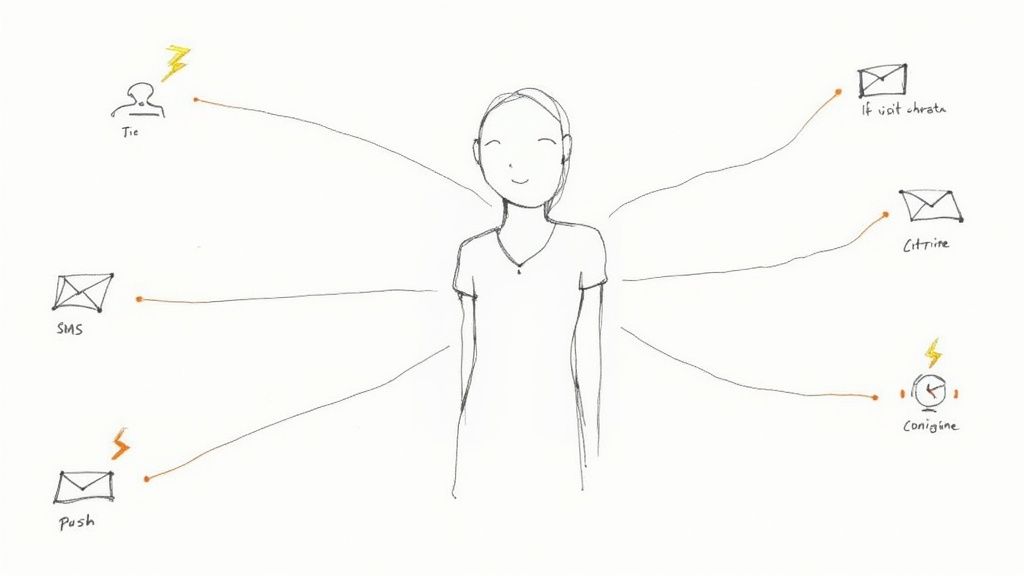
Automated bid strategy adjustments involve using scripts or third-party tools to change bidding strategies based on real-time performance data. While Google's Smart Bidding handles much of this, custom rules can provide an extra layer of control. This is one of the most sophisticated examples of marketing automation within the Google Ads platform itself, allowing for hyper-responsive campaign management.
Use Case for the Google Ads Ecosystem
An e-commerce brand running a flash sale might want to be more aggressive. An automated rule can switch campaigns from "Maximize Conversion Value" to "Target ROAS" with a more aggressive target during the sale hours and then switch it back automatically. This ensures you capitalize on high-conversion periods without manual oversight. Google Ads Scripts are a powerful way to implement this level of custom automation.
Sample Workflow & Implementation
- Trigger: A specific date and time (e.g., start of a Black Friday sale).
- Action 1: A Google Ads Script or an automated rule in the platform is triggered.
- Action 2: The rule changes the bid strategy for selected campaigns.
- Rule A (Start Sale): At 9 AM Friday, change bid strategy to Target ROAS of 300%. Increase daily budget by 50%.
- Rule B (End Sale): At 11 PM Sunday, revert bid strategy to Maximize Conversion Value. Revert budget to normal.
- Action 3: Send an email notification to the account manager confirming the change has been executed.
- Metrics to Track: ROAS, Conversion Rate, and CPA during the event period compared to baseline.
10 Google Ads Automation Examples Compared
| Campaign / Automation | 🔄 Complexity | ⚡ Resource needs | ⭐ Expected outcomes | 📊 Ideal use cases | 💡 Key advantage / Tip |
|---|---|---|---|---|---|
| Lead Nurturing for Search | Medium–High — multi-step & conditional logic | Moderate — CRM, content, analytics | High ⭐ — boosts conversions & shortens sales cycle | B2B lead generation from search campaigns | Personalize content based on the initial keyword |
| Shopping Cart Abandonment | Low–Medium — cart integration + timing logic | Low — e‑commerce platform + email/SMS templates | High ⭐ — 20–30% recovery; strong ROI | E-commerce via PMax or Shopping ads | Send first reminder within 1 hour; include product image |
| Welcome Series for YouTube | Low — linear 3–5 step flow | Low — email tool + content & basic timing | Very High ⭐ — top open rates; improves deliverability | Lead magnet downloads from YouTube Ads | Send first email within 5 minutes; reference the video ad |
| Automated Lead Scoring | High — data models, calibration & alignment | High — historical data, analytics, sales integration | High ⭐ — prioritizes leads; increases sales productivity | High-volume lead gen with varied keyword intent | Score leads higher for commercial-intent keywords |
| Re-engagement Campaigns | Low–Medium — inactivity triggers + offers | Low — segmentation, Customer Match lists | Moderate ⭐ — low response but improves list health | Reactivating cold leads or past clients | Combine email automation with a Customer Match audience |
| Event Registration for Webinars | Medium — event platform integration & timing | Medium — event tools, reminders, attendance tracking | High ⭐ — increases attendance 20–40%; reduces no-shows | Webinars promoted with Google Ads | Segment follow-ups for attendees vs. no-shows |
| Personalized Upsells | High — algorithms, data pipelines & tuning | High — customer data, recommendation engine | High ⭐ — increases LTV from Google Ads traffic | E-commerce with a diverse product catalog | Create Customer Match lists for repeat buyers |
| Client Onboarding | Medium–High — product coordination & milestones | Medium — product content, CS alignment, tracking | High ⭐ — improves activation 30–50%; reduces churn | Google Ads agencies and service businesses | Automate the delivery of reports and key milestones |
| Google Business Profile Reviews | Low — post-purchase triggers & follow-ups | Low — review platform integration, CRM | Moderate ⭐ — more reviews/referrals; boosts local trust | Local service businesses and agencies | Trigger requests after a positive performance milestone |
| Automated Bid Strategy Rules | Very High — real-time tracking & scripting | Very High — scripting knowledge, clear goals | Very High ⭐ — real-time optimization for events | E-commerce flash sales, time-sensitive promotions | Use Google Ads Scripts for ultimate flexibility |
Final Thoughts
We've explored a wide range of powerful examples of marketing automation designed specifically for the fast-paced world of Google Ads. From the foundational welcome series for YouTube leads to sophisticated automated bid rules, the common thread is clear: automation isn't about replacing the human touch of a skilled PPC manager. It's about scaling it.
For Google Ads professionals, the goal is always to deliver maximum ROI. The workflows we've detailed, such as automated lead scoring and dynamic re-engagement campaigns using Customer Match, are the engines that turn ad clicks into profitable, long-term customer relationships. By implementing these strategies, you move beyond simply managing bids and keywords; you become an architect of the entire customer journey powered by Google Ads.
Key Takeaways for Your Google Ads Strategy
The practical applications discussed in this article demonstrate that successful automation is both an art and a science. It requires a deep understanding of your audience, a clear map of their potential paths, and the right tools to execute your vision.
Let’s recap the core principles:
- Timeliness is Everything: The moment a user converts on a Google Ad is your golden opportunity. Automations like instant lead nurturing capitalize on this peak interest, drastically improving engagement and conversion rates.
- Personalization Drives Performance: Generic follow-ups no longer cut it. Using data from the specific ad, keyword, or audience segment allows you to create highly personalized content that resonates with individual needs.
- Data Fuels Optimization: Every automated workflow is a source of valuable data. Tracking metrics from both your automation platform and Google Ads provides the insights needed to continuously refine your strategies and prove tangible value.
Your Next Steps to Automation Mastery
Feeling inspired? The best way to start is by picking one high-impact area. Don't try to implement all ten examples at once. Instead, identify the biggest friction point in your current lead management process for Google Ads.
Is it slow lead follow-up? Start with an automated lead nurturing sequence. Are you losing potential sales from your e-commerce clients' Performance Max campaigns? A shopping cart abandonment workflow is your top priority. By taking an incremental approach, you can build, test, and perfect each automation, creating a robust system that works tirelessly for you and your clients. The journey toward mastering these examples of marketing automation begins with a single, strategic step.
Ready to bridge the critical gap between your Google Ads leads and your sales team? Pushmylead ensures every lead is delivered instantly and reliably to any inbox, triggering your automation workflows the moment a conversion happens. Stop letting valuable leads go cold and start maximizing your ROI today with Pushmylead.