

Every successful Google Ads campaign is built on one simple truth: not all clicks turn into cash. It's easy to get hung up on vanity metrics like impressions and traffic, but the real money is made when you understand the critical difference between a lead and a customer.
A lead is a potential buyer—someone who raised their hand and showed interest by clicking your ad and sharing their contact details. A customer is someone who has actually opened their wallet and completed a purchase. Getting this right within the Google Ads ecosystem is the first, most important step in building a strategy that drives real revenue, not just clicks.
Understanding the Journey from Lead to Customer
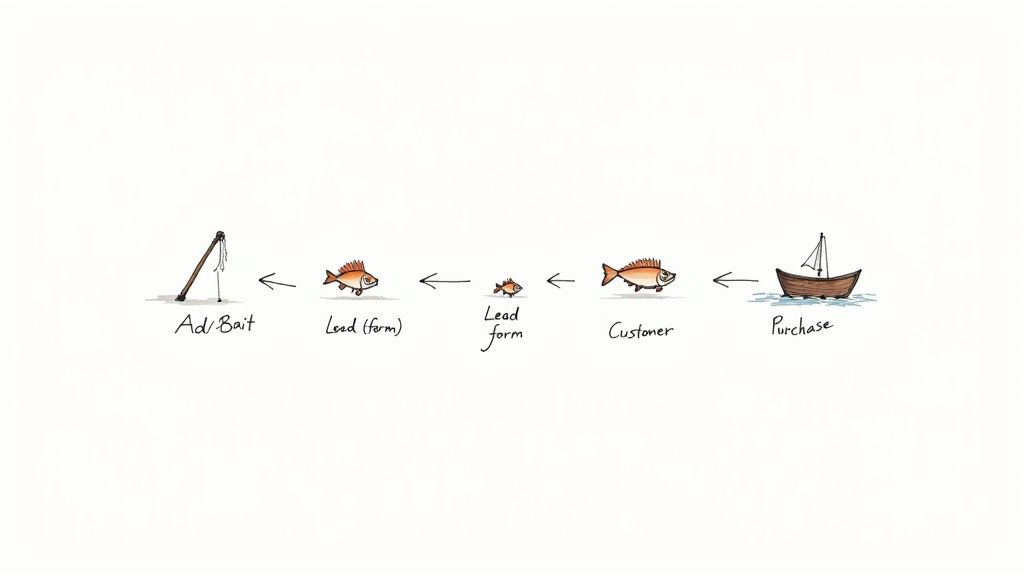
Think of your Google Ad as bait you've cast into the massive ocean of the internet. You're fishing for business.
When someone clicks your ad and fills out a form, you've gotten a bite. That's a lead. They’ve signaled they’re interested, but they aren't in the boat yet. The process of reeling them in—that's lead nurturing. A customer is the fish you successfully land, representing a completed sale and a real return on your ad spend (ROAS).
The Stages of the Customer Lifecycle in Google Ads
The path from seeing a Google ad to making a purchase rarely happens in an instant. It’s a journey with several key stops. Knowing these stages helps you tailor your Google Ads campaigns—from keyword selection to ad copy—to meet people where they are, rather than pushing for a sale too soon.
This journey usually breaks down like this:
- Awareness: This is the beginning. Someone has a problem, they search on Google, and boom—they see your ad. They've just become aware of your brand as a possible solution. Your goal here is broad reach with campaigns like Display or YouTube Ads.
- Lead: After clicking, they take a small action. Maybe they fill out your Google Ads lead form to get a free guide or request a quick quote. At this moment, an anonymous visitor becomes a tangible prospect with a name and email. This is a primary goal for Search and Performance Max campaigns.
- Marketing Qualified Lead (MQL): Now, your marketing team steps in. They'll watch how this lead behaves. Did they open a few emails? Did they revisit the site via a remarketing campaign? These actions show they're more than just curious, marking them as an MQL.
- Sales Qualified Lead (SQL): Once a lead shows enough buying signals, marketing hands them over to the sales team. An SQL is someone who's been vetted and is ready for a direct conversation about a purchase.
- Customer: This is the finish line. The SQL makes a purchase, and you’ve officially won a new customer. This is where your ad spend finally turns into revenue, and the conversion is tracked back in Google Ads.
If you view your Google Ads campaigns as the start of a relationship instead of a one-time transaction, your whole perspective changes. You stop collecting contacts and start building a real pipeline of high-quality leads ready to become customers.
Lead vs Customer Key Differences
To put it simply, here’s a quick breakdown of the core differences between a lead and a customer, especially when thinking about your Google Ads efforts.
| Characteristic | Lead | Customer |
|---|---|---|
| Stage in Funnel | Top to Middle (Awareness, Interest) | Bottom (Purchase, Loyalty) |
| Relationship | Potential, exploratory | Established, transactional |
| Action Taken | Submitted contact info, showed interest | Completed a purchase, signed a contract |
| Value to Business | Potential future revenue | Actual, realized revenue |
| Next Step | Nurturing, qualification, sales follow-up | Onboarding, retention, upselling |
As you can see, a lead is all about potential, while a customer represents a tangible win for your Google Ads campaigns.
Why This Distinction Matters for Google Ads
So, why are we drilling down on this? Because your Google Ads budget depends on it.
If you only track clicks or even just lead form submissions, you’re flying blind. You have no idea if your campaigns are actually profitable. But when you track the entire journey from lead to customer using tools like Offline Conversion Tracking, you can finally see which keywords, ads, and campaigns are delivering real business value.
This insight allows you to be much smarter with your budget, pouring fuel on the fire for campaigns that attract people who actually buy, not just browse. Getting this foundation right is what separates an average ad account from a truly effective advertising machine.
Measuring the Metrics That Actually Matter
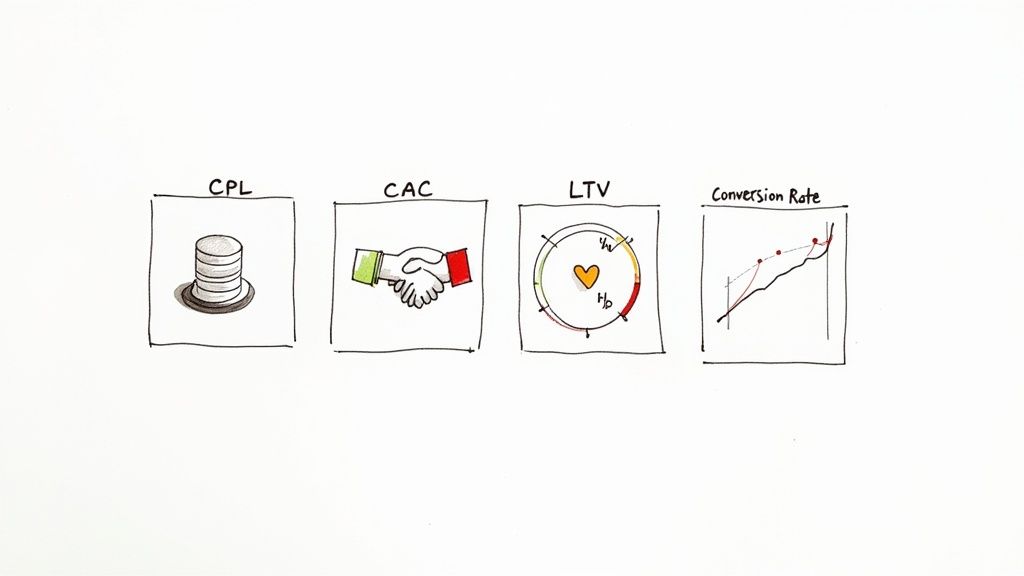
It's so easy to get lost in a sea of data within the Google Ads platform. Clicks, impressions, click-through rates—they're all interesting, but they don't pay the bills. To really get a grip on whether your Google Ads are working, you need to look past the vanity metrics and focus on the numbers that connect your ad spend directly to your bottom line.
These are the numbers that tell the real story of how you turn curious leads into paying customers. By getting a handle on just a few key metrics, you can stop guessing and start making data-driven decisions that actually drive revenue. Let's break down the four most important ones you should be tracking.
Cost Per Lead (CPL)
First up is Cost Per Lead (CPL), often referred to as Cost Per Acquisition (CPA) in Google Ads when the "acquisition" is a lead. This one is pretty straightforward: it tells you exactly how much you're spending, on average, to get one person to raise their hand and show interest. Think of it as the price of admission for a potential customer.
To figure it out, just divide your total ad spend by the number of leads you generated.
For example, if you spend $1,000 on a Google Ads campaign and get 50 leads, your CPL is $20. This number is your starting point—it tells you how efficiently your ads are capturing initial interest.
Customer Acquisition Cost (CAC)
While CPL measures the cost of interest, Customer Acquisition Cost (CAC) measures the cost of commitment. It's the total amount you spend across both marketing (including Google Ads) and sales to bring one new paying customer on board. This is where you see the true cost of winning new business.
CAC gives you a much clearer picture than CPL because it accounts for everything it takes to close the deal. A low CPL from Google Ads doesn't mean much if none of those leads ever actually buy anything.
Let's go back to our example: You spent $1,000 on ads for 50 leads. Your sales team followed up, and 5 of those leads became customers. Your CAC is $200 per customer ($1,000 / 5 customers). That’s a far more insightful number than your $20 CPL.
A cheap lead isn't always a good lead. Focusing only on a low CPL can bring in tire-kickers who never convert, which sends your CAC through the roof. The real goal is to find that sweet spot between an affordable CPL and a sustainable CAC.
Conversion Rate
Your Conversion Rate is the bridge between your CPL and your CAC. In this context, it’s the percentage of leads who take that final step and become a customer. This metric tells you how effective your sales process is at converting the leads your Google Ads generate.
The average ecommerce conversion rate hovers between 2.5% and 3%, but this can vary wildly. Industries with lots of repeat business, like food and beverage, might see rates over 6%. On the other hand, high-ticket items like luxury goods might only convert around 1% because people take a lot longer to decide. You can dig into more of these ecommerce conversion benchmarks on Red Stag Fulfillment.
So, if your campaign generated 50 leads and 5 of them bought something, your lead-to-customer conversion rate is a solid 10% (5 / 50).
Lifetime Value (LTV)
Finally, we have Lifetime Value (LTV)—the total amount of money you can reasonably expect to earn from a single customer over their entire relationship with your business. This metric is a complete game-changer because it shifts your focus from a one-time sale to long-term profitability.
Knowing your LTV helps you figure out how much you can really afford to spend on CAC. If a typical customer is worth $2,000 over their lifetime, a $200 acquisition cost suddenly looks like an incredible investment. It gives you the confidence to bid more aggressively in Google Ads to attract the right kind of customer—the one who will stick around and keep buying.
By keeping a close eye on these four metrics, you get a clear, financial-based view of your Google Ads performance. You can optimize your campaigns with confidence, justify your ad spend, and prove the true value you're bringing to the business.
From Lead to Customer: How to Nurture and Convert
Getting that "new lead" notification from your Google Ads campaign feels like a win, but it's really just the starting whistle. What you do next—in the first few minutes and days—is what separates a closed deal from a dead end.
Think of a new lead from Google Ads as a spark. Your job is to nurture it into a flame. This means building a relationship, showing them you understand their problem, and proving you have the solution. If you drop the ball here, that promising lead will go cold, and you might as well have set your ad budget on fire.
The 5-Minute Rule: Speed Is Everything
When a potential customer fills out your lead form, their interest is at its absolute peak. They are actively thinking about their problem right now. Waiting an hour, or even 30 minutes, is an eternity in the digital world.
Studies have shown time and again that getting back to a lead within five minutes can skyrocket your chances of converting them. It’s that simple. An immediate response shows you’re on the ball and that you value their time. It sets a fantastic first impression before your competitors even have a chance to enter the picture.
One Size Fits None: Segment and Personalize
Not all leads generated from Google Ads are the same. Someone who clicked an ad for your "Beginner's Guide to SEO" is in a very different headspace than the person who clicked an ad for a "Custom Enterprise Demo." Lumping them together is a surefire way to get ignored.
This is where segmentation comes in. By grouping leads, you can make your follow-up feel more like a helpful conversation.
- Where did they come from? Reference the specific Google Ad or keyword they clicked on. "Saw you were interested in our emergency plumbing services…" immediately makes the connection.
- What did they do on your site? Use analytics to see which pages they visited. If they spent time on a particular service page before converting, focus your message there.
- Who are they? Are they a small business owner or a manager at a large corporation? Tailor your language to their specific needs and challenges.
Personalization isn't just about using a [First Name] tag. It's about continuing the conversation they started, making them feel seen and understood.
Let Automation Do the Heavy Lifting
Trying to manually email every single lead the second they come in is a recipe for burnout, especially as you scale your Google Ads campaigns. This is where a little automation goes a long way. Setting up automated email or SMS sequences ensures every lead gets that critical, immediate touchpoint.
Think of automation as your 24/7 sales assistant. It never sleeps, never forgets, and makes sure no lead from Google Ads ever slips through the cracks. This frees up your human sales team to do what they do best: have meaningful conversations with people who are ready to talk.
You don't need a complex, 20-step sequence to start. A simple three-part flow works wonders:
- The Instant Handshake: An immediate email confirms you got their info and delivers whatever they asked for.
- The Value-Add: A day or two later, send something genuinely useful, like a related case study or blog post. Build their trust.
- The Gentle Nudge: A few days after that, a simple email asking if they have questions or want to hop on a quick call can be incredibly effective.
Focus on the Best Bets with Lead Scoring
As the leads start flowing in from Google Ads, how does your sales team know who to call first? This is the problem lead scoring solves. It’s a system for ranking leads by how likely they are to buy.
You assign points for different attributes and actions. For example, a lead from a target industry might get +10 points. Visiting your pricing page? Add another +5 points. Once a lead hits a certain score, say 25 points, they're flagged as a "hot" lead (a Sales Qualified Lead, or SQL) and get bumped to the top of the list for your sales team.
This data-driven approach means your team is always focused on the leads with the highest potential. Companies that get serious about nurturing their leads generate 50% more sales-ready prospects and slash their acquisition costs by up to 33%. It's how you turn ad spend into a predictable revenue machine. You can find more data on this in these lead generation statistics on seoprofy.com.
When you're trying to turn leads into customers, speed is everything. The second a potential customer fills out your Google Ad form, a countdown timer starts. This is where Google Ads Lead Form Assets become so incredibly useful—not just for grabbing info, but for kicking off the entire conversation.
These assets let people submit their details right there in the ad, whether it's on Search, YouTube, or Discovery. No need to click away to a landing page. It's an express lane for lead generation. But the real power comes from what you do after you get that lead.
Closing the Gap Between Interest and Action
If you're still manually downloading leads from a spreadsheet in Google Ads, you're losing the race before it even starts. By the time you get that information into your CRM, the person’s initial spark of interest has probably gone out. The only way to win is through automation.
This is why a webhook is your best friend. Think of a webhook as a digital messenger that instantly zaps the lead's data from your Google form to your other tools. The moment they hit "submit," their info is already on its way to your CRM. No more cold leads.
You can get a full rundown on how to set these up in our guide to Google Ads Lead Form Extensions.
The goal is to create a chain reaction: a user fills out the form, and instantly, their info pops into your CRM, a personalized welcome email goes out, and your sales team gets a ping to follow up. It’s all about meeting that person in the moment, right when they're most engaged.
A Step-by-Step Workflow for Instant Engagement
Setting this up might sound technical, but it’s actually pretty straightforward and the payoff is huge. Here’s a typical workflow for connecting your Google Ads lead forms to a CRM using a tool like Pushmylead.
- Create Your Lead Form Asset in Google Ads: First, build a simple and clear form right inside your campaign settings. Keep it short—only ask for what you absolutely need to get the conversation started.
- Configure the Webhook Integration: In your form’s settings, look for the "Lead delivery" option. This is where you'll paste the webhook URL and key provided by your integration tool.
- Connect to Your CRM: Next, use your integration platform to match the fields from your Google form (like Name, Email, Phone) to the right spots in your CRM, whether it's HubSpot, Salesforce, or something else.
- Trigger Your Automation Sequence: With everything connected, you can set up rules to automatically start your nurturing process. This could mean adding the lead to an email drip campaign or assigning them to a salesperson.
This simple flow—automating the follow-up, segmenting the lead, and personalizing the first touchpoint—is the core of effective nurturing.
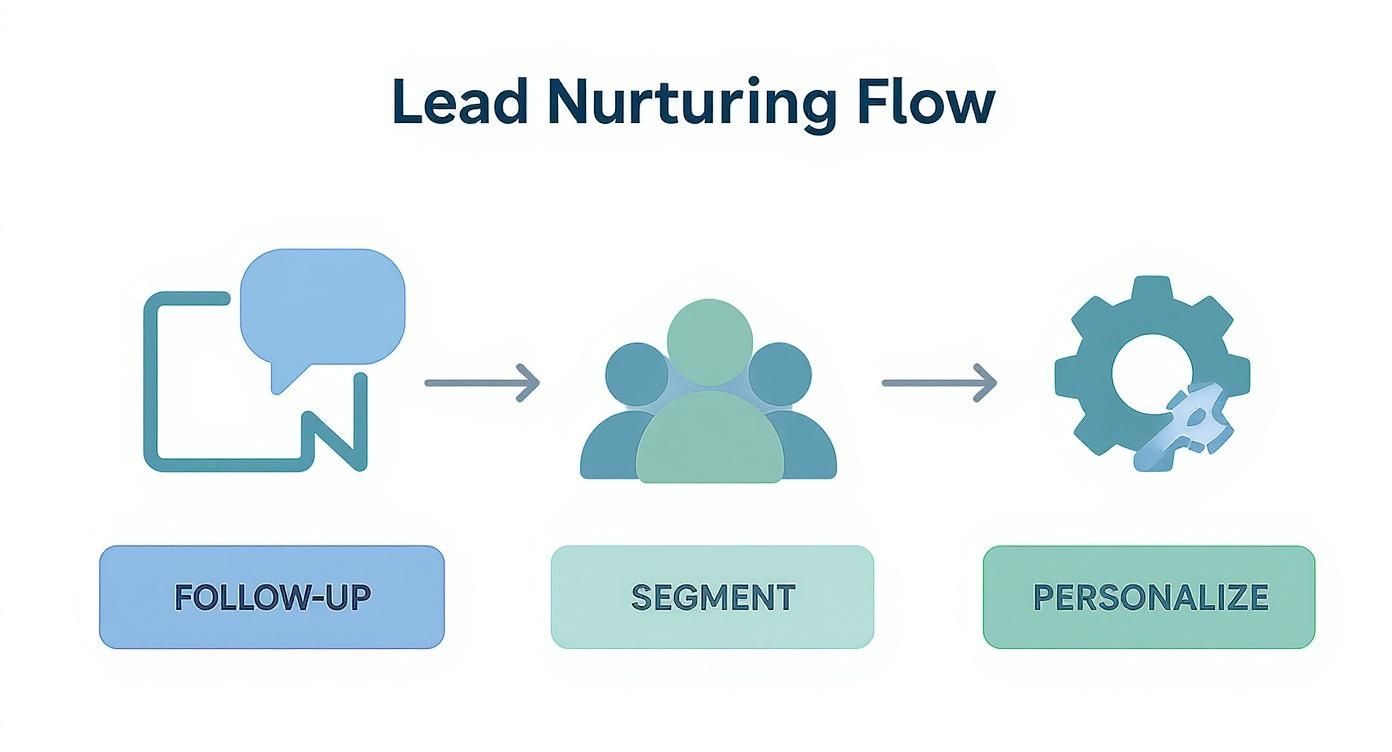
As you can see, an automated system ensures every single lead gets the attention they need right away, which dramatically increases your chances of making a sale.
Why This Automation Is a Game-Changer
Automating your lead follow-up isn't just a nice-to-have; it’s a must-have that directly impacts your bottom line. The statistics are eye-opening: a staggering 79% of marketing leads never become sales, and a huge reason for that is a lack of follow-up.
Responding to a lead within the first five minutes can make all the difference. When you automate the process, you’re not just sending emails faster—you’re striking while the iron is hot and capitalizing on peak interest.
You're shifting from passively collecting a list of names to actively starting real-time conversations that drive real growth.
Ultimately, automation builds a reliable bridge between your advertising spend and your sales results. To get the most out of this, it's worth looking into the benefits of integrating your CRM with a website. It helps ensure every dollar you put into Google Ads has the best possible shot at turning fleeting interest into loyal, paying customers.
How Agencies Can Report on True Business Impact
As an agency, your real value isn't measured in clicks or impressions—it's measured in the language your clients speak: revenue. They need to see a clear, straight line connecting their Google Ads spend to actual business growth. This is where your reporting can make or break the relationship.
Think of your reports not as a data dump, but as the story of your success. You're connecting the dots for your client, showing them the entire journey from a simple ad click to a loyal, paying customer. When you tell this story well, you transform from just another vendor into an indispensable growth partner.
Building Reports Around What Matters
The best reports get straight to the point. Instead of burying the lead with vanity metrics, build your narrative around the financial KPIs that actually move the needle for your client's business. This immediately frames the conversation around profit and return on investment.
Start by making these key metrics the heroes of your report:
- Cost Per Lead (CPL): This is the opening scene. It shows how efficiently your Google Ads campaigns are sparking initial interest and capturing potential leads.
- Customer Acquisition Cost (CAC): This is the main event. It reveals the all-in cost to land a new paying customer, proving that your campaigns are financially sound.
- Lifetime Value (LTV): And here’s the grand finale. By projecting the long-term value of the customers you're bringing in, you can justify ad spend and demonstrate the lasting impact of your work.
A great agency report does more than just present data; it provides context. It should answer the client's unspoken question: "So what does this mean for my business?" By focusing on CPL, CAC, and LTV, you’re providing a clear and compelling answer every single time.
Creating a Client-Friendly Dashboard
Let’s be honest, your clients are busy. They don't have time to dig through dense spreadsheets to find what they're looking for. A clean, visual dashboard is your best friend here. Tools like Looker Studio are perfect for this, letting you build reports that are genuinely easy to understand at a glance.
Your dashboard should tell a story. Organize it logically, guiding the viewer from top-of-funnel ad performance all the way down to bottom-line business results. Use charts and graphs to make complex data feel simple and to highlight the trends that matter.
Presenting Data to Showcase Wins
The way you present your findings is just as important as the data itself. When you sit down for a review meeting, don't just read numbers off a screen. Use the data to highlight strategic wins and explain the why behind the results.
Here are a few ways to make your presentations more impactful:
- Connect Actions to Outcomes: Draw a direct line from your work to their results. For example, "Remember when we refined our keyword strategy last month? That's what caused our CPL to drop by 15%, which in turn lowered the overall CAC."
- Show the Full Funnel: Don't just talk about ads. Visualize the entire journey from leads to customers. Show how many MQLs became SQLs and how many of those ultimately converted. This proves you are improving their entire sales pipeline.
- Focus on Trends, Not Just Snapshots: A single month can be an anomaly. Show performance over a quarter or even six months to illustrate steady, long-term growth and prove the sustained value you deliver.
When you frame your reports this way, you shift the conversation away from campaign costs and toward business investment. You're proving that you're not just managing ads—you're strategically driving their growth by delivering a predictable stream of valuable leads and customers.
Common Questions About Google Ads Leads
Diving into Google Ads often brings up a ton of questions, especially when you're trying to figure out how to turn a simple click into a paying customer. Getting the right answers is the key to making your campaigns work harder for you and converting more of those hard-earned leads into loyal customers.
Let's walk through some of the most common questions advertisers ask. Nailing these concepts will help you fine-tune your strategy, dodge common mistakes, and ultimately get a much better return on your ad spend.
How Quickly Should I Follow Up with a Google Ads Lead?
The short answer? Immediately. A lead’s interest is at its absolute peak the second they hit that "submit" button. Study after study shows that getting in touch within the first five minutes can skyrocket your chances of closing the deal.
If you wait even an hour, that initial spark starts to fade. Worse, you're giving your competitors a wide-open window to swoop in. The goal isn't just to be fast—it's to connect with someone while their problem is still fresh in their mind. This is where automating your follow-up with a tool like Pushmylead becomes a game-changer.
Can I Get Leads Directly from My Ads?
You bet. Google Ads has a great feature called Lead Form Assets. These let people fill out their contact info right inside your ad on Search, YouTube, and Discovery campaigns. It’s a brilliant way to reduce friction because they don't have to click away to a landing page, which often means you get more leads.
The trick is to keep your forms short and sweet. Only ask for the bare essentials you need to start a conversation—think name, email, and phone number. Every extra field you add is another reason for someone to give up and move on.
What Is a Good Cost Per Lead for My Industry?
This is the million-dollar question, but there's no single magic number. What’s considered a "good" Cost Per Lead (CPL) is completely different depending on your industry, your business model, and the big one: your Customer Lifetime Value (LTV).
A $10 CPL could be amazing for a local plumber but a total disaster for a B2B software company with a six-month sales cycle. Instead of obsessing over industry benchmarks, focus on your own math. As long as your Customer Acquisition Cost (CAC) is well below your LTV, you’re in a healthy spot.
How Can I Improve the Quality of My Leads?
Getting a flood of leads feels great, but if they're not the right leads, your sales team is just spinning its wheels. Quality over quantity is the name of the game. Here are a few proven ways to attract better prospects:
- Be Specific in Your Ad Copy: Write ads that speak directly to your ideal customer. If you sell a premium product, use language that reflects that to filter out people just looking for a bargain.
- Use Negative Keywords: This is huge. Tell Google what you don't want to show up for. A luxury car dealer, for instance, should add negative keywords like "cheap," "used," and "repair" to avoid wasting money on the wrong clicks.
- Refine Your Targeting: Don't just rely on keywords. Layer on audience segments to target people based on their demographics, what they're interested in, and their online habits.
- Ask a Qualifying Question: Pop a simple, optional question into your lead form, like "What's your project timeline?" The people who bother to answer are often much more serious buyers.
For those seeking answers to common questions about generating leads with Google Ads, understanding the nuances of professional Google Ads management can clarify how to optimize for better results. Exploring expert Google Ads management strategies can provide deeper insights into refining your approach.
Should I Bid on My Own Brand Name?
For most businesses, the answer is a firm yes. I know it can feel weird paying for clicks from people who are already looking for you, but think of it as a defensive play. Bidding on your brand name ensures you control the message at the very top of the search results page. It also blocks competitors from sneaking their ads above your organic listing, protecting that valuable stream of leads and customers.
Stop losing valuable leads to manual downloads. Pushmylead instantly forwards every lead from your Google Ads forms directly to your inbox, so you can follow up in seconds and close more deals. See how it works at https://www.pushmylead.com.