
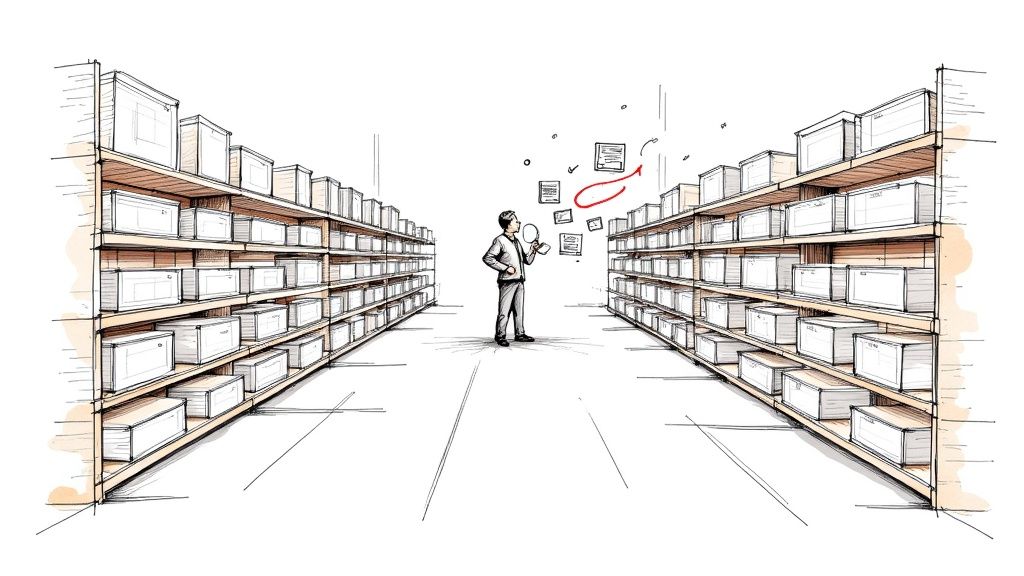
If you've ever felt overwhelmed by the thought of creating keyword lists for a website with hundreds—or even thousands—of pages, you're not alone. This is exactly where Dynamic Search Ads (DSAs) come in, acting as a smart, automated layer for your Google Ads account.
Instead of you manually picking and choosing keywords, DSAs use the content of your website to automatically target customer searches. You just give Google your website domain, and its web-crawling technology does the rest, matching searches to the most relevant pages and even writing the ad headlines for you.
What Are Dynamic Search Ads And How Do They Work
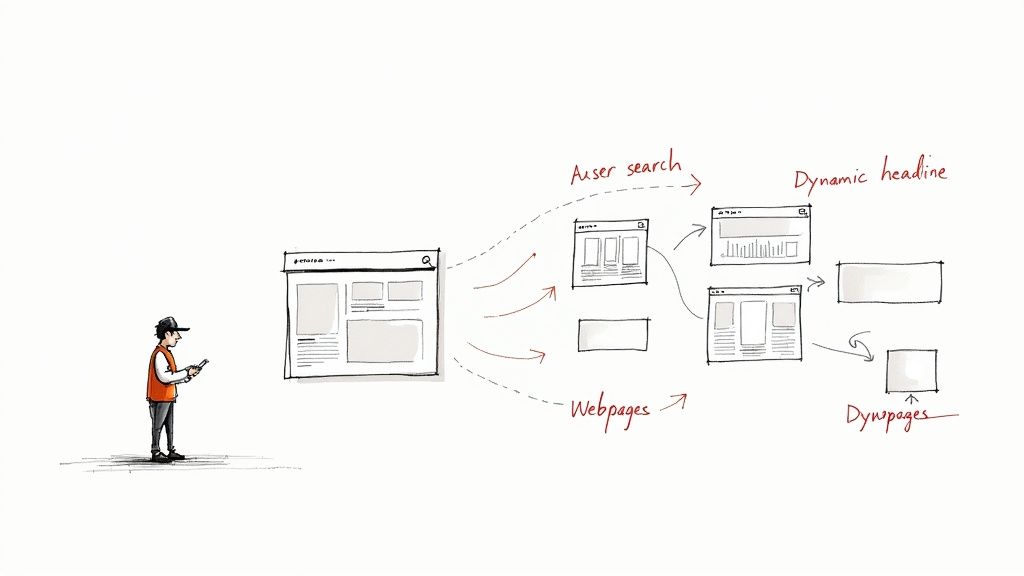
Think of it like this: a traditional keyword campaign is like giving a store clerk a specific list of items to sell. But what if a customer asks for something you didn't put on the list? The sale is lost.
Dynamic Search Ads transform that clerk into a seasoned expert who has memorized every single product in your entire warehouse. When a customer walks in asking for something super-specific, like "men's waterproof trail running shoes size 11," the expert doesn't need to consult a list. They instantly know what the customer wants, where to find it, and can lead them right to it.
That's precisely how DSAs operate within the Google Ads ecosystem. Google constantly crawls your website, creating a detailed index of your content. When someone searches on Google, the system springs into action:
- It matches the search query to the most relevant landing page on your site.
- It dynamically generates a headline for the ad based on both the search term and the content of that page.
- It serves your ad to capture that highly specific, long-tail search traffic that you'd otherwise miss.
This process is a game-changer for covering all the bases, especially for those longer, more detailed searches that signal strong buying intent but are too numerous to target with individual keywords.
Core Components Of DSAs
The magic behind DSAs comes from a few key components working in harmony. Your job is to provide the website and write a couple of compelling ad descriptions. From there, Google's technology takes the lead. DSAs are just one piece of the puzzle; it's always smart to see how they fit with other potent search engine marketing strategies to build a comprehensive plan.
By using your website's content as the foundation for targeting, DSAs ensure that your ads are always in sync with your current offerings without manual updates for every new product or service page.
To break it down further, here’s a quick look at what you control versus what Google automates.
Dynamic Search Ads at a Glance
This table offers a simple snapshot of the core parts of a DSA and how Google’s automation handles the heavy lifting.
| Component | How Google Automates It |
|---|---|
| Headline | Dynamically generated from the user's search query and the content of the most relevant page on your website. |
| Landing Page | Automatically selected from your domain based on which page best matches the user's specific search term. |
| Targeting | Uses Google's organic web-crawling index of your site to target searches without requiring keywords. |
As you can see, the automation here is designed to connect the most relevant parts of your site with the most motivated searchers, saving you a massive amount of time and effort.
The Good, The Bad, and The Ugly of Dynamic Search Ads
Like any powerful tool in a Google Ads marketer's toolkit, Dynamic Search Ads have their own set of pros and cons. They can be a game-changer for some accounts, but they aren't a silver bullet. Knowing when to use them—and what to watch out for—is what separates a great campaign from a costly mistake.
The Upside: What Makes DSAs So Powerful
The biggest win with DSAs is the sheer amount of time you save. If you're managing a site with a massive inventory, like an e-commerce store with thousands of products, or a content-heavy site with hundreds of blog posts, creating ads for every single page is a nightmare. DSAs take that entire tedious process off your plate, which frees you up to focus on bigger-picture strategy.
This automation also gives you incredible ad coverage. Think of DSAs as a wide net that catches all the specific, long-tail searches you'd never think to target with keywords. Someone searching for "men's waterproof size 11 brown leather hiking boots" is showing serious buying intent, and DSAs are fantastic at matching that hyper-specific query to the perfect product page on your site. You'll often uncover profitable new keyword ideas this way.
The Downside: Where DSAs Can Go Wrong
But, the same automation that makes DSAs so great can also be their biggest weakness if you're not careful. The main trade-off is giving up some direct control. Google is writing your headlines and picking your landing pages on the fly. For brands with very strict messaging guidelines or a specific tone of voice, this can feel a bit like letting a robot represent your company.
The greatest strength of Dynamic Search Ads—their automation—can also be their greatest weakness if not properly managed with strategic exclusions and regular monitoring.
The other major pitfall is the risk of driving irrelevant traffic and wasting your budget. If you don't set up your campaigns carefully, Google’s crawler might see a search for "company jobs" and decide your "Careers" page is a great match. Suddenly, you're paying for clicks from job seekers, not customers.
This can happen in a few common ways, with ads pointing to:
- Your "About Us" or "Contact" pages
- Informational blog posts that don't sell anything
- Out-of-stock product pages
This is why a solid strategy of negative keywords and URL exclusions isn't just a good idea—it's absolutely essential. You have to tell Google which parts of your site are off-limits right from the start.
A Step-By-Step Guide to Setting Up Your First DSA Campaign
Ready to launch your first Dynamic Search Ad campaign? It’s surprisingly straightforward and a fantastic way to capture traffic that your keyword campaigns might be missing. Think of it as your safety net, catching all those relevant, long-tail searches you never thought to bid on.
Getting the initial setup right is the most important part. This is where you lay the groundwork for how Google Ads will understand your site and match it to potential customers. Let's walk through it.
Kicking Off Your New DSA Campaign
First things first, head into your Google Ads account and start a new campaign. You’ll be asked to pick a goal—anything like Sales, Leads, or Website traffic will work just fine for DSAs.
Next, select "Search" as your campaign type. Here's a small quirk in the process: you used to be able to select a specific "Dynamic" campaign subtype right away, but now you'll typically set up a standard Search campaign first and then enable the DSA settings a bit later. Don't worry, it's easy.
This whole process is about trading a bit of control for a lot of automation and reach. It’s a powerful trade-off when managed well.
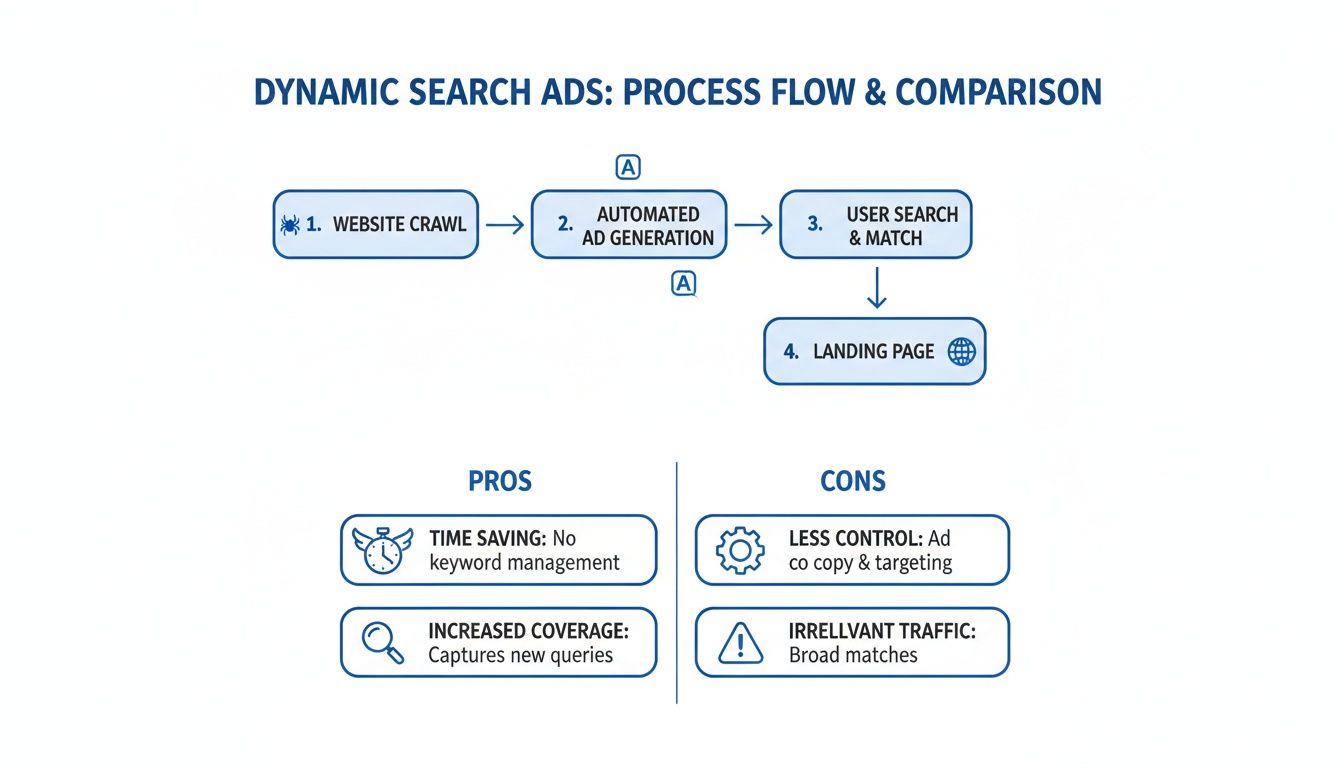
As you can see, you save a ton of time and broaden your net, but you have to be diligent about your settings to avoid casting that net too wide and catching irrelevant clicks.
Dialing in Your Campaign Settings
Once you've created the campaign shell, click into its "Settings" tab. Look for the Dynamic Search Ads setting section—this is where the magic happens.
Your first step is to enter your website's domain. This tells Google where to start crawling for content. After that, you need to choose your targeting source, which basically tells Google what to crawl.
You've got three main choices here:
- Use Google's index of my website: This is the easiest and most common starting point. It lets Google scan all the indexed pages on your site to find potential ad targets.
- Use URLs from my page feed only: This option puts you in the driver's seat. You provide a specific list of URLs (usually in a spreadsheet), and Google will only use those pages. It’s perfect for highly controlled campaigns.
- Use URLs from both Google's index of my website and my page feed: This hybrid approach gives you the best of both worlds—broad coverage from the site index, plus a prioritized list of pages from your feed.
For anyone just starting out, I’d recommend sticking with "Google's index of my website." It gets you up and running the fastest.
Key Takeaway: Your targeting source defines the scope of your campaign. "Google's index" is about speed and scale, while a "page feed" is all about precision and control.
When you get this right, the results can be impressive. Some advertisers who’ve fine-tuned their dynamic search ads with smart targeting and negative keywords have seen conversion rates jump to over 5% and ROIs hit a staggering 1000%. These numbers show just how powerful automation can be when it finds those hidden-gem search queries. You can read more about how agencies achieve major DSA performance lifts in case studies like this.
Finally, you need to create a Dynamic ad group. When adding a new ad group, you’ll see an option to change its type from "Standard" to "Dynamic." Flip that switch. This is where you'll write your two description lines—the only part of the ad copy you manually control—and define your dynamic ad targets, like "all webpages" or specific page categories Google has identified.
Best Practices for Optimizing Your DSA Campaigns
Getting a Dynamic Search Ad campaign live is one thing, but making it profitable is another. The real work begins after you click "launch." Think of it like a new car—it needs regular tune-ups to keep running smoothly and efficiently. Small, consistent adjustments are what turn an average DSA campaign into a high-performer.
If you just let it run on autopilot, you risk burning through your budget on irrelevant searches or sending valuable traffic to dead-end pages. By putting a few proven best practices into action, you can make sure your ads are reaching the right people every time.
Master Your Exclusions
The single most important job you have with a DSA campaign is telling Google what not to do. Since you’re handing over a lot of the targeting control, your primary role is to set firm boundaries. This is how you prevent wasted spend and keep your brand looking sharp.
This comes down to two kinds of exclusions you absolutely must get right:
- Negative Keywords: Make the Search Terms Report your best friend. This is where you see the real, raw search queries that triggered your ads. If you spot terms that have nothing to do with what you sell, like "jobs," "reviews," or a competitor's brand name, add them as negative keywords right away.
- Dynamic Ad Target Exclusions: It’s just as crucial to block Google from using certain pages on your site. You don't want to pay for clicks that land on your "About Us," "Careers," "Blog," or "Privacy Policy" pages. Create exclusions for these non-commercial pages to funnel traffic only to the pages that drive conversions.
Staying on top of these exclusions is non-negotiable. For a more detailed walkthrough, our guide on how to build powerful negative keyword lists has you covered.
Fine-Tune Your Bidding and Ad Copy
Once you’ve put up the guardrails, it's time to sharpen your ad performance. This involves picking the right bidding strategy and writing description lines that pack a punch, no matter which headline Google decides to generate.
A common mistake is to "set and forget" DSA campaigns. The best results come from treating them as living, breathing parts of your account that need consistent attention—reviewing search terms, checking landing page performance, and making smart bidding adjustments.
Since DSAs are already automated, leaning into Google’s smart bidding strategies just makes sense. Bidding strategies like Maximize Conversions or Target CPA (Cost Per Acquisition) work exceptionally well here. They use machine learning to predict which clicks are most likely to convert and adjust your bids in real-time, finding valuable traffic you’d probably miss on your own.
Finally, focus on your ad copy. Your two description lines are the only part of the ad you control completely, so make them count. They need to be general enough to work with any dynamic headline Google creates. Use this space to highlight what makes you different, add a strong call-to-action, and communicate your core value. For more great tips that apply across all your campaigns, check out this guide on optimizing Google Ads.
Integrating Dynamic Search Ads with Lead Generation

When you hear "Dynamic Search Ads," you might immediately think of massive e-commerce sites with thousands of products. But that's only half the story. DSAs are an absolute powerhouse for service businesses, B2B companies, and anyone whose main goal is generating high-quality leads.
The trick is to pair the wide-net approach of dynamic search ads with tools built for instant lead capture. It's a simple shift in mindset: instead of pushing for a direct sale, you're using DSAs to start valuable conversations.
Capturing Leads Directly From Search Results
One of the slickest ways to turn DSA traffic into solid leads is with Google Lead Form Extensions. Think of it as a mini-form that attaches directly to your ad right there in the search results.
So, when a potential customer types in a super-specific, long-tail query that triggers your dynamic ad, they can give you their contact info without ever leaving Google. This is a game-changer, especially for mobile users who don't want the hassle of navigating a full website. It’s a completely frictionless experience.
This approach is perfect for businesses with longer sales cycles. You’re not just hoping someone lands on your site and decides to fill out a form; you’re capturing their details at the exact moment their interest is at its peak.
The real power of DSAs in lead generation isn't just finding new audiences; it's about combining that discovery with an immediate and seamless way for potential customers to raise their hand and show interest.
Automating Lead Delivery for Faster Follow-Up
Getting the lead is just the first step. The real magic happens in the follow-up, and speed is everything. A lead can go cold in a matter of minutes, so manually downloading a CSV from Google Ads hours later just won't cut it. That's where automation comes in.
Using a service like Pushmylead bridges the gap between when a lead submits their info and when your sales team reaches out. Instead of leads just sitting in your Google Ads account, they get zapped instantly to the tools your team lives in every day.
Getting it set up is a breeze:
- Connect Your Google Ads Account: Just link your account to the lead forwarding service.
- Configure Your Notifications: Tell it where to send the leads—an email inbox, a Slack channel, or straight into your CRM.
- Activate the Integration: Flip the switch, and every new lead from your DSA campaign will be pushed to your team in real-time.
This kind of instant notification allows your sales team to follow up within minutes, striking while the iron is hot and the prospect is still thinking about their problem. That speed can make all the difference in your connection and conversion rates.
DSAs have been around for over a decade, but pairing them with modern automation has given them a new lease on life. For instance, some agencies have grabbed over 600 incremental leads in a single quarter just by pointing dynamic search ads at large websites. You can dig into more stories like this and see how DSAs drive new growth on Collective Measures to learn from real-world case studies.
A Few Common Questions About Dynamic Search Ads
Even when you've got a solid plan, jumping into Dynamic Search Ads for the first time can feel a little uncertain. Let's clear up some of the most common questions that pop up when advertisers are getting started or trying to dial in their DSA campaigns.
Do DSAs Steal Traffic from My Keyword Campaigns?
This is probably the #1 concern I hear: "Will my new DSA campaign cannibalize the traffic from my carefully built keyword campaigns?" The short answer is a reassuring no. Google Ads has a built-in pecking order to prevent this exact problem.
Think of it this way: if someone's search query is a perfect match for a keyword you're already bidding on, your standard ad will always get priority. Always. Dynamic Search Ads are designed to be your safety net, stepping in only when a search doesn't match any of your existing keywords. They fill the gaps, snagging all that valuable long-tail traffic you would have otherwise missed.
What Kind of Websites Are a Good Fit for DSAs?
Dynamic Search Ads really shine on websites that have a lot of content or a big product inventory. They need plenty of well-structured pages to crawl to work their magic.
Websites that see the best results usually look like this:
- Large E-commerce Stores: If you have hundreds or thousands of product pages, DSAs are a lifesaver. They can create tailored ads for every single item without you lifting a finger.
- News Sites or Big Blogs: Sites with a steady stream of new articles and pages give Google fresh content to index and match against relevant searches.
- Travel and Listing Sites: Think of sites with tons of pages for hotels, flights, or real estate listings. DSAs are perfect for this.
- Service Businesses with Lots of Pages: A plumber or lawyer with detailed pages for every specific service they offer can get great results.
On the flip side, sites with very little text, tons of Flash animations, or pages locked behind a login just aren't a good match. The more crawlable content you can feed the system, the better your DSA campaigns will perform.
How Often Should I Check My Search Terms Report?
Staying on top of your search terms is non-negotiable. I always recommend checking the DSA search terms report at least once a week, especially for the first month or so after you launch a new campaign.
This habit is your best defense against wasted ad spend. By checking in weekly, you can catch and exclude irrelevant search terms before they burn through your budget. A few minutes each week can literally save you hundreds of dollars.
Once your campaign has been running for a while and you’ve built up a solid negative keyword list, you can probably scale back to checking every couple of weeks. But don't forget about it completely—regular check-ins are key to long-term success.
When Does It Make Sense to Use a Page Feed?
A page feed is simply a spreadsheet of URLs that you upload to tell Google Ads exactly which pages you want to use for your DSAs. Instead of letting Google scan your whole website, you're handing it a specific list to work from. This gives you way more control.
So, when would you use one?
- When you only want to promote new arrivals or your best-selling items.
- If you're running a campaign focused specifically on sale or clearance products.
- To target only your highest-margin products or services.
- To organize your campaigns by category, using custom labels in your feed.
Using a page feed is how you move from broad automation to a more focused, strategic approach. It guarantees your ad budget is only being spent on the pages that matter most to your bottom line.
Stop losing leads because of slow follow-up. With Pushmylead, every lead from your Google Ads campaigns is sent instantly to your inbox, Slack, or CRM. Get started today and turn warm leads into conversions. Learn more at https://www.pushmylead.com.