
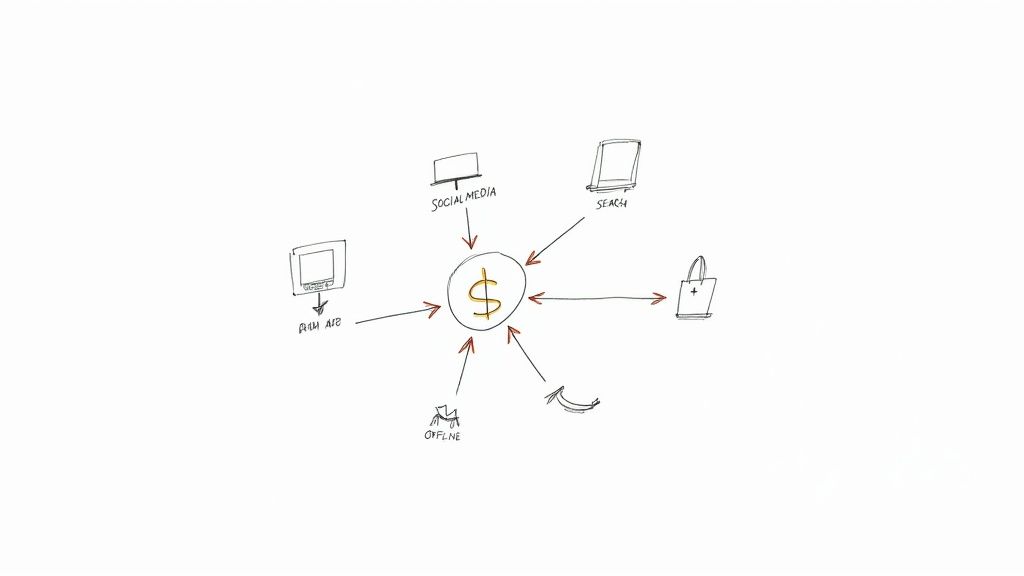
Picture this: a customer sees your Display ad on Tuesday, clicks a Search ad the following Monday, and finally buys something after clicking a Shopping ad on Friday. So, which Google Ad gets the credit? This is the exact question cross-channel attribution is built to answer. It helps you move past simplistic "last-click" thinking to see how every single touchpoint within the Google Ads ecosystem truly contributes to a sale.
The Hidden Story Behind Your Google Ads Conversions
It's incredibly easy to fall into the "last-click trap" inside Google Ads. By default, the platform gives 100% of the conversion credit to whatever ad a person clicked right before they converted. That’s a bit like giving all the credit to the soccer player who scored the goal, while completely ignoring the midfielders who made the critical passes to get the ball down the field. This way of looking at performance gives you a seriously distorted picture of your Google Ads ROI.
Relying only on that final touchpoint often leads to bad budget decisions. You might slash the budget for a top-of-funnel YouTube or Performance Max campaign because, on paper, it isn't driving direct sales. But in reality, that campaign could be the most important "assist" in your entire strategy, introducing your brand to new people long before they start searching for you directly.
Why a Complete View Matters for Google Ads
To prove the real value of what you're spending in Google Ads, you have to understand the entire customer journey from start to finish. When you start thinking with a cross-channel attribution mindset, you unlock the full, accurate story of what’s working across your campaigns.
- You can value every interaction: See exactly how awareness campaigns on YouTube or Display team up with consideration channels like non-brand Search, and closing channels like Shopping or Brand Search.
- You can make smarter budget decisions: Instead of just dumping money into the ads that "close the deal," you can confidently invest in the channels that introduce, nurture, and ultimately win over your best customers within the Google ecosystem.
- You can prove the true ROI: It becomes much easier to show clients or your boss how those seemingly low-performing campaigns are actually vital parts of a winning customer journey powered by Google Ads.
Cross-channel attribution isn't just a technical exercise in assigning credit. It’s about understanding the teamwork between your campaigns so you can make more profitable decisions. The question changes from "Which ad converted?" to "How did all our ads work together to get this conversion?"
This strategic shift is more important than ever as customer journeys get messier and more complex. The global market for attribution tools hit USD 3.2 billion in 2024, which just goes to show how urgently advertisers need to get beyond outdated models. Even before 2020, studies found that old-school last-click thinking could overvalue those final touchpoints by 50% or more, leading to some seriously flawed budget decisions. You can find more details on this growing market trend in reports from firms like Dataintelo.
Moving to a more complete measurement strategy isn't just a "nice-to-have" anymore—it’s essential for staying competitive with Google Ads.
How To Choose Your Attribution Model in Google Ads
Picking the right attribution model in Google Ads isn't just a technical tweak; it's a strategic decision that changes how you see your entire marketing performance. Think of each model as a different pair of glasses. One pair might only let you see the final step a customer took, while another reveals the whole winding path they followed to get there.
Your choice directly tells Google which ads, keywords, and campaigns should get the credit for a sale or lead. This then feeds into your automated bidding and budget decisions. A poor choice could trick you into cutting off campaigns that are actually your best brand builders, simply because they don't get the final click.
Understanding the Main Attribution Models
Google Ads provides a few standard, rule-based models. Each one assigns credit according to a different set of rules. The trick is to find the one that best reflects how your customers actually behave and what you're trying to achieve with your business.
Let’s break down the most common options.
-
Last-Click: This one is simple: it gives 100% of the credit to the very last ad someone clicked before converting. For years, this was the default, but it’s a seriously flawed approach because it completely ignores every single touchpoint that came before.
-
First-Click: The exact opposite of last-click. It awards 100% of the credit to the first ad a user ever clicked. This model is fantastic for understanding which campaigns are doing the heavy lifting in bringing new people into your orbit.
-
Linear: This model is all about fairness. It splits the credit evenly across every ad interaction. If a customer clicked four ads, each ad gets 25% of the credit. It paints a balanced picture of the entire customer journey.
-
Time Decay: This model gives more weight to the touchpoints that happened closer to the conversion. An ad clicked yesterday gets more credit than one clicked last week. It’s a smart choice for businesses with longer sales cycles where recent interactions matter more.
-
Position-Based: Also known as the U-shaped model, this one gives 40% of the credit to the very first ad and 40% to the very last one. The remaining 20% gets split among all the clicks in the middle. It values both the ad that started the conversation and the one that sealed the deal.
This decision tree shows the basic choice you face: stay stuck with a last-click model that undervalues your ads, or switch to a model that gives you the full picture.
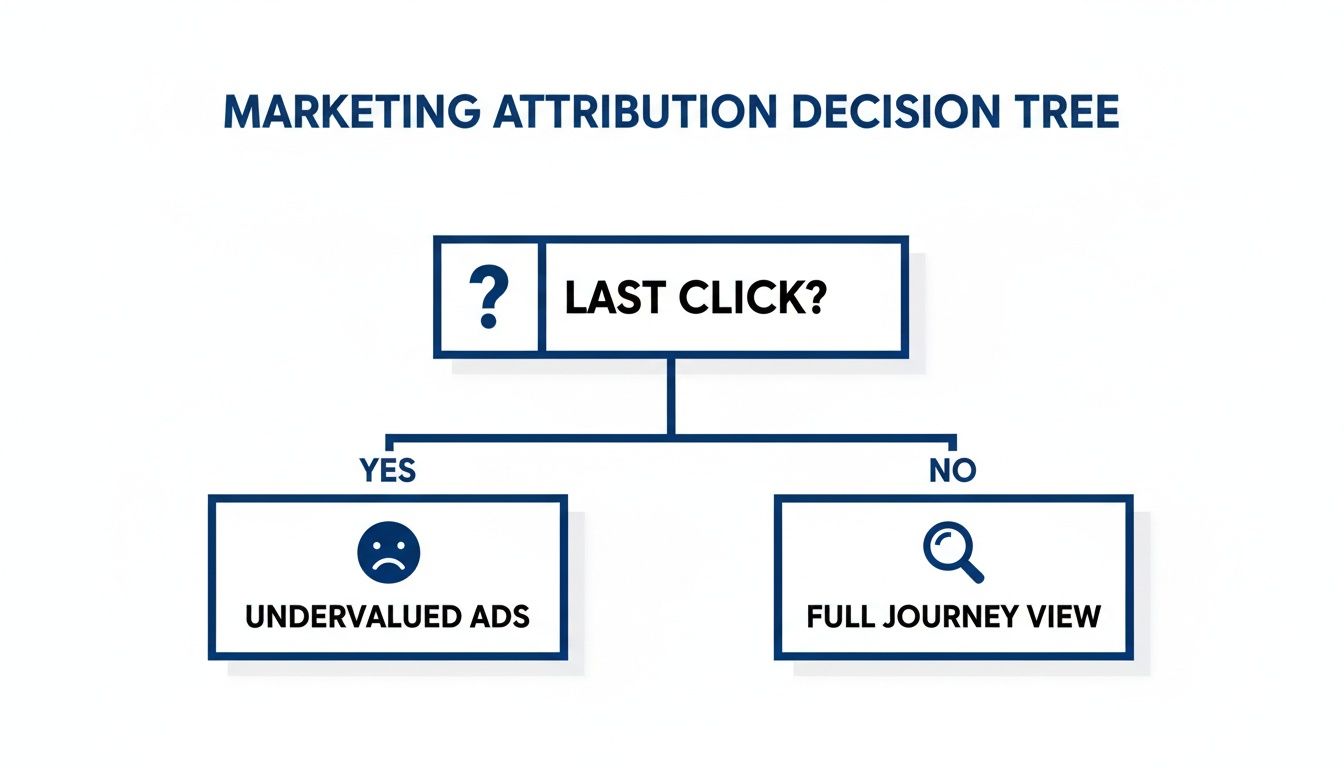
When you move beyond last-click, you start to see the whole story, which lets you make much smarter, data-backed decisions with your budget.
Comparing the Models at a Glance
Choosing between these models can feel a bit abstract. To make it clearer, here’s a breakdown of how they stack up against each other, including their pros, cons, and ideal use cases.
Google Ads Attribution Models Compared
| Attribution Model | How It Works | Best For | Potential Pitfall |
|---|---|---|---|
| Last-Click | Gives 100% credit to the final ad click before conversion. | Performance-focused campaigns where the final action is all that matters. | Ignores all earlier brand-building and consideration touchpoints. |
| First-Click | Gives 100% credit to the first ad click in the journey. | Brand awareness campaigns focused on introducing new customers. | Undervalues the ads that actually close the deal. |
| Linear | Distributes credit equally across all ad interactions. | Businesses with long sales cycles where every touchpoint is considered valuable. | Can treat all interactions as equal, even if some were more influential. |
| Time Decay | Gives more credit to clicks closer in time to the conversion. | Short promotional cycles or B2B where recent touchpoints accelerate the decision. | May devalue important early-stage awareness efforts. |
| Position-Based | Gives 40% to the first click, 40% to the last, and 20% to the middle. | Valuing both the initial discovery and the final conversion equally. | The 40/40/20 split is arbitrary and may not reflect your actual journey. |
| Data-Driven | Uses your account data to assign credit based on actual contribution. | Most advertisers, especially those with sufficient conversion data. | Requires a minimum amount of data to function effectively. |
While the rule-based models offer a more nuanced view than last-click, they are all based on assumptions. Data-Driven Attribution, on the other hand, lets your data do the talking.
The Rise of Data-Driven Attribution
While rule-based models are a solid step forward, they are still just that—based on rules you define. The most sophisticated option in Google Ads today is Data-Driven Attribution (DDA). This is Google's AI-powered model, and it crunches your account's specific conversion data to figure out exactly how much credit each ad interaction truly deserves.
Instead of following a fixed rule, DDA builds a custom model based on how your customers actually behave. It looks at the paths of people who converted versus those who didn't, learning what really makes a difference. This makes it the most accurate and flexible model available, because it adapts to your business.
Data-Driven Attribution moves beyond guessing which touchpoints matter and lets your actual performance data tell you the answer. It’s the closest you can get to understanding the true incremental impact of each ad interaction.
It's no surprise that multi-touch models like linear, time-decay, and position-based are gaining ground, now holding over 48% of the market share because they provide a more complete picture. For example, B2B firms with long sales cycles often see 15-25% better budget efficiency with linear models. Meanwhile, time-decay models are a great fit for e-commerce brands where the customer path typically has 5-7 touchpoints. If you want to dig deeper, you can learn more about how different models fit various industries from recent market analysis.
Building a Rock-Solid Measurement Framework for Google Ads
Getting cross-channel attribution right isn't about flipping a switch. It’s about building a solid foundation of clean, dependable data. Without a proper measurement framework, even the smartest attribution model is just guessing. This framework is your data pipeline, making sure every important customer touchpoint is captured, organized, and ready for analysis in Google Ads and GA4.
Think of it like building a house. You can't start putting up walls before you've poured the concrete foundation. In the world of Google Ads, that foundation is a set of essential tracking setups that consistently record user behavior across every single one of your channels.
The Non-Negotiable Tracking Essentials
Before you even think about advanced models, you have to get the basics right. These three steps are the bedrock of any good Google Ads attribution strategy. For anyone serious about understanding their ad performance, these are absolutely non-negotiable.
-
Correctly Implement the Google Tag: The Google Tag (gtag.js) is the key piece of code that sends data from your website to both Google Ads and Google Analytics 4. Making sure it’s on every single page is crucial for capturing the complete user journey, from their first visit to the final conversion.
-
Establish a Consistent UTM Strategy: UTMs (Urchin Tracking Modules) are simply tags you add to your links to tell your analytics platform where traffic came from. A disciplined UTM strategy for all your non-Google campaigns—think email, social media, affiliates—is the only way to see how those channels help create conversions you might otherwise attribute solely to Google Ads.
-
Link Google Ads and GA4 Accounts: This is a simple but surprisingly powerful step. Linking your accounts lets data flow freely between both platforms. This connection lets you import GA4 audiences and conversions into Google Ads, and more importantly, it lets you see your Google Ads performance within the bigger picture of all your marketing efforts in GA4 reports.
A disciplined approach to these fundamentals ensures your data is clean and trustworthy. It prevents the "garbage in, garbage out" problem that plagues so many advertisers, where poor data leads to flawed attribution and bad budget decisions.
Advanced Tactics for a Competitive Edge
Once your foundation is solid, you can start adding more sophisticated layers to your measurement setup. These advanced tactics help you recover lost data and tie your online advertising directly to real-world business results, giving you a much sharper view of your true return.
Reclaim Lost Data with Server-Side Tagging
More and more people are using ad blockers and privacy-first browsers that can stop tracking scripts (like the standard Google Tag) from ever running. This creates huge holes in your data.
Server-side tagging is the fix. Instead of running the tracking logic in the user's browser, it moves it to your own secure server. This makes your tracking far more reliable and accurate, helping you get back a huge chunk of data that would otherwise have vanished.
Connect Ads to Revenue with Offline Conversion Imports
For a lot of businesses, especially in B2B or high-ticket services, the most important "conversion" happens offline. It might be a signed contract, a lead's status changing in the CRM, or a sale closed over the phone. A real attribution model has to account for this.
- Import CRM Data: By uploading data from your CRM back into Google Ads, you can attribute actual revenue to the specific campaigns, ad groups, and keywords that brought in the lead.
- Track Phone Calls: Use call tracking software that connects with Google Ads to see exactly which ads are making the phone ring with valuable calls.
This closes the loop. It lets you optimize campaigns based on real business impact, not just vanity metrics like form submissions. To ensure your entire marketing spend delivers value, it's essential to not just track Google Ads but also understand how to measure your overall marketing ROI across all channels.
Tackling the Toughest Attribution Hurdles We Face Today
Let’s be honest: even if your tracking setup is technically perfect, getting attribution right is harder than ever. We're all dealing with some major measurement headaches that muddy the waters and hide how our Google Ads campaigns are really performing. To get cross-channel attribution right, you have to face these obstacles head-on.
The customer journey is all over the place. It jumps between devices, includes a dozen online clicks, and often ends with an offline action. If you’re only looking at what happens in a single browser session, you're missing most of the story. That’s a fast track to bad decisions and wasted ad spend.
The Cross-Device Conundrum
Just think about how you shop online. You might see an ad on your phone while scrolling on the train, do some research on your work laptop, and finally buy it on your tablet that evening. To most tracking systems, that looks like three different people. This completely shatters your ability to see the real path to conversion.
This is exactly where tools like Google Signals come in. It’s an opt-in feature in GA4 that uses anonymous, aggregated data from users who are signed into their Google accounts. By piecing together those different sessions across devices, it creates a single, unified view of a user's journey. Suddenly, you get a much clearer picture of how your ads are working across different screens.
Bridging the Online-to-Offline Gap
For so many businesses, the final "win" doesn't happen on a website's thank-you page. It happens when a salesperson closes a deal in the CRM, a customer walks into a store to buy, or a lead finally becomes a paying client weeks after they first reached out. If you can't connect these offline moments back to your Google Ads, you’re basically flying blind.
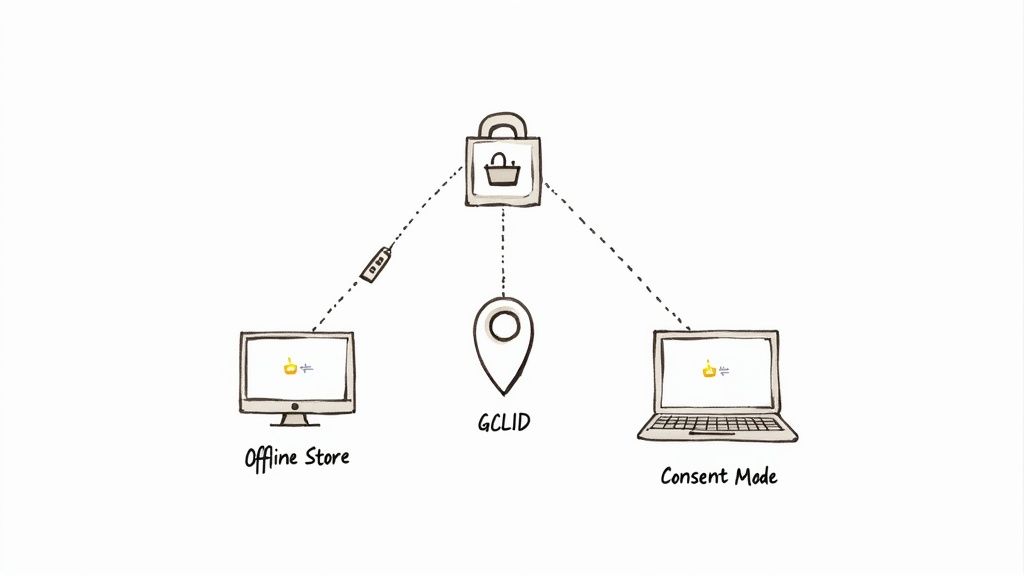
The key to unlocking this is the Google Click ID (GCLID). It’s a unique little tag that Google automatically adds to your URL every time someone clicks an ad. Your job is to capture that GCLID along with the lead’s info (in your CRM, for instance). This creates an unbreakable link between that very first click and the final sale, no matter how long it takes.
When you import this offline conversion data back into Google Ads, you can finally tie real-world revenue to the exact campaigns, ad groups, and keywords that drove it. It’s a game-changer that shifts your focus from chasing clicks to driving actual business growth.
Navigating Data Privacy and Tracking Gaps
The biggest challenge on everyone's mind today is data privacy. Third-party cookies are disappearing, and consent rules like GDPR are getting stricter. As a result, the pool of user-level data we can see is shrinking. Every time a user says "no" to tracking cookies, a blank spot appears in your data.
Google’s answer to this is a powerful one-two punch:
-
Consent Mode: This is a clever piece of tech that changes how your Google tags work based on user consent. If someone says no to tracking, the tags won't store any personal data but will send anonymous "pings" to Google, signaling that something happened.
-
Conversion Modeling: Google takes all those anonymous pings and uses them to model the conversions you couldn't see directly. Using machine learning, it identifies trends from your consented users and applies them to the non-consented group, filling in the gaps to give you a more complete, privacy-first view of performance.
This modeled data is then fed right back into your Google Ads reports, making sure your automated bidding strategies have the fuel they need to keep working effectively. By leaning into these tools, you can build a more resilient attribution system and make smarter calls based on a much more holistic view of your results.
How to Analyze Attribution Reports in GA4 and Google Ads
So, you’ve set up a solid measurement framework and your data is flowing in clean. Now for the fun part: turning all that raw information into smart, profitable decisions. The real power of cross-channel attribution comes alive inside the reporting dashboards of Google Ads and Google Analytics 4, where you can finally see the true story of how your campaigns work together.
Instead of just staring at conversion numbers, these reports let you become a marketing detective. You can pinpoint which channels are your best "assisters"—the ones that introduce new customers—and which are your best "closers." This insight is what separates good advertisers from great ones, allowing you to move your budget around with surgical precision.
Uncovering Hidden Value in Google Ads Reports
Inside the Google Ads interface, your go-to tool for this is the Model Comparison Tool. This is where the magic happens. It lets you directly compare your current attribution model (probably last-click) against another one (like data-driven or position-based) side-by-side.
The report shows you exactly how the number of attributed conversions changes for each campaign, ad group, or even keyword when you swap models.
- Identify Undervalued Campaigns: Look for campaigns where the conversion count increases significantly when you switch from last-click to a multi-touch model. These are your hidden gems—the campaigns that have been helping out all along without getting any of the credit.
- Re-evaluate "Poor Performers": You might discover that a top-of-funnel Display or non-brand Search campaign you thought was a dud is actually a critical first touchpoint for your most valuable customers.
This isn’t just some academic exercise. Based on this data, you can confidently put more budget behind those newly identified "assister" campaigns, knowing they are feeding your entire marketing funnel.
Diving Deep into the GA4 Advertising Workspace
While Google Ads focuses on its own world, GA4 gives you the complete, cross-channel picture. All the key reports are tucked away neatly in the Advertising workspace. This is your command center for understanding the entire customer journey, not just the paid search slice of it.
Think of Google Ads reports as a close-up photo of your star player, while GA4 reports provide a wide-angle shot of the entire team on the field. You need both perspectives to understand the game fully.
Two reports in this section are especially powerful for cross-channel analysis and will help you make much smarter Google Ads decisions.
The Model Comparison Report
Just like its counterpart in Google Ads, the GA4 Model Comparison report shows you how different models give credit to your various marketing channels. But here, you'll see "Paid Search" sitting right alongside "Organic Search," "Email," and "Direct."
The key insight you're hunting for is the percentage change in conversions between models. For instance, you might see that Paid Search conversions jump by 25% under a data-driven model compared to last-click, while Direct traffic drops. This is a huge clue that many users who were previously bucketed under "Direct" actually started their journey with one of your ads.
Here’s a quick look at where you can find these reports inside the GA4 interface.
This screenshot shows the main navigation panel where you would click on "Advertising" to access the attribution reports we're talking about.
The Attribution Paths Report
This is arguably the most fascinating report for really understanding how people behave. The Attribution Paths report shows you the most common sequences of channels that users take on their way to converting. You’ll see paths like:
- Paid Search > Organic Search > Direct
- Paid Social > Paid Search > Email
This report helps you answer crucial strategic questions. How long does it actually take for customers to convert after their first click? Which channels are real workhorses at the beginning of the journey versus the end?
By analyzing these paths, you can spot powerful synergies. If you notice that tons of conversions start with a Display ad and end with a Brand Search ad, you can build a strategy that intentionally uses both channels in tandem. You’re no longer just managing ads; you’re orchestrating the entire customer journey.
Common Questions About Google Ads Attribution
Even with a solid plan, it’s natural to have questions about cross-channel attribution in Google Ads. The whole topic can feel a bit overwhelming, and it's easy to get tangled up in the terminology. Let's clear up a few of the most common things that trip up advertisers.
What Is the Difference Between Attribution in Google Ads and GA4?
Think of it like this: Google Ads attribution is a specialist, while Google Analytics 4 (GA4) is a generalist.
The attribution inside your Google Ads account is laser-focused on its own turf. It’s all about figuring out which of your ad campaigns, ad groups, and keywords played a part in getting you a conversion. It gives you a really detailed look at how your paid search efforts are paying off.
GA4, on the other hand, zooms out to show you the bigger picture. It pulls in data from all your marketing channels—Organic Search, Email, Social Media, Referrals, and of course, Paid Search—to show you how they all work together. In short, GA4 helps you understand the entire customer journey, while Google Ads attribution helps you perfect the paid search leg of that race.
How Long Does It Take for Data-Driven Attribution to Start Working?
Google's Data-Driven Attribution (DDA) model doesn't work right out of the box. It needs to learn from your account's history before it can start making smart decisions. To even get it turned on for a specific conversion action, you generally need at least 3,000 ad interactions and 300 conversions within a 30-day window.
Once you hit that threshold and flip the switch, DDA goes into a "learning period" that can last up to another 30 days. The system is basically finding its footing, so it’s a good idea to hold off on any drastic campaign changes during this time. After that, it never really stops learning; it constantly adjusts based on new data, getting smarter and more accurate over time.
A common mistake is judging DDA's performance too quickly. Give the model at least a full month after activation to stabilize before drawing any firm conclusions about campaign performance.
Will Switching My Attribution Model Impact My Automated Bidding?
Yes, absolutely—and that’s the whole point! Smart Bidding strategies like Target CPA and Target ROAS are completely dependent on your conversion data to do their job. They're only as smart as the information you feed them.
When you switch from an old-school model like last-click to something more holistic like DDA, all those campaigns and keywords that assisted conversions will finally get the credit they deserve. Your bidding algorithms will start to recognize the value of these earlier touchpoints and may begin bidding more for them. It’s a powerful shift that aligns your spending with how customers actually behave, but just be ready to keep a close eye on performance for a few weeks as the system recalibrates.
Are you tired of manually downloading leads from your Google Ads lead forms? Pushmylead instantly forwards every new lead directly to your email inbox, so you can contact prospects while they're still hot. Stop logging into Google Ads every day and start closing deals faster. Learn more about how Pushmylead can help you.