
Ever tried to create a unique ad for every single product on a massive e-commerce site? Or for every service a business offers? It’s a nightmare. You’d spend all your time writing ad copy and managing keywords instead of growing your business.
This is exactly the problem Dynamic Search Ads (DSAs), a key feature within the Google Ads ecosystem, were designed to solve.
What Are Dynamic Search Ads and Why Should You Care
Think of DSAs as a smart campaign type within Google Ads that does the heavy lifting for you. Instead of feeding it a long list of keywords, you simply give Google Ads your website address. Google then crawls your site, learns what you're all about, and automatically generates ads when someone searches for something you offer.
It’s a different way of thinking about search campaigns. You're no longer guessing what people will type into the search bar. Instead, you're letting Google match the rich content on your website directly to a user's query, creating a highly relevant ad on the fly. The headline is dynamically generated to match the search term, and the user is sent to the most relevant page on your site. Simple as that.
Capturing the Untapped Potential of Search
Here's where DSAs really shine: capturing "long-tail" searches. These are those super-specific, multi-word phrases people use when they know exactly what they want. While each individual phrase doesn't get a ton of traffic, together they make up the bulk of all search queries.
Trying to manually target every possible long-tail keyword is impossible. In fact, Google has stated that about 15% of daily Google searches are queries it has never seen before. On top of that, an estimated 70% of all searches are considered "long-tail." DSAs are built specifically to catch this massive, unpredictable stream of traffic that your keyword campaigns will almost certainly miss.
DSAs act as a crucial safety net for your entire Google Ads strategy. They automatically create ads for all those unique, high-intent queries, making sure you never miss out on a potential customer that a traditional keyword campaign might overlook.
Dynamic Search Ads vs Standard Keyword Campaigns
To really get a feel for where DSAs fit into your Google Ads plan, it helps to compare them directly with the standard keyword-based campaigns you're probably already running. They aren't mutually exclusive; in fact, they work best when used together.
This table breaks down the core differences within the Google Ads platform.
| Feature | Dynamic Search Ads (DSAs) | Standard Keyword Campaigns |
|---|---|---|
| Targeting Method | Relies on your website content, specific URLs, or a page feed. | Depends on a manually built list of keywords. |
| Ad Creation | Headlines and landing pages are generated automatically by Google. | You write all the ad copy and choose the landing pages yourself. |
| Scalability | Fantastic for large websites with hundreds or thousands of pages. | Can become very time-consuming to manage and scale for big sites. |
| Ideal Use Cases | Large e-commerce stores, sites with deep content, and finding new keyword ideas. | Perfect for tightly controlled brand campaigns and specific promotions. |
Think of it this way: Standard campaigns give you surgical precision and control, while DSAs give you broad coverage and uncover new opportunities automatically. A smart Google Ads strategy uses both to cover all the bases.
How Do Dynamic Search Ads Actually Work?
Think of Dynamic Search Ads as a smart, automated assistant within your Google Ads account. Instead of you sitting down to brainstorm every possible keyword someone might use, Google's web crawlers do the heavy lifting. They systematically scan your site, page by page, to create a detailed map of your content.
This "map," or index, is what powers the entire system. It helps Google understand precisely what products, services, and topics you cover. So, when someone searches for something, Google doesn't just look at a keyword list you created. It looks at its index of your site to find the exact page that best answers the searcher's question.
The Automated Matching Process
Once Google finds the perfect page on your site for a search query, the real magic begins. It automatically generates a custom ad headline, often pulling from the user's search term and your page's title. The ad's destination URL is set directly to that specific page, creating a perfectly smooth path from the search result to the most relevant content.
This flowchart breaks down that simple but powerful process:
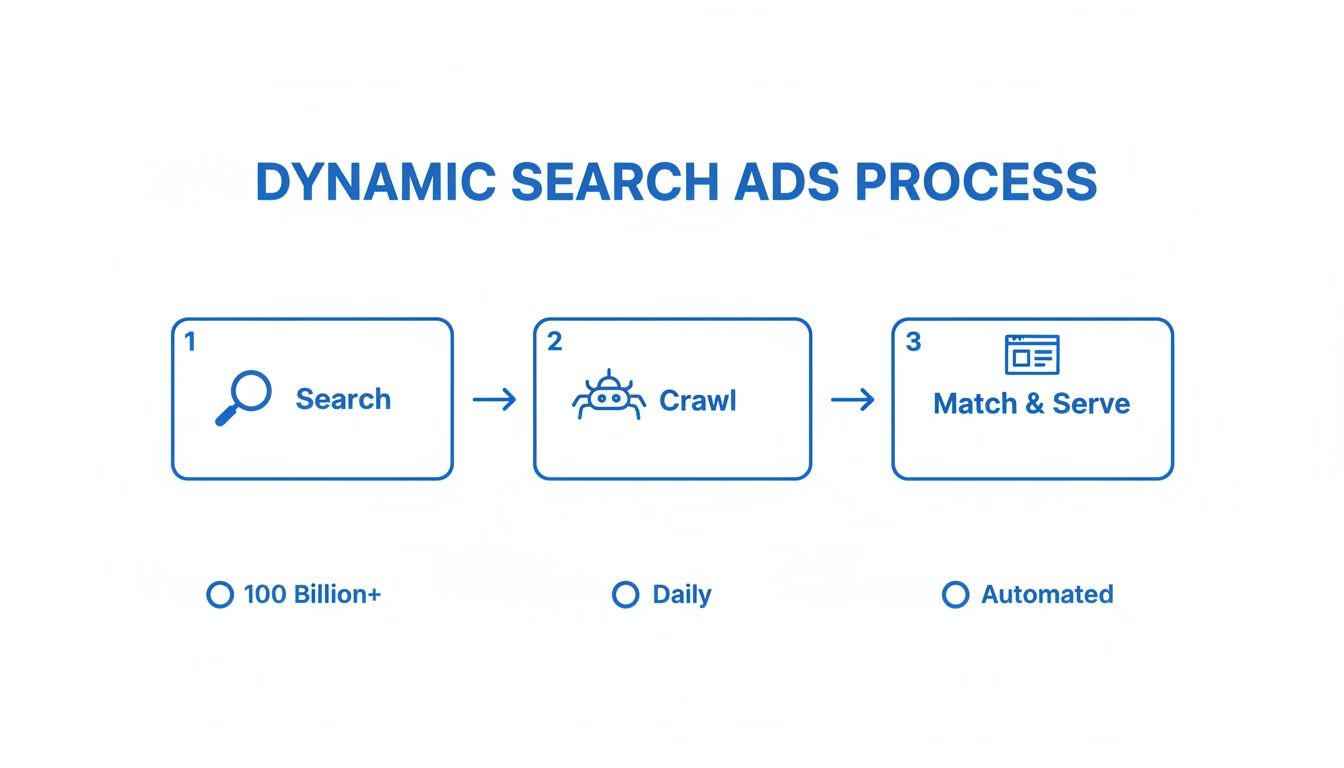
The key thing to remember is that this is all happening automatically within the Google Ads system. From crawling your site to matching a search and building the ad, the system handles it all.
Taking Control of Your Ad Targets
"Automated" doesn't mean you give up all control. Far from it. You get to tell Google which parts of your site it can use. This is done through something called Dynamic Ad Targets, and they give you a surprising amount of say in what pages can trigger your ads.
You can steer the campaign in a few different ways:
- Google's index of my website: This is the "set it and forget it" option. You're basically telling Google to consider any indexed page on your website fair game.
- URLs from my page feed only: This approach gives you maximum control. You upload a spreadsheet with the exact URLs you want to promote, and Google will stick only to that list. No exceptions.
- Both Google's index and my page feed: This is a popular hybrid approach. It uses your specific list of URLs as the priority but also allows Google's index to fill in any gaps with other relevant pages from your site.
By blending Google's powerful crawling technology with smart targeting, you create a Dynamic Search Ads campaign that gets you wide coverage without sacrificing control. It’s the perfect way to capture all that valuable, highly specific long-tail traffic while making sure people don't end up on your "Careers" or "About Us" page.
How to Set Up Your First DSA Campaign, Step by Step
Ready to dive into the Google Ads platform and get your first Dynamic Search Ads campaign off the ground? The setup is pretty straightforward, but a few key decisions you make now will have a big impact on your results later. Let's walk through it together, from start to finish.
This guide will show you how to build a DSA campaign from scratch, making sure you’re positioned for success right out of the gate.
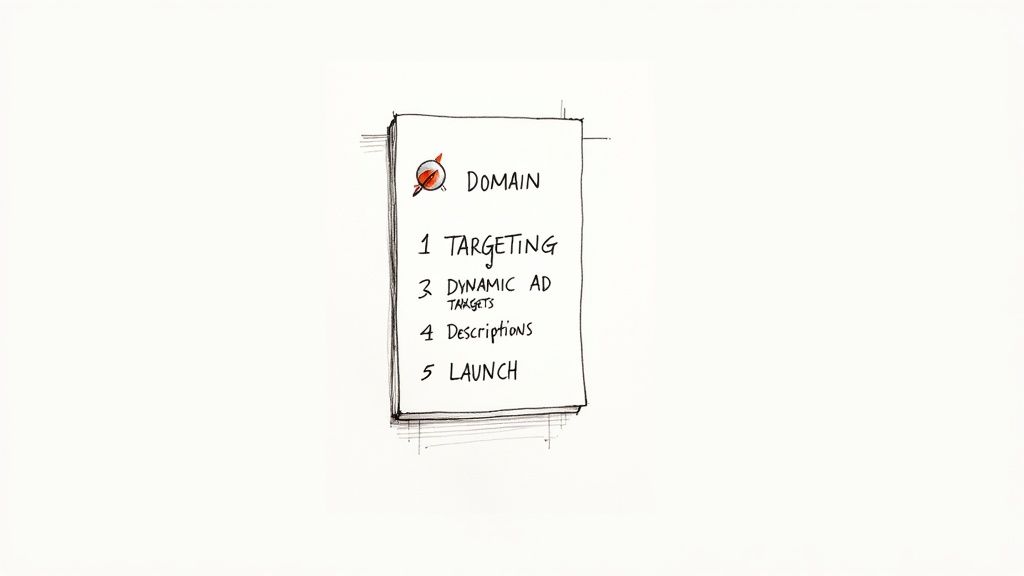
First things first, let's head over to your Google Ads account and create a new campaign.
Initial Campaign Configuration
If you’ve set up a standard search campaign before, these first few steps will feel very familiar. There’s just one crucial difference.
- Choose Your Objective: Start by creating a new campaign. You'll want to pick a goal that works with Search, like Sales, Leads, or Website traffic.
- Select Campaign Type: Next, choose "Search" for your campaign type.
- General Settings: Now just click through the usual settings for your budget, bidding strategy, and location targeting. Don't worry about keywords—we're going to skip that part entirely. Go ahead and publish the basic campaign shell. Google might give you a warning about missing ad groups, but you can ignore that for now.
- Enable Dynamic Search Ads: This is the most important part. Go into your new campaign's Settings, look for the "Dynamic Search Ads setting," and pop in your website domain.
That one action officially flips the switch, turning your standard search campaign into a DSA campaign and unlocking all the dynamic targeting options we need.
Configuring Your Targeting Source
Okay, now it's time to tell Google which pages on your website it can pull from to generate ads. This is a critical step because it determines how much control you have and how broad your campaign will be.
You’ve got three main choices for your targeting source:
- Use Google's index of my website: This is the easiest and broadest option. Google simply uses its existing crawl of your entire site to match pages to what people are searching for.
- Use URLs from my page feed only: This gives you maximum control. You upload a specific spreadsheet of URLs, and Google promises to only use those pages to build your ads.
- Use both Google's index of my website and my page feed: This is a hybrid approach. It tells Google to prioritize the URLs in your feed but gives it permission to use its index to fill in any gaps.
For anyone just starting out, using Google's index is often the simplest path forward. Just know that you'll need to be on top of your negative keywords and exclusions later on.
Creating Dynamic Ad Targets and Ad Copy
With your source selected, it’s time to build your ad groups and tell Google how to slice and dice your website pages. Instead of using keywords, you’ll do this with Dynamic Ad Targets. Think of them as rules that group similar pages together.
For instance, you could create a target for all URLs containing the word "shoes" to group all your shoe product pages. You could also target a specific category that Google has already identified from your site’s structure, like category = "running-shoes".
Pro Tip: The best way to approach this is to think about your website's structure. Create different ad groups for different sections (e.g., "Men's Jackets," "Women's Boots," "Clearance Items") using URL-based rules. This lets you write much more relevant ad descriptions for each specific category.
Finally, you get to write your ad copy. Since Google generates the headline automatically, your two description lines need to be solid, all-purpose statements that work no matter what headline appears. Focus on what makes you great, like "Free Shipping On All Orders" or "Family-Owned for Over 50 Years." These are the kinds of universal benefits that pair well with any product or service.
Best Practices for Optimizing DSA Performance
Getting a Dynamic Search Ads campaign live is just the starting line. The real wins come from rolling up your sleeves and continuously fine-tuning it. Think of your new campaign like a powerful engine you just installed—now it's time to dial it in so it runs smoothly and efficiently, turning traffic into customers without burning through your budget.
This isn't a "set it and forget it" situation. A well-managed DSA campaign doesn't just find new customers; it does so profitably, getting smarter and more effective over time.
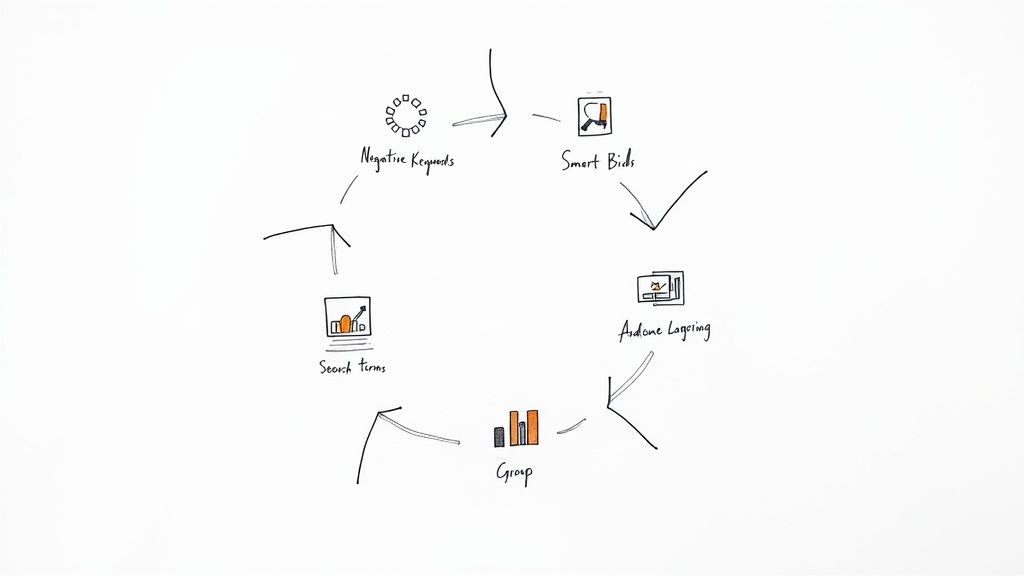
Master Your Exclusions
The single most important part of running a DSA campaign is telling Google what not to target. If you don't set up strong guardrails, you’ll end up paying for clicks on all sorts of irrelevant searches that have no chance of converting. Your first and best defense here is a solid negative keyword list.
Make it a habit to dig into your Search Terms Report. This report is pure gold—it shows you the exact, real-world queries that triggered your ads. If you sell premium leather shoes and see clicks coming from searches like "cheap rubber boots," you've just found your next negative keywords. Add "rubber" and "cheap" to your negative list to stop wasting money on those searches for good.
Don't underestimate how powerful this is. One study showed a campaign’s click-to-conversion rate jumped from 3.16% to over 5% just by adding negative keywords. The ROI improvements hit 400% and kept climbing in later tests.
Besides keywords, you also need to use Negative Dynamic Ad Targets. This lets you block off entire sections of your website.
- Rule Type: Create rules that exclude any URLs containing words like
/blog/,/careers/, or/about-us/. - Purpose: This stops Google from sending paid traffic to informational pages that won’t lead to a sale.
Leverage Smart Bidding and Audience Layering
Once you've cleaned up your targeting, it's time to let automation handle the heavy lifting on your bids. To get your DSAs running at peak efficiency, you should be using proven PPC bid management automation strategies. Smart Bidding strategies like Target CPA (Cost Per Acquisition) or Target ROAS (Return On Ad Spend) are practically made for DSAs.
These automated strategies use Google’s machine learning to set bids for you in real-time, focusing only on the users most likely to convert. It takes all the guesswork out of bidding. Just remember, they're only as good as your data, so make sure your conversion tracking is set up perfectly.
Adding audience lists on top of your DSA campaign is where things get really interesting. For example, you can tell Google to bid more for people on your remarketing lists, since you already know they’re familiar with your brand and much more likely to buy.
This tactic gives you the best of both worlds: the massive reach of dynamic search ads combined with the precision of audience targeting. You can apply audiences in a couple of ways:
- Targeting: This setting restricts your ads to only show to people in your chosen audiences. It’s perfect for a highly focused campaign, like targeting users who abandoned their shopping carts.
- Observation: This lets your campaign run as usual but allows you to apply bid adjustments for specific audiences. For instance, you could increase your bids by 25% for anyone who has purchased from you before.
How DSAs Fit Into Your Bigger Marketing Picture
Think of Dynamic Search Ads as a powerful tool in your Google Ads toolkit, but not the only tool. They're not here to replace your standard keyword-based campaigns. Instead, they work alongside them, playing a completely different, but equally important, role.
Your keyword campaigns are your specialists—they give you precise control over specific terms you know are valuable. DSAs, on the other hand, are your explorers. They go out and find all the long-tail, unexpected search queries that you’d never think to bid on, sweeping up traffic you would have otherwise missed.
When you start understanding the differences between Organic SEO and PPC, you see how every channel has its place. DSAs are your secret weapon for discovery, constantly uncovering new ways customers are looking for what you offer.
Use DSAs to Find New Winning Keywords
One of the best-kept secrets about DSA campaigns is that they're a fantastic keyword research machine. Your search terms report is an absolute goldmine, revealing the exact, real-world phrases people are using to find your site and convert.
By checking this report regularly, you can "harvest" the best-performing search terms and feed them back into your other Google Ads campaigns. It’s a simple but incredibly effective loop:
- Spot the Winners: Find the search terms that have a great click-through rate (CTR) and solid conversion numbers.
- Move Them Over: Take these proven queries and add them as exact match keywords to your standard search campaigns. Now you can control the bids and ad copy for them directly.
- Prevent Overlap: Add those same keywords as negatives to your DSA campaign. This ensures your standard campaign handles that specific query from now on.
This creates a self-improving system. Your DSA campaign is constantly out there finding new opportunities, and your standard campaigns are there to capitalize on them for maximum efficiency.
Go from Discovery to Conversion with Lead Forms
DSAs are great at grabbing a user's attention, but you have to make it dead simple for them to act on that interest. This is where lead form extensions, a feature within Google Ads, are a total game-changer.
You can attach a lead form directly to your dynamic ads, letting people submit their contact info without ever having to leave the Google search results page.
This simple, frictionless experience is huge. It can seriously boost your lead volume by capturing a person's interest at the exact moment it peaks.
But getting the lead is only step one. The speed of your follow-up is what really matters. A lead that has to wait even an hour for a response can go cold fast.
That's why it's so important to connect your lead forms to a service like Pushmylead. It instantly forwards every new lead straight to your inbox, so your sales team can jump on it while the prospect is still engaged and ready to talk. This simple step can dramatically increase your chances of turning that initial click into a new customer.
Common Pitfalls to Avoid with Dynamic Search Ads
Dynamic Search Ads are incredibly powerful, but they aren't a "set it and forget it" solution. If you let them run wild without proper guardrails, you can burn through your budget on completely irrelevant traffic. It's like handing the keys to a self-driving car but forgetting to plug in the destination—you still need to tell it where to go and, just as importantly, where not to go.
Let's walk through some of the most common mistakes I see advertisers make within the Google Ads ecosystem. The good news? They're all easily avoidable with a bit of planning.
Forgetting Your Negative Keywords
This is, without a doubt, the biggest and most costly mistake you can make with DSAs. Because these campaigns are built for broad reach, they will absolutely show your ads for search queries that have nothing to do with your business. It's not a matter of if, but when.
Imagine you run an online shoe store. Without a solid negative keyword list, you could easily end up paying for clicks from people searching for "shoe repair services" or "where to donate old shoes." That's wasted money.
Make it a habit to constantly review your search terms report. It’s your single best tool for finding and blocking these budget-draining terms. To get a head start, check out our guide on what negative keywords are and how to build a list that protects your ad spend.
Targeting Your Entire, Unfiltered Website
Another classic error is aiming your DSA campaign at your entire website without thinking it through. You don't want to pay for ads that send people to your "Careers" page, your "About Us" section, or old blog posts.
This is where Negative Dynamic Ad Targets come in. Use them to fence off the non-commercial parts of your site. You can easily create rules to exclude any URLs that contain terms like /blog/ or /privacy-policy/. It’s a simple step that focuses your budget squarely on pages that actually generate leads and sales.
A quick heads-up: DSA performance can look a little strange at first. Don't panic if you see a lower CTR than your hand-built keyword campaigns. Experienced advertisers know that the trade-off is often a lower cost-per-click and the discovery of valuable conversions you would have never found otherwise. For more on this, check out this DSA case study.
Finally, be smart about your ad descriptions. Since Google generates the headlines, your two description lines need to be universal. They have to make sense no matter which page the ad points to. Stick to broad, compelling benefits like "Free Shipping On All Orders" or "24/7 Customer Support."
Frequently Asked Questions About Dynamic Search Ads
Even with the best-laid plans, a few common questions always seem to come up when you start running Dynamic Search Ads. Let's walk through some of the most frequent ones to clear up any confusion.
Can I Use DSAs If My Website Uses a Lot of Images?
This is a great question and a really important one. DSAs work by reading the text on your website, so if your pages are mostly images with very little text, Google’s bots won't have much to work with. Think of it like trying to read a picture book with no words – the context is missing.
For DSAs to really shine, your site needs to be text-rich. This means your product and service pages should have clear, descriptive titles and detailed descriptions. If key information is locked inside a graphic, the system simply can't see it.
How Do DSAs Choose Which Landing Page to Use?
Google's whole goal here is to find the most relevant page on your site for any given search. It takes what the user typed into the search bar and scans its index of your website to find the perfect match.
For example, if someone searches for "men's waterproof hiking boots size 11," Google will look for the page on your site that best fits that very specific query. This could be your main hiking boot category page or, even better, a product page for a specific boot that fits the bill. The idea is to create a super smooth journey from the ad to the exact page the user was looking for.
The entire premise of DSAs is built on relevance. Google's system is constantly working to connect a person's search intent with the most precise page on your website, building a highly targeted ad and user experience on the fly.
Do I Still Need Negative Keywords for a DSA Campaign?
Yes, absolutely. In fact, they might be even more crucial for DSAs than for standard keyword campaigns. Since you aren't hand-picking every keyword, you have to be extra careful about telling Google what not to show your ads for.
Without a solid negative keyword list, you could easily waste money on searches for things like job openings, customer support questions, or even competitor brand terms. Making it a habit to review your search terms report and add negatives is the single most critical optimization task for a successful DSA campaign.
Don't let a single high-intent lead from your Google Ads go cold. With Pushmylead, every lead from your lead form extensions is sent to your inbox the moment it's submitted. Stop manually downloading CSVs and start converting leads faster by visiting the Pushmylead website to get started.