
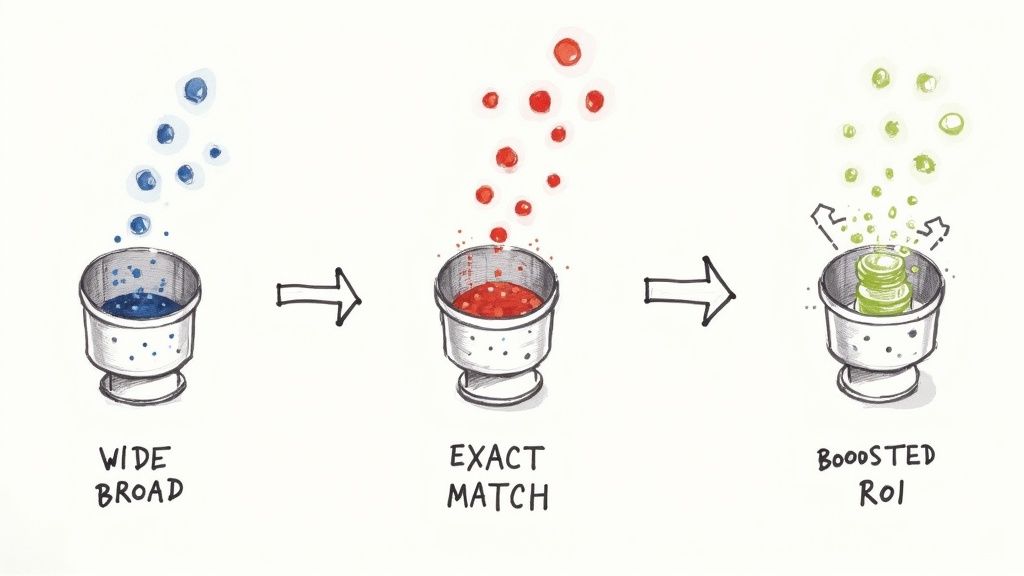
In Google Ads, a negative keyword match type is simply a rule you set to stop your ad from showing up for certain searches. Think of it as your campaign's bouncer—it keeps the irrelevant traffic out, so you only spend money on clicks that actually matter.
Stop Wasting Your Ad Spend with Negative Keywords
We've all been there. You log into your Google Ads account only to see your budget getting eaten alive by clicks that go nowhere. This usually happens when your ads show up for searches that are sort of related to what you sell, but the person searching has a completely different goal in mind.
Mastering negative keywords is your best defense against this kind of budget drain. It’s one of the most common ways advertisers throw money away, and thankfully, it’s one of the easiest to fix.
By creating a solid "do not show" list, you're building a filter that makes sure your ads are only seen by people who are actually looking to buy. Google Ads gives you three tools to do this, each with a different level of control:
- Negative Broad Match: This is your widest filter. It blocks your ad if the search contains all your negative keywords, but they can be in any order.
- Negative Phrase Match: A bit more specific. It blocks your ad if the search contains your exact negative keyword phrase, in the same order.
- Negative Exact Match: This is your surgical tool. It only blocks your ad when the search query is exactly the same as your negative keyword, word for word.
This handy diagram shows how you get more and more precise as you move from broad to exact.
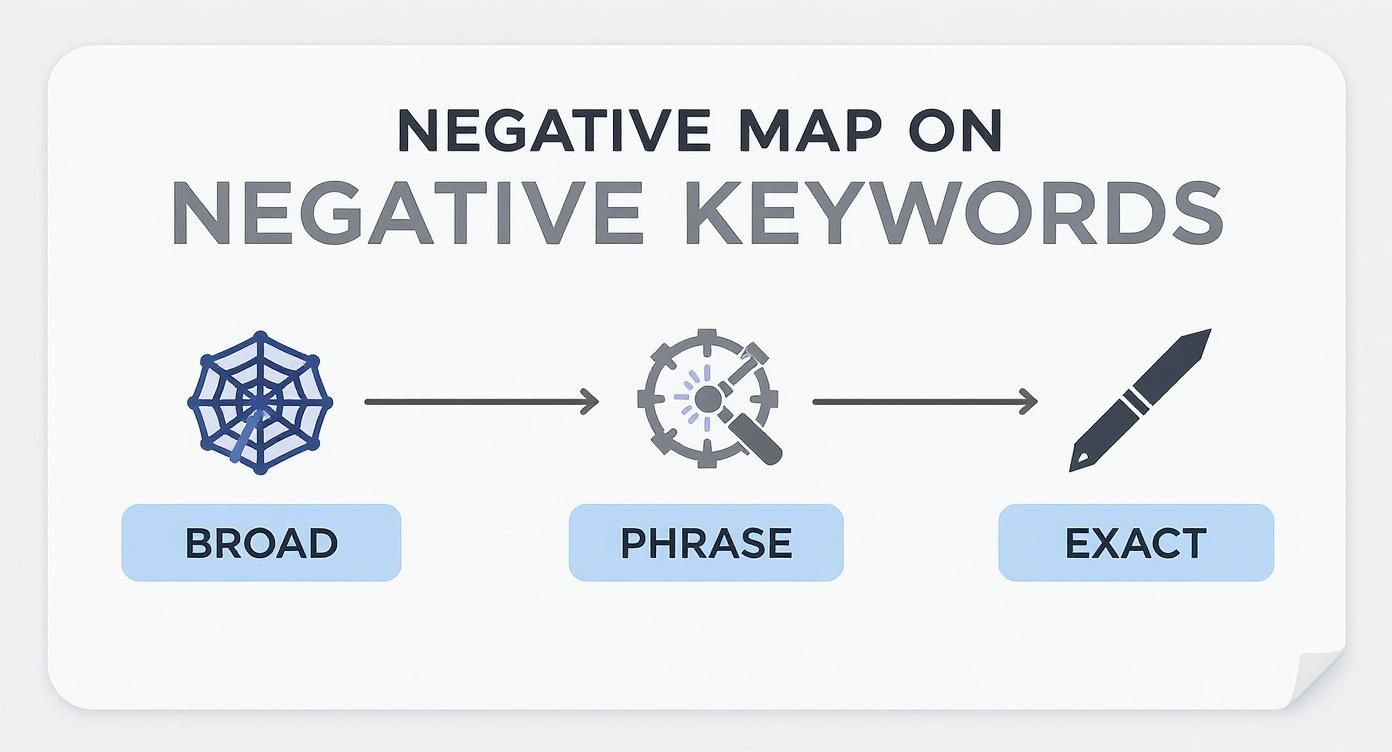
As you can see, the further you move to the right, the tighter your control becomes. This allows you to cut out irrelevant traffic with laser-like precision.
When you proactively block searches that don't fit, you do more than just save money. You also boost your important Google Ads metrics like Click-Through Rate (CTR) and conversion rates, which ultimately gives you a much better Return on Investment (ROI).
At the end of the day, a well-tended negative keyword list is what separates a profitable Google Ads campaign from one that just burns cash. It's the simplest and fastest way to focus your ad spend on attracting real customers.
Quick Guide to Negative Match Types
To make this crystal clear, here’s a quick-reference table breaking down how each negative match type works in Google Ads and when you should use it.
| Match Type | Symbol | What It Blocks | Best Used For |
|---|---|---|---|
| Negative Broad | word |
Searches containing all your negative keywords in any order. | Blocking broad, irrelevant concepts (e.g., free, jobs, DIY). |
| Negative Phrase | "word" |
Searches containing your exact phrase in the same order. | Removing specific product models or services you don't offer. |
| Negative Exact | [word] |
Searches that are identical to your negative keyword. | Excluding very specific, low-performing search queries found in your reports. |
Use this table as your cheat sheet. Getting these right is a fundamental skill for any successful Google Ads manager.
Casting a Wide Net with Negative Broad Match
Think of negative broad match as your campaign's first line of defense. It’s a powerful, wide net you can cast to catch and block entire categories of unwanted search traffic in the Google Ads ecosystem. While it's the least precise of the three negative match types, its broad reach is perfect for quickly cutting out obviously irrelevant searches without having to build a gigantic list of individual keywords.
The logic behind it is straightforward: your ad won't show if all the words in your negative keyword appear somewhere in the user's search query. The order doesn't matter, and that’s what gives it so much power.
Let's say you sell high-end leather briefcases. You could add free repair as a negative broad match keyword.
This one simple addition will instantly block a ton of unrelated searches, such as:
free briefcase repair servicehow to get free repair for leather bagsrepair services for bags that are free
You can see how this saves a massive amount of time. Instead of trying to brainstorm and add every single variation of a search you want to avoid, this broad match type does the heavy lifting for you.
When to Use This Approach
The real value of negative broad match shines when you look at how it boosts campaign efficiency. It’s not just a theoretical tool; it’s proven to filter out a huge volume of junk traffic.
A well-known analysis of over 10,000 Google Ads accounts found that campaigns using broad match negative keywords blocked an average of 42% more irrelevant search terms than those relying only on phrase or exact match negatives. For one major retailer, this meant blocking over 15,000 irrelevant searches every month, which led to a 28% better click-through rate and a 22% lower cost-per-acquisition. You can read the full findings on negative keywords to see just how impactful this can be.
But here’s the catch: its strength is also its biggest risk. Because it’s so broad, you can easily end up blocking valuable, long-tail searches by accident. If our briefcase seller added leather repair as a negative broad match, they might block a great search like best leather briefcase repair kit—a product they might actually sell.
The key is to use negative broad match for concepts that are always irrelevant to your business. Think about terms like
jobs,free,DIY,pictures, orhow to. These words almost always signal a search intent that has zero chance of turning into a customer.
By using negative broad match as a blunt instrument for large-scale filtering, you can save the more precise match types for when you need more surgical control. This creates a balanced strategy that casts a wide net to catch the obvious waste while letting the valuable, specific searches swim right through to your ads.
Refining Your Targeting with Negative Phrase Match
If negative broad match is like casting a huge net, think of negative phrase match as your smart filter within Google Ads. It strikes a fantastic balance between the wide-ranging block of broad match and the pinpoint accuracy of exact match, giving you much more refined control over where your ads show up. It's an absolute must-have for any advertiser who needs to be specific without being too restrictive.
So, how does it work? This match type stops your ad from showing when a search query contains your exact negative keyword phrase, in that specific order. The sequence of the words is what matters here. People can add words before or after your phrase, but as long as your core negative phrase is in there, untouched, your ad won't appear.

Let’s use an example. Imagine you sell brand-new, premium office chairs through your Google Ads campaign. You definitely want to show up for "ergonomic office chairs" or "leather office chairs for sale." What you don't want is to waste money on clicks from people looking for secondhand stuff.
By adding "used office chairs" as a negative phrase match keyword, you create a simple but powerful rule.
How Negative Phrase Match Works in Practice
That one negative keyword will prevent your ads from showing on searches like:
buy used office chairsused office chairs near mewhere to find cheap used office chairs
See how the phrase "used office chairs" is present in that exact sequence? That's the trigger. On the flip side, your ad could still appear for a search like "office chairs that are not used," because your negative phrase isn't there in the right order. This is what makes it so precise—it filters out a very specific intent (the hunt for used items) while keeping you visible for other relevant searches.
This level of control is a lifesaver in competitive markets where keywords often overlap. A CXL study highlighted how a travel agency specializing in luxury packages added "cheap flights" as a negative. That simple move cut their irrelevant clicks by 31% and pushed their conversion rate up by 19% in just six months. You can find more great tips on using negative keywords effectively from CXL.
Negative phrase match is your best friend for blocking specific product models you don't carry, services you don't offer, or any user intent that just doesn't fit. It gives you incredible control, making sure your ad spend goes directly toward attracting the most qualified traffic.
Achieving Precision Control with Negative Exact Match
When you need surgical precision in your Google Ads campaigns, the negative exact match is your scalpel. Forget the broad strokes of other match types; this one is all about removing specific, unwanted search queries with absolute certainty. It's the ultimate tool for fine-tuning a mature campaign and squeezing every last drop of performance out of your budget.
So, how does it work? It blocks your ad only when a search query matches your negative keyword exactly, word for word, character for character. No extra words before, after, or in the middle. It’s like having a bouncer at the door with a very strict list—if the name isn't on there precisely as written, it's not getting in.
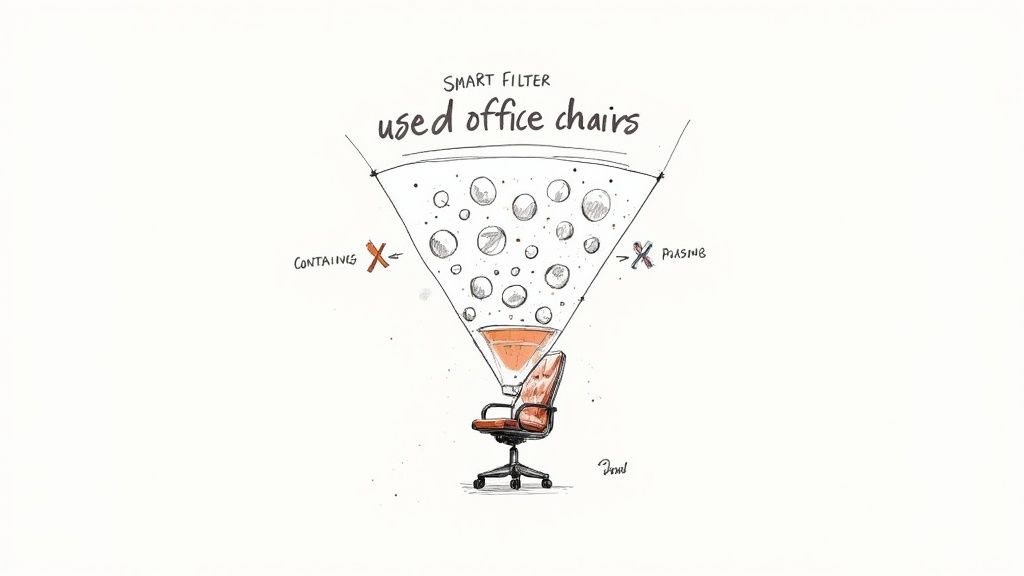
Let's say your software company is named 'Apollo'. You might quickly discover your ads are showing up for people searching about Greek mythology. By adding the negative exact match [apollo greek god], you tell Google in no uncertain terms to stop wasting your ad budget on history students doing their homework.
When to Use Pinpoint Precision
The real power of negative exact match is its ability to weed out high-traffic, completely irrelevant queries that can drain your budget and muddy your performance data. This level of precision is non-negotiable for running a clean, efficient campaign.
This match type is your go-to for blocking things like:
- Competitor Brand Names: Stop your ads from appearing when someone is explicitly looking for a rival.
- Specific Product Models: If you don't sell a particular model or version, block it directly.
- Misspellings with Wrong Intent: Cut out common misspellings that lead to an entirely different product or service.
This isn’t just theory; the data backs it up. A 2020 analysis by Google Ads found that campaigns using exact match negatives saw a 15% drop in accidental clicks from people searching for competitors or unrelated products. In hyper-competitive markets like the US and Japan, the study showed that 43% of advertisers use them specifically to block competitor-related searches. You can dig deeper into these competitor blocking strategies at SpyFu.
While it's the most restrictive match type, its precision is what makes it so valuable. Use it to methodically trim away the specific search terms that you discover are wasting your budget in the Search Terms report. This careful pruning is a hallmark of a well-managed Google Ads account.
Applying Negatives at the Campaign vs. Ad Group Level
Knowing the difference between negative match types is a great start, but the real magic happens when you know where to apply them. Google Ads gives you two main places to put your negative keywords: at the campaign level or at the ad group level. Each one has a very different job to do.
Think of campaign-level negatives as your master block list. These are the "never-show-my-ad-for-this" words that apply to every single ad group inside that campaign. They act as a broad shield, protecting your entire budget from searches that are completely wrong for your business, no matter the context.
For instance, if you sell high-end, premium hiking gear, you'd want to add words like these as campaign-level negatives:
freecheapjobshow to make
Someone searching for "free hiking boots" is never going to buy from you. Applying these negatives at the campaign level is a simple, efficient way to filter out this kind of traffic from the get-go.
Ad Group Negatives for Surgical Precision
Ad group-level negatives, on the other hand, are all about precision. They're your scalpel, not your sledgehammer. Their main job is to stop your own ad groups from fighting with each other for the same search queries—a common issue that can quietly drain your budget. This ensures the most relevant ad always gets shown, which is a big win for your Quality Score and click-through rates.
Let's say you're a shoe retailer and you have two very specific ad groups:
- Ad Group A: All about "men's running shoes"
- Ad Group B: Focused on "women's running shoes"
Without the right negatives, a search for "women's running shoes" could easily trigger an ad from your men's group. That’s a wasted impression and a bad user experience. To fix it, you simply add women's as a negative keyword to the men's ad group and men's as a negative to the women's ad group.
It’s a small tweak that channels search traffic with incredible accuracy. Now, someone looking for women's shoes sees an ad for women's shoes. It sounds simple, but this makes your ad spend work so much harder for you.
To help you decide where your negatives belong, here’s a quick breakdown of the key differences:
Campaign-Level vs Ad Group-Level Negatives
| Attribute | Campaign-Level Negatives | Ad Group-Level Negatives |
|---|---|---|
| Scope | Applies to all ad groups within the campaign. | Applies only to the specific ad group where it's added. |
| Purpose | Blocks universally irrelevant terms (e.g., free, jobs). |
Prevents ad groups from competing against each other. |
| Example Use | Blocking "DIY" for a professional services company. | Adding "red" as a negative to an ad group for "blue widgets". |
| Best For | Broad, account-wide filtering and efficiency. | Fine-tuning traffic and ensuring ad relevance. |
Mastering both levels gives you a powerful, layered approach to campaign management. The broad strokes are handled at the campaign level, while the fine details are perfected at the ad group level.
For even more efficiency, you can bundle your negatives into shared negative keyword lists, which can be applied to multiple campaigns at once. It's a fantastic way to keep your accounts clean and your budget focused only on the searches that matter.
Better Leads Start with Smart Negatives
When you're running a lead generation campaign, a bad click costs you twice. First, you pay Google for a click that will never convert. Then, your sales team wastes precious time chasing down a junk lead that clogs up your pipeline. A sharp negative keyword strategy is your best defense—think of it as a bouncer for your ad campaigns, turning away traffic that doesn't belong.
The whole point is to stop paying for searchers who have no intention of becoming a customer. This is a massive deal for B2B companies using Google Ads, where clicks from job seekers, students doing research, or DIY-ers can burn through your budget in a flash with absolutely zero chance of a sale.
Weed Out the Window Shoppers
By adding the right negatives, you can surgically remove this unqualified traffic before it ever costs you a dime. Imagine a software company trying to get demo requests through a lead form. Their ads need to avoid anyone with purely informational or career-focused intent.
A solid list of negatives for them would look something like this:
- "resume": Blocks people looking for job application examples, not your software.
- "examples": Keeps students looking for case studies for a school project away.
- "template": Filters out users searching for free layouts instead of a real solution.
- "salary": Stops job hunters from clicking your ad while researching pay scales.
This isn't just about saving a few bucks on clicks. It's about making sure the traffic that does reach your lead forms is primed and ready to talk business. You're shifting from just buying clicks to investing in actual sales conversations.
When you pair this super-clean, pre-qualified traffic with a fast lead follow-up process, the results are incredible. For example, by using a tool like Pushmylead to send lead form submissions straight to your email, you eliminate the delay of manually downloading them. That combination of clean traffic and instant follow-up is what turns a good Google Ads account into a genuine lead-generating machine, squeezing maximum value out of every single dollar you spend.
Common Questions About Negative Keywords
https://www.youtube.com/embed/gSptKCsMUEo
Once you start using negative keywords, a few practical questions almost always pop up. It's one thing to know the theory, but it's another to apply it in the real world of Google Ads. Let's tackle some of the most common questions that advertisers run into.
How Do Negatives Interact with Positive Keywords?
This is a big one. What happens when a search could match both a positive keyword and a negative one? The answer is simple: negative keywords always win.
Think of your negative keywords as a hard stop or a final veto. If a search query matches one of your active keywords but also contains a term on your negative list, Google will not show your ad. This override is what makes them so incredibly powerful—it gives you the final say on who sees your ads.
Do Negatives Cover Close Variants?
Here’s a detail that trips up even experienced advertisers. Unlike positive keywords, negative keywords do not cover close variants like plurals, misspellings, or other versions of the word. You have to be explicit.
For instance, if you add free trial as a negative, your ad could still show up for someone searching free trials. You need to add every single variation you want to block. This means your negative list needs to be comprehensive and should include things like:
- Both singular and plural forms (e.g.,
shoeandshoes) - Common misspellings you find in your search terms report
- Synonyms that carry the wrong intent for your business
What Is the Best Way to Find New Negatives?
Your best friend here is the Search Terms report inside your Google Ads account. This is the goldmine. It shows you the exact, real-world search queries that people typed into Google right before your ad was shown.
Regularly reviewing your Search Terms report isn't a "set it and forget it" task—it's a core part of ongoing campaign optimization. Carve out time every week to dig through this data. You'll quickly spot irrelevant searches, cut wasted spend, and sharpen your targeting.
Every time you find a query that has nothing to do with what you sell, you've found a new negative keyword. Adding it to your list is one of the quickest and most direct ways to improve your campaign's performance and stop burning cash on irrelevant clicks.
Stop losing leads by manually downloading them from Google Ads. With Pushmylead, every new lead from your lead form extensions is sent directly to your inbox the moment it arrives. Streamline your follow-up and convert more customers by visiting the Pushmylead website.