
Crafting a high-performing Google Ads campaign can feel like a guessing game. You spend time and budget testing headlines, descriptions, and calls-to-action, hoping something sticks. But what if you could peek behind the curtain and see exactly what your competitors and top brands are doing right now? This is where analyzing a great ppc ad example from the Google Ads ecosystem becomes your most powerful tool.
This list isn't just a collection of successful ads; it's a strategic playbook for the Google Ads ecosystem. We are diving deep into the best platforms and websites where you can find thousands of current, real-world Google Ads examples. You’ll learn how to dissect competitor campaigns, identify winning ad copy formulas, and understand the nuances of effective extensions and landing pages. To truly grasp the effectiveness of Google Ads, exploring these 10 Pay Per Click Advertising Examples That Just Work can provide invaluable insights before we explore the tools to find them.
We’ll guide you through each resource, complete with screenshots and direct links, showing you precisely how to find the Google Ads examples you need. By the end, you'll have a repeatable process for gathering competitive intelligence and building campaigns that are inspired by proven success, saving you time and improving your return on ad spend within the Google Ads platform.
1. Google Ads Transparency Center
The best place to start your search for a great PPC ad example is directly at the source. The Google Ads Transparency Center is an often-overlooked yet powerful, free tool provided by Google itself. It’s a massive, searchable database of every ad served by verified advertisers across the entire Google ecosystem, including Search, YouTube, Display, and Shopping.
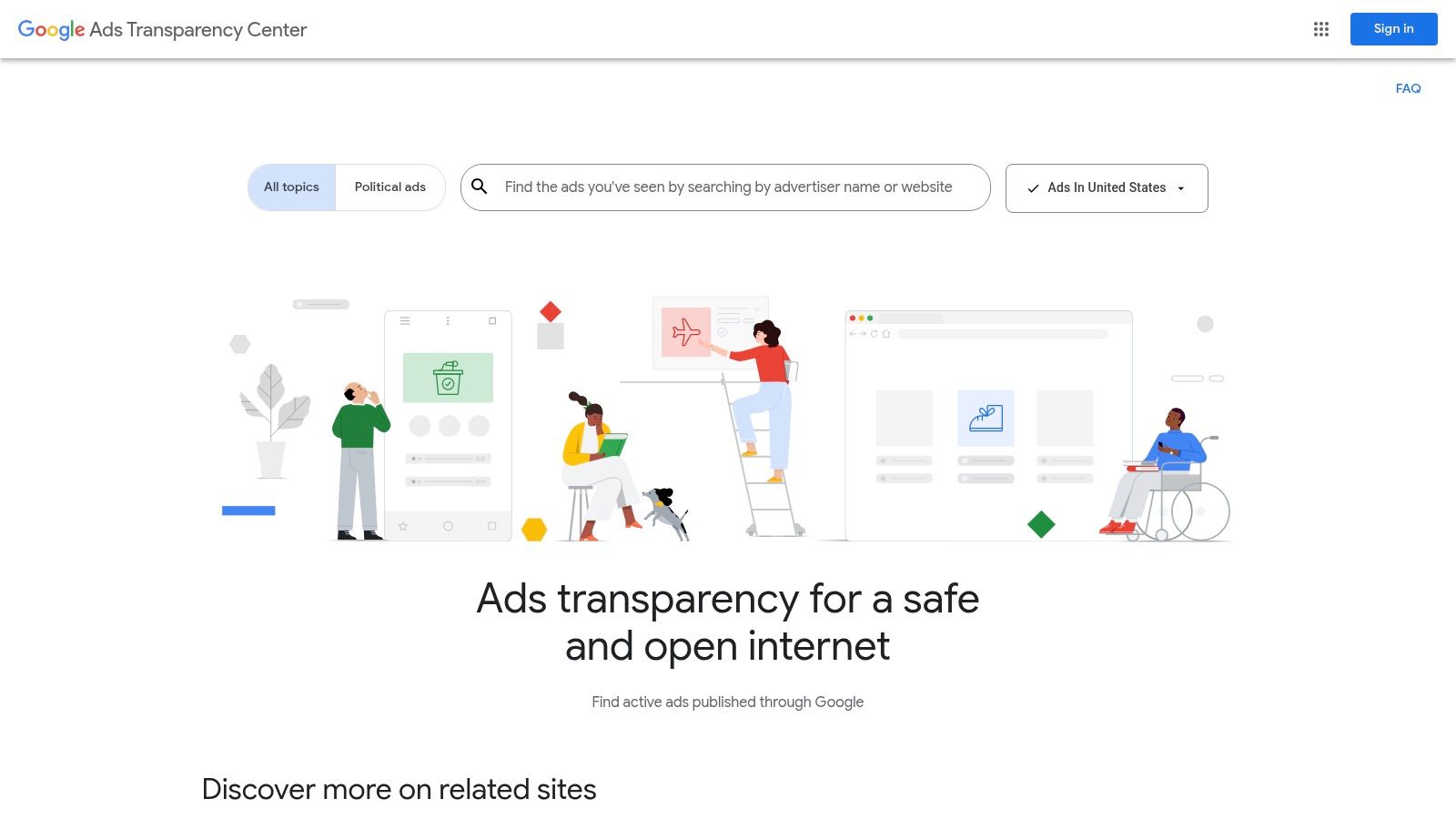
This platform isn't just for checking advertiser identities; it's a goldmine for competitive intelligence within Google Ads. You can look up any brand and see the exact creatives they are running or have run in the past. It shows you the ad format, the regions where it was served, and the last date it ran, giving you a real-world look into your competitors' Google Ads strategies. A recent update allows users to see an advertiser's ads grouped by topic, making it easier to analyze specific campaign themes.
Why It's a Top Resource
What makes the Transparency Center unique is its official and comprehensive data. While other tools scrape or estimate ad creatives, this is the ground truth from Google. It's an invaluable resource for understanding the messaging, offers, and ad formats—like Responsive Search Ads, Performance Max assets, and video ads—that are actively being used in your industry.
How to Use It for Inspiration
The interface is simple: you search by an advertiser's name or website. To get the most out of it, try these tips:
- Analyze Competitor Messaging: Look up your top 3-5 competitors. What unique value propositions are they highlighting in their headlines and descriptions? Are they focused on price, features, or benefits in their Google Ads?
- Study Ad Formats: Check if competitors are using video ads on YouTube, image ads on the Display Network, or specific extensions like image or lead form extensions on Search. This can reveal which Google Ads formats they find most effective.
- Track Seasonal Campaigns: Use it to see how competitors change their ad copy for holidays or seasonal events. This can give you a head start on planning your own Google Ads campaigns.
Pros & Cons
| Pros | Cons |
|---|---|
| Official data directly from Google | No performance metrics (clicks, impressions, conversions) |
| Free to use and publicly accessible | Can't search by keyword, only by advertiser |
| Covers all major Google ad formats | Discovery can be difficult if you don't know who to look up |
For any Google Ads professional, this tool is a non-negotiable starting point for research.
Website: https://adstransparency.google.com/
2. Meta Ad Library
While our focus is the Google Ads ecosystem, analyzing ads on other platforms provides valuable data. The Meta Ad Library is the equivalent of the Google Ads Transparency Center for the social media giant, offering an inside look at every active ad running across Facebook and Instagram. Understanding how brands message on social can inspire new angles for your Google Display or YouTube campaigns.
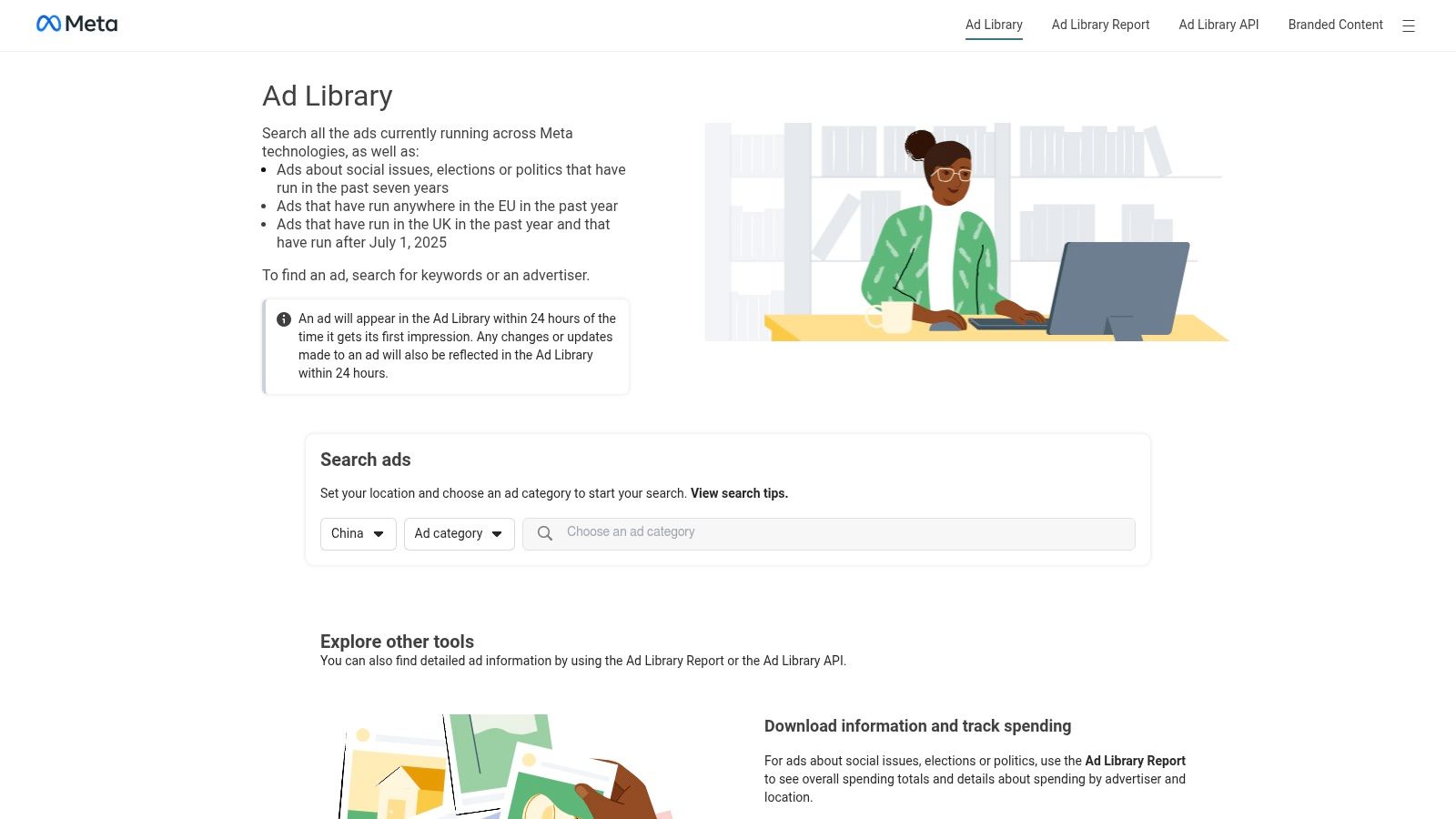
This free library lets you see the exact creatives competitors use to capture attention on social. This provides a complete picture of their paid social funnel, which can inform the visual assets and messaging you use in Google's visually-driven campaign types. For example, a successful video creative on Instagram might be adaptable for a YouTube Shorts ad.
Why It's a Top Resource
The Meta Ad Library's strength lies in its focus on creative. It’s the ultimate resource for visual and copy inspiration, showing you how brands use storytelling and direct-response offers to engage audiences. This insight is transferable to Google Ads, especially for Performance Max and Demand Gen campaigns which rely heavily on strong creative assets. To specifically understand the nuances of advertising on this platform, you can refer to a comprehensive Facebook PPC Advertising guide.
How to Use It for Inspiration
The search functionality is powerful and can help inform your Google Ads strategy.
- Find Creative Angles for Google Display: Search for a keyword related to your product. See what kinds of images, videos, and headlines are being used. Are they benefit-driven or problem-focused? These visual hooks can be tested in your Google Display Network campaigns.
- Get Ideas for YouTube Ads: Study competitor video ads. Analyze their first 5 seconds, calls-to-action, and overall narrative. This is invaluable data for planning your own YouTube ad storyboards.
- Review Landing Page Flows: Click through the ads to see their landing pages. This analysis is directly applicable to improving the conversion rates of your Google Ads traffic.
Pros & Cons
| Pros | Cons |
|---|---|
| Free and comprehensive for Meta ads | No performance context (clicks, likes, conversions) |
| Search by keyword, topic, or advertiser | Older, inactive non-political ads have limited history |
| Great for creative and copy inspiration | Interface can feel cluttered with political ad data |
For a holistic view of a competitor's digital strategy, the Meta Ad Library is a key resource to fuel your Google Ads creative.
Website: https://www.facebook.com/ads/library
3. Microsoft Ad Library
While Google dominates the search landscape, savvy advertisers know not to ignore Microsoft Advertising (formerly Bing Ads). The Microsoft Ad Library is the official, searchable repository for ads served on the Bing network. As Microsoft Ads has a similar structure to Google Ads, this is a prime source for text ad inspiration.
This free tool lets you search for advertisers and see the exact text ad examples they are running. It serves as an excellent complement to your Google Ads research, as many advertisers import their Google campaigns directly into Microsoft. You can uncover unique angles and offers that competitors might be testing on a different search platform before rolling them out on Google.
Why It's a Top Resource
The Microsoft Ad Library provides first-party data for a significant segment of the search market. This makes it an essential tool for any advertiser aiming for a truly multi-channel search strategy, allowing you to compare messaging and find a great PPC ad example that could perform well within the Google Ads ecosystem.
How to Use It for Inspiration
The library allows you to search by advertiser name or by keywords within the ad creative itself.
- Complement Your Google Research: After analyzing a competitor in the Google Transparency Center, look them up here. See if they use different ad copy or calls to action. These variations are perfect candidates to test in your own Responsive Search Ads on Google.
- Search by Industry Keywords: Use the "Search by a word" feature to find ads containing specific terms like "free trial," "20% off," or "cloud software." This helps you understand common offers in your space for Google search ads.
- Analyze Bing-Specific Strategies: Some advertisers tailor their approach to Bing's typically older and more B2B-heavy demographic. Finding these nuances can inspire new audience targeting strategies on Google's platforms.
Pros & Cons
| Pros | Cons |
|---|---|
| Official data directly from Microsoft | No performance metrics are provided (clicks, impressions) |
| Free and simple to use | Repository is heavily focused on EU-served impressions |
| Allows searching by keyword in the ad creative | Can have limited visibility for US-only advertisers |
For advertisers who want a complete picture of their competitors' search strategies, the Microsoft Ad Library is a crucial and often overlooked research stop for Google Ads ideas.
Website: https://adlibrary.ads.microsoft.com/
4. LinkedIn Ad Library
For B2B marketers, finding relevant Google Ads examples can be challenging. The LinkedIn Ad Library is the perfect solution, offering a free, searchable database of every ad running on the world's largest professional network. The messaging and offers found here are directly transferable to Google Ads campaigns targeting B2B audiences.
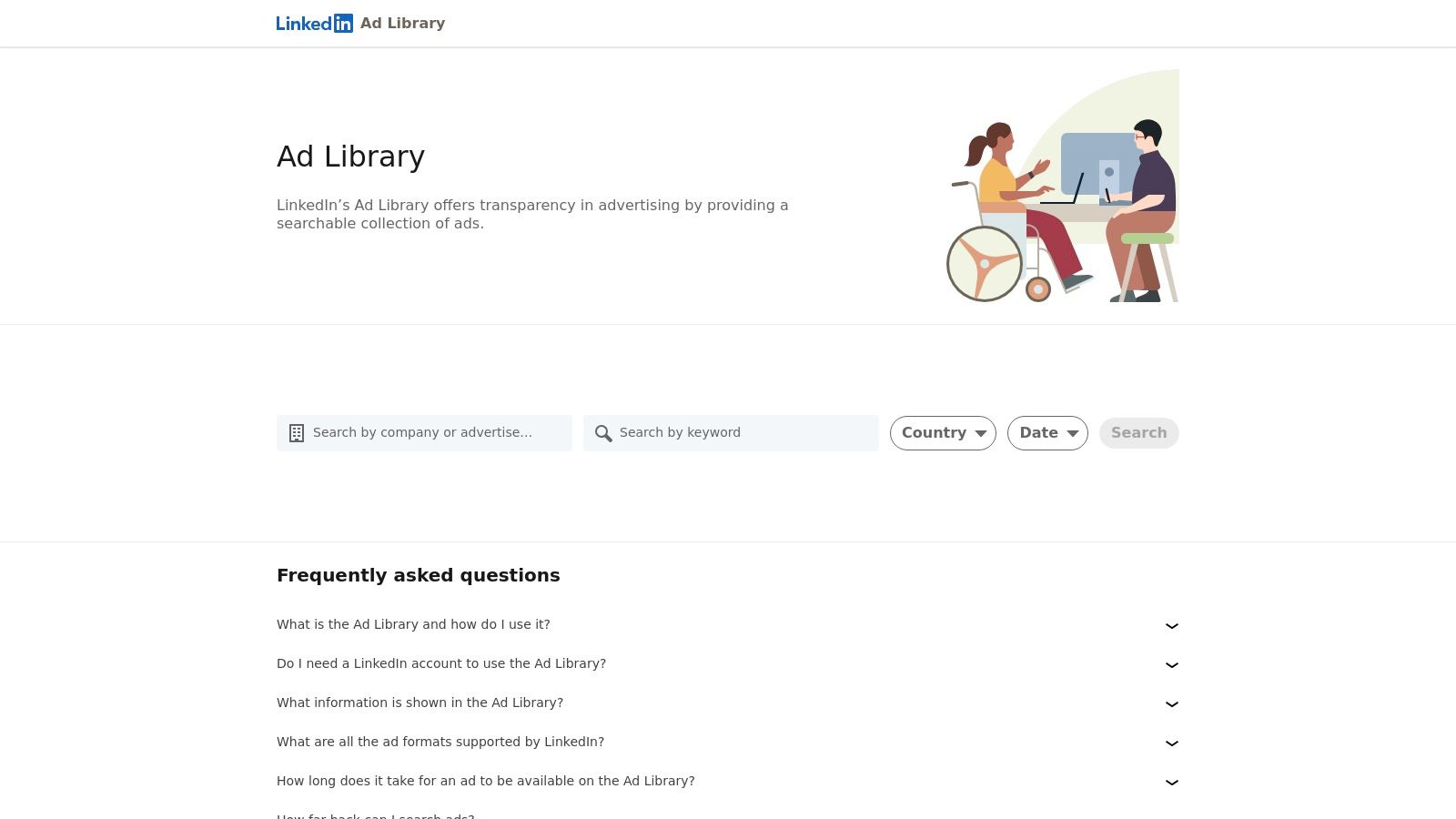
This platform provides a transparent look at the ad creatives used by companies targeting professional audiences. This is invaluable for B2B competitive intelligence. The pain points, solutions, and value propositions highlighted on LinkedIn can be used to write more effective headlines and descriptions for your Google Search ads targeting decision-makers.
Why It's a Top Resource
What makes the LinkedIn Ad Library stand out is its laser focus on the B2B ecosystem. This allows you to analyze how competitors are positioning their solutions for a business audience. This data can inform your keyword strategy and ad copy for Google Ads, ensuring you speak the language of your professional target market.
How to Use It for Inspiration
The library’s search functionality is flexible. To get the most out of it for your Google Ads campaigns, try these tips:
- Refine B2B Messaging for Google Search: Search for keywords related to your industry (e.g., "cybersecurity," "project management software"). Use the offers, statistics, and value propositions you find to strengthen your Google Ads copy.
- Get Ideas for B2B Video on YouTube: Analyze competitor video ads on LinkedIn. This can provide inspiration for B2B-focused YouTube ads, helping you craft content that resonates with a professional audience.
- Deconstruct Lead Gen Forms: Find examples of Lead Gen Form ads. This can help you optimize your Google Lead Form Extensions for higher completion rates by mirroring fields that are standard in your industry.
Pros & Cons
| Pros | Cons |
|---|---|
| Official data focused on B2B advertisers | No performance metrics (clicks, conversions) |
| Free and publicly accessible | Limited historical data (ads kept for one year) |
| Searchable by keyword and advertiser | Primarily focused on LinkedIn, not other ad platforms |
For any B2B advertiser, using this library is a must for gathering creative inspiration to fuel your Google Ads campaigns.
Website: https://www.linkedin.com/ad-library
5. SpyFu
While Google's own tools give you the official source, dedicated competitive intelligence platforms like SpyFu provide a different, more strategic lens on the Google Ads ecosystem. SpyFu is a powerful paid tool that excels at uncovering the long-term PPC strategies of your competitors, making it a fantastic source for finding a proven PPC ad example. Its "Ad History" feature is particularly valuable, showing how an advertiser's Google Ads copy has evolved over time for specific keywords.
This platform moves beyond just showing current ads. It allows you to see which ad variations a competitor has tested, which ones they stuck with, and which ones they dropped. This historical view helps you identify their most successful messaging and offers for Google Ads, saving you from making the same testing mistakes. You can see the exact ad text, the keywords that triggered it, and the associated landing pages, providing a complete picture of their Google Ads funnel.
Why It's a Top Resource
SpyFu's strength lies in its historical, copy-focused perspective on Google Ads. By tracking ad copy changes over months or even years, you can deduce which angles are evergreen performers for your rivals. If a competitor has been running a similar headline in their Google Ads for two years straight, it's a strong signal that it works. This kind of insight is crucial for any Google Ads consultant looking to build campaigns on proven concepts.
How to Use It for Inspiration
SpyFu requires a paid subscription, but its insights can quickly pay for themselves. Here’s how to get the most out of it:
- Identify Evergreen Ads: Use the Ad History feature on a top competitor's domain. Look for Google Ads copy that appears consistently over a long period. These are likely their most profitable ads.
- Analyze Keyword-Ad-Copy Pairing: Search for a high-value keyword in your niche. SpyFu will show you the most successful Google Ads that have run on that keyword, revealing how different advertisers approach the same search intent.
- Track Offer Evolution: See how competitors change their offers in their Google Ads (e.g., "10% Off" vs. "Free Shipping" vs. "Free Demo") over time. This can inform your own promotional strategy.
Pros & Cons
| Pros | Cons |
|---|---|
| Copy-focused view tailored to PPC ad examples | Requires a paid subscription for full access |
| Helps identify ads competitors repeatedly use | Does not show exact click or conversion performance data |
| Shows multi-year ad history for domains and keywords | Data freshness and coverage can vary depending on the niche |
For Google Ads users aiming to build campaigns based on historically successful ad copy, SpyFu is an indispensable research tool.
Website: https://www.spyfu.com/
6. Semrush – Advertising Research
For a more comprehensive, data-driven approach to the Google Ads ecosystem, Semrush’s Advertising Research toolkit is an enterprise-grade intelligence suite. It moves beyond simply showing creatives and provides deeper context, such as the keywords triggering specific ads and historical performance trends. This makes it a powerful platform for reverse-engineering competitor Google Ads strategies.
Unlike free tools, Semrush connects the dots between a Google ad creative, the keywords it targets, and its landing page. With reports like Ad Copies, Ads History, and PLA Copies, you can analyze text ads, view month-by-month campaign timelines, and dissect competitor Shopping ad strategies, all within one unified interface. This gives you a 360-degree view of how competitors leverage the entire Google Ads platform.
Why It's a Top Resource
Semrush excels at providing an integrated view of a competitor’s paid search footprint on Google. The ability to see which keywords trigger a specific PPC ad example and then click through to the landing page offers a complete picture of a competitor's funnel. This level of detail is crucial for identifying gaps and opportunities in your own Google Ads campaigns.
How to Use It for Inspiration
The platform is designed for deep competitive analysis within Google Ads. Here’s how to get the most out of it:
- Analyze Ad Copy-Keyword Alignment: Use the "Ad Copies" report to see the exact Google Ads your competitors are running for their top keywords. Note how they tailor messaging to specific search intent.
- Deconstruct Shopping Campaigns: The "PLA Copies" report provides a mosaic view of competitor Google Shopping ads. Analyze their pricing strategies, product imagery, and which products they promote most heavily.
- Track Historical Changes: With the "Ads History" report, you can see a month-by-month view of a competitor's Google Ads activity. This helps you spot campaign launches, promotional tests, and shifts in strategy over time.
Pros & Cons
| Pros | Cons |
|---|---|
| Comprehensive blend of text, history, and Shopping ad data | Paid subscription is required for access |
| See which keywords trigger specific ads | Does not provide competitor conversion or ROAS data |
| Advanced filters by device, country, and timeframe | Data is based on estimates, not official platform data |
While it requires a subscription, Semrush provides actionable intelligence that goes far beyond simple creative inspiration for your Google Ads.
Website: https://www.semrush.com/analytics/advertising/overview/
7. AdLibrary.com
While platform-specific tools like the Google and Meta libraries are essential, AdLibrary.com streamlines the research process by consolidating multiple ad intelligence sources into a single engine. It indexes millions of ads from Google (including YouTube), Meta, and LinkedIn, making it a comprehensive solution for analyzing a competitor’s entire digital ad strategy, which provides context for their Google Ads choices.
This platform is built for efficiency. Instead of jumping between different native ad libraries, you can search once and see how a competitor is approaching their strategy across search, video, and social channels. Understanding their broader strategy helps you better interpret the role of their Google Ads campaigns. Its advanced filtering capabilities allow you to drill down into specific ad formats to find the most relevant PPC ad example.
Why It's a Top Resource
AdLibrary.com’s main advantage is its unified workflow. For agencies or in-house teams managing Google Ads as part of a multi-channel strategy, this consolidation saves significant time. The ability to see how social messaging compares to search messaging for the same brand provides deep strategic insight.
How to Use It for Inspiration
The platform's strength lies in its cross-channel view. To get the most out of it for your Google Ads, focus your search on holistic strategies:
- Analyze Cross-Platform Messaging: Search for a key competitor and compare their Google Ads and Meta Ads. Do they use the same offers, or do they tailor their copy to each platform? This reveals how they position their brand for different user intents.
- Identify Top-Performing Creatives: Use the engagement filters to surface ads with the most reactions. This provides insight into which creative styles are resonating, which can inform the assets you use in Google Performance Max or Display campaigns.
- Discover Funnel Strategies: A brand might use a broad awareness video ad on YouTube and follow up with a direct-response search ad on Google. Spotting these patterns gives you a glimpse into their full-funnel approach.
Pros & Cons
| Pros | Cons |
|---|---|
| Consolidates multiple ad libraries into one workflow | Enterprise pricing can be a significant investment |
| Advanced filtering and API access for automation | Data is scraped, not official first-party data |
| Free daily searches are available for initial exploration | Lacks performance metrics like conversions or ROAS |
AdLibrary.com is an excellent tool for teams that need a more robust, multi-platform view to inform their Google Ads strategy.
Website: https://www.adlibrary.com/
PPC Ad Libraries: 7-Tool Comparison
| Tool | Complexity 🔄 | Resources & Cost ⚡ | Expected outcomes 📊 | Ideal use cases 💡 | Key advantages ⭐ |
|---|---|---|---|---|---|
| Google Ads Transparency Center | Low 🔄 — simple public UI | Free; instant web access ⚡ | Good for Google creative discovery and compliance; no performance metrics 📊 ⭐⭐⭐ | Competitive creative inspiration; advertiser verification 💡 | Official Google data; broad PPC coverage ⭐ |
| Meta Ad Library | Low 🔄 — advertiser/keyword/topic search | Free; API for programmatic access ⚡ | Strong for Meta creative & format discovery; limited performance context 📊 ⭐⭐⭐ | Creative benchmarking; social ad format and copy review 💡 | Comprehensive Meta coverage; programmatic research via API ⭐ |
| Microsoft Ad Library | Low 🔄 — straightforward search by advertiser/words | Free; EU‑focused coverage may limit visibility ⚡ | Useful for Bing text ad examples; limited geographic visibility and no performance metrics 📊 ⭐⭐ | Complement Google research when running on Bing 💡 | First‑party Bing examples and advertiser identity info ⭐ |
| LinkedIn Ad Library | Low–Medium 🔄 — searchable by advertiser/keyword/date | Free; EU data includes impressions/targeting in some cases ⚡ | Good for B2B messaging and format comparison; short retention (~1 year) 📊 ⭐⭐ | B2B PPC creative & messaging testing; format comparison 💡 | B2B‑focused previews with payer/format details (EU) ⭐ |
| SpyFu | Medium 🔄 — account setup and exports for analysis | Paid subscription; moderate cost for teams ⚡ | Strong historical ad copy timelines and keyword triggers; no conversion data 📊 ⭐⭐⭐ | Search ad copy evolution; competitor keyword/ad history analysis 💡 | Copy‑focused timelines that reveal recurring, proven angles ⭐ |
| Semrush – Advertising Research | Medium–High 🔄 — multi‑report workflows and filters | Paid (Advertising Toolkit); enterprise pricing ⚡ | Comprehensive text + Shopping ad intelligence; no ROAS/conversion metrics 📊 ⭐⭐⭐⭐ | Enterprise competitive research across text, Shopping and timelines 💡 | Rich filters, Ads History and PLA analysis for deep competitive insights ⭐ |
| AdLibrary.com | Medium–High 🔄 — cross‑platform indexing with API | Freemium + enterprise tiers; higher cost for scale ⚡ | Consolidated cross‑platform discovery and exports; not first‑party; no conversion metrics 📊 ⭐⭐⭐ | Cross‑platform automation, large‑scale discovery and exports for teams 💡 | Aggregates Google/Meta/LinkedIn with advanced filtering and API access ⭐ |
From Inspiration to Action: Maximizing Your Ad Performance
We've explored a powerful suite of tools designed to pull back the curtain on competitors' strategies within the Google Ads ecosystem and beyond. From the official Google Ads Transparency Center to the deep competitive intelligence platforms of SpyFu and Semrush, analyzing a strong ppc ad example moves you beyond guesswork and into data-driven campaign building.
The key isn't just to find good ads; it's to understand why they are effective within the Google Ads auction. Dissecting headlines, descriptions, the use of extensions, and the connected landing page reveals the strategic thinking behind every click. This process uncovers the psychological triggers that resonate most with your target audience on Google.
Your Path Forward: Key Takeaways
Remember these core Google Ads principles as you transition from analysis to implementation:
- Message-Market Match is Everything: The best Google Ads speak directly to a user's pain point at the exact moment of their search. Ensure your ad copy mirrors the language and intent of your target keywords.
- Clarity Over Cleverness: A clear, compelling value proposition in a Responsive Search Ad almost always outperforms a witty but vague headline. Tell users exactly what they will get.
- Leverage Extensions Strategically: Sitelinks, image extensions, and lead form extensions are vital tools to increase your ad's footprint on the SERP, provide more information, and capture leads directly. Google's data shows that ads with multiple extensions often see a significant CTR lift.
- The Landing Page Seals the Deal: A brilliant ad leading to a confusing or slow landing page is a waste of money. Maintain message match and a seamless user experience from click to conversion to improve your Quality Score.
Choosing the Right Tool for Your Needs
The right tool depends on your specific Google Ads goals. For quick, free competitor research, the native Google Ads Transparency Center is your best starting point.
For deeper strategic insights into the Google Ads ecosystem, historical data, and keyword-level analysis, investing in a comprehensive tool like Semrush or SpyFu is essential. These platforms allow you to see not just the ad itself, but the entire ecosystem around it, including ad spend estimates and performance history. This level of data is invaluable for any serious Google Ads consultant or agency looking to gain a competitive edge.
Ultimately, each ppc ad example you study is a lesson in strategy. Use these tools not to copy competitors, but to learn from them. Adapt their successful tactics, identify their weaknesses, and innovate to create Google Ads that not only perform but dominate your market. The path to a higher return on ad spend begins with understanding what already works.
Tired of leads from your Google Lead Form Extensions growing cold? Pushmylead solves this by instantly and securely syncing your leads to your CRM or email marketing platform in real-time. Close more deals by connecting with your hottest leads in seconds, not hours, with Pushmylead.