
Pay-per-click advertising is the engine of modern digital marketing, but its true power lies in understanding the diverse ad types available within the Google Ads ecosystem and how to deploy them effectively. From high-intent search queries on Google to captivating visual ads on YouTube, each format serves a unique purpose. This guide moves beyond theory to provide a strategic breakdown of 8 crucial examples of pay per click advertising powered by Google.
We'll dissect real-world scenarios across Google's platforms, revealing the ad creative, targeting, and key performance indicators that drive success. Forget generic success stories; we are digging into the specific tactics and behind-the-scenes details that make these Google Ads campaigns work. This curated collection focuses on replicable strategies you can apply directly to your own Google Ads account.
For each example, we will analyze the landing page experience, explore the strategic thinking behind the campaign, and provide clear, actionable takeaways. Whether you're an agency professional fine-tuning client accounts or a business owner managing campaigns in-house, these Google Ads insights for 2025 will help you build more profitable campaigns, optimize your ad spend, and generate measurable results. Let's dive into the campaigns.
1. Search Ads (Google Search Campaigns)
Search ads are the foundation of pay-per-click advertising and the most direct way to capture user intent within the Google Ads ecosystem. These text-based ads appear on Google's Search Engine Results Pages (SERPs) when users actively look for products, services, or information. Advertisers bid on specific keywords, and their ads are shown to users whose search queries match those terms, making it a powerful example of pay per click advertising in action. You only pay when a user clicks your ad, hence the name.
This model is ideal for generating high-quality leads and sales because it connects with users at the exact moment they express a need. A local plumber bidding on "emergency plumber near me" or an e-commerce store bidding on "buy running shoes online" are classic use cases. A recent Google Ads update is the automatic creation of assets (ACA) for Responsive Search Ads (RSAs), where Google’s AI now generates headlines and descriptions to improve ad performance, making continuous optimization even more critical.
Strategic Breakdown
The effectiveness of a search ad hinges on relevance. Google's algorithm rewards advertisers who create a seamless experience from keyword to ad copy to landing page. This is measured by the Quality Score, a critical Google Ads metric that directly influences your ad rank and cost per click (CPC). A high Quality Score can lower your costs and improve your ad position.
Key Insight: Success in search advertising isn't just about the highest bid; it's about superior relevance. Tightly themed ad groups, where keywords, ad copy, and landing pages are all closely aligned, are non-negotiable for achieving a high Quality Score and maximizing ROI.
Actionable Takeaways for Google Ads Users
- Structure with SKAGs (Single Keyword Ad Groups): For your most valuable keywords, create ad groups containing only that single keyword in its various match types (exact, phrase, broad). This allows for hyper-relevant ad copy and landing pages, boosting your Quality Score.
- Utilize All Ad Extensions: Sitelinks, callouts, structured snippets, and image extensions increase your ad's visibility on the SERP and provide users with more information, which can significantly improve your click-through rate (CTR).
- Implement a Negative Keyword Strategy: Actively add negative keywords to prevent your ads from showing for irrelevant searches. This simple step saves your budget from wasted clicks and improves campaign targeting. For example, a luxury brand should add terms like "cheap" and "free" to its negative list.
2. Display Ads (Google Display Network)
Unlike search ads, which capture existing demand, display ads are designed to create it. This classic example of pay per click advertising uses visual formats like images and videos placed across the Google Display Network (GDN), a collection of over two million websites, videos, and apps. Instead of targeting keywords, advertisers target audiences based on their interests, online behaviors, and demographics, making this format perfect for building brand awareness and reaching potential customers early in their buying journey.
Display ads are ideal for visually driven products, such as a fashion retailer showing its new collection on a popular style blog or a travel agency advertising vacation packages on a news site. Their most powerful use, however, is often in retargeting campaigns, where you show ads to users who have previously visited your website.
Strategic Breakdown
The power of display advertising lies in its immense reach and sophisticated audience targeting. The Google Display Network (GDN) alone reaches over 90% of internet users worldwide. Success isn't about appearing everywhere, but about appearing in front of the right people in the right context. This involves layering targeting options like custom audiences, in-market segments, and placements to find high-converting pockets of traffic. For a deeper dive into how display advertising is implemented on a major e-commerce platform, explore the specifics of Amazon Display Advertising.
Key Insight: Display advertising is a top-of-funnel powerhouse. While direct conversions can be lower than search, its value in introducing your brand, nurturing leads, and supporting other channels through retargeting is immense. The goal is often influence, not just immediate action.
Actionable Takeaways for Google Ads Users
- Prioritize Responsive Display Ads: Instead of creating dozens of static image sizes, upload your core assets (images, logos, headlines, descriptions) and let Google’s machine learning assemble and test the best-performing combinations. This ensures your ads fit perfectly on any ad placement.
- Master Your Retargeting Lists: Segment your website visitors into different lists based on their on-site behavior (e.g., visited a product page, abandoned cart, viewed pricing page). Tailor your ad creative to each segment for a highly personalized and effective follow-up.
- Be Proactive with Exclusions: Regularly review your placement reports to identify low-performing or irrelevant websites and apps. Add these to your exclusion lists to protect your budget and improve your return on ad spend (ROAS). Don't forget to exclude sensitive content categories to protect your brand safety.
3. Shopping Ads (Performance Max for Retail)
Shopping ads, traditionally known as Product Listing Ads (PLAs), are a visually-driven format essential for e-commerce within the Google Ads ecosystem. They appear as a carousel or grid on Google Search and the Shopping tab, showcasing product images, titles, prices, and store names. Today, these are largely managed through Performance Max (PMax) campaigns, which use machine learning to serve ads across all of Google's channels, including YouTube, Display, and Search, from a single campaign.
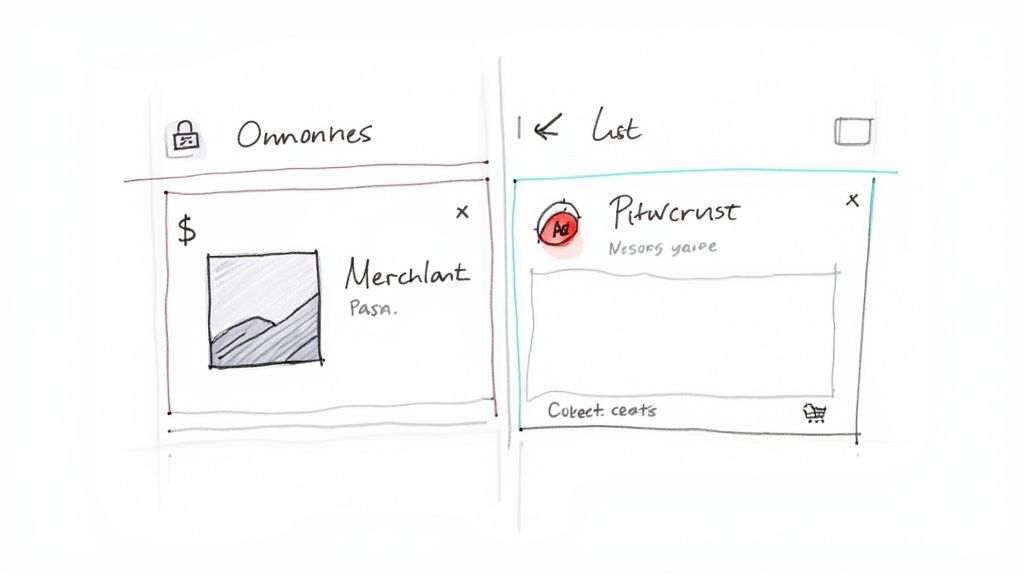
This format is perfect for driving sales because it qualifies clicks before they happen. Users see exactly what they're getting and how much it costs, meaning the clicks you pay for are from highly interested buyers. The data is pulled directly from a product feed you upload to Google Merchant Center, making this a powerful example of pay per click advertising for retailers.
Strategic Breakdown
The success of a Shopping or PMax campaign is almost entirely dependent on the quality and optimization of your product feed. Google uses the data within your feed, especially product titles and descriptions, to match your items to relevant user searches. A well-structured, keyword-rich, and accurate feed is the backbone of high-performing ads. It directly impacts your visibility and cost-effectiveness.
Key Insight: Your product feed is your targeting data. Unlike search ads, you don't bid on keywords directly; instead, you optimize feed attributes to tell Google's algorithm which searches and audiences your products are relevant for. Treat product titles as your primary targeting tool.
Actionable Takeaways for Google Ads Users
- Optimize Product Titles: Front-load your most important keywords in product titles. Follow a logical structure like Brand + Product Type + Key Attributes (e.g., Color, Size). For instance, "Nike Air Max 90 Men's Running Shoe Size 11 Black" is far more effective than "Black Nike Shoe."
- Use High-Quality Images: Your product image is the first thing users see. Use clear, high-resolution images with a clean background that accurately represent the product. This single element can dramatically impact your click-through rate (CTR).
- Leverage Custom Labels & Asset Groups: Use custom labels in your product feed to segment campaigns by criteria that matter to your business, such as profit margin or best-sellers. Within PMax, use Asset Groups to tailor creative and messaging to specific product categories, giving Google better signals for optimization.
4. Video Ads (YouTube Ads)
Video ads represent a dynamic and highly engaging format within the Google Ads ecosystem, primarily running on YouTube and its partner network. This type of campaign leverages the power of sight, sound, and motion to tell a compelling story, demonstrate a product, or build brand awareness. As a prime example of pay per click advertising, advertisers typically pay on a cost-per-view (CPV) basis, where a "view" is counted when a user watches 30 seconds of an ad (or its entirety if shorter) or interacts with it.
This model is exceptionally effective for top-of-funnel brand building and mid-funnel consideration. Brands like Dollar Shave Club used viral YouTube ads to disrupt an entire industry, while tech companies use them to showcase new product features in action, engaging users in a way static images or text cannot.
Strategic Breakdown
The success of a YouTube ad campaign is rooted in its ability to capture attention immediately and match the creative to the audience's intent. Unlike search ads where users are actively looking for a solution, video ads often interrupt a user's viewing experience. Therefore, the creative must be strong enough to hold their attention. Google Ads provides powerful audience targeting options, including in-market segments, custom audiences, and remarketing, allowing advertisers to reach users based on their recent search history and browsing behavior.
Key Insight: On YouTube, the first five seconds are your entire pitch. For skippable in-stream ads, you must deliver your core message or hook before the viewer has the chance to click "Skip Ad." Success is not just about getting views; it's about earning the viewer's attention.
Actionable Takeaways for Google Ads Users
- Front-load Your Message: Structure your video creative with an immediate hook, introduce your brand within the first five seconds, and present a clear call-to-action. Don't save the best for last.
- Layer Your Targeting: Combine different targeting methods for greater precision. For example, layer an in-market audience (e.g., "in-market for cars") with demographic data (e.g., "age 35-54") to narrow your reach to the most qualified viewers.
- Use Bumper Ads for Remarketing: Create short, memorable 6-second bumper ads that are non-skippable. These are perfect for reinforcing your brand message to users who have already visited your website or engaged with your longer video content, keeping your brand top-of-mind at a low cost.
5. Performance Max Campaigns
Performance Max (PMax) is Google's newest, goal-based campaign type that has fundamentally changed how many advertisers use the platform. It's a prime example of pay per click advertising that consolidates access to all of Google's inventory—Search, Display, YouTube, Discover, Gmail, and Maps—into a single, automated campaign. You provide the goals, creative assets (text, images, videos), and audience signals, and Google's machine learning automates bidding and targeting to find converting customers across the entire ecosystem.
PMax is ideal for advertisers focused on online sales or lead generation who want to maximize conversion value. While it limits manual control compared to traditional campaigns, its power lies in its ability to find conversion paths you might not have discovered on your own. It's especially powerful for e-commerce when paired with a Google Merchant Center feed.
Strategic Breakdown
The effectiveness of PMax hinges on the quality of the "signals" you provide. This includes your creative assets, your first-party data (customer lists, website visitor lists), and your conversion tracking. The more high-quality data and creative variations you feed the algorithm, the faster it learns and the better it can optimize toward your goals. Unlike older campaign types, the focus shifts from managing keywords and placements to managing assets and data.
Key Insight: Success in Performance Max is about steering, not driving. You provide the strategic direction with high-quality assets and audience signals, and you let Google's AI handle the tactical execution of finding the most efficient path to conversion.
Actionable Takeaways for Google Ads Users
- Provide High-Quality Audience Signals: Build detailed audience signals using your first-party data (customer match lists, website visitors) and Google's in-market and affinity segments. This gives the PMax algorithm a strong starting point for finding lookalike customers.
- Supply a Full Suite of Creative Assets: Upload the maximum number of high-quality assets, including multiple headlines, descriptions, images in various aspect ratios, and videos. The more components you provide, the more combinations Google can test to find what works best on each channel.
- Use Brand Exclusions and Negative Keywords: While PMax is highly automated, you can now add account-level negative keywords and use brand exclusion settings to prevent PMax from cannibalizing traffic from your dedicated brand search campaigns.
6. Remarketing/Retargeting Ads
Remarketing, often called retargeting, is a powerful form of PPC advertising that focuses on re-engaging users who have already interacted with your brand. Within Google Ads, this is primarily done via the Display Network and YouTube. These ads "follow" past website visitors, showing them tailored messages on other websites and apps. By placing a Google Tag on your site, you can serve targeted ads to these warm audiences, reminding them of the products they viewed or the cart they abandoned.
This model is exceptionally cost-effective because it targets users who have already shown interest, leading to much higher conversion rates than campaigns aimed at cold traffic. A classic example of pay per click advertising through remarketing is an e-commerce store showing a dynamic ad with the exact shoes a user left in their cart. For a deeper dive into how this powerful strategy works, explore an article on what is retargeting in digital marketing.
Strategic Breakdown
The core of successful remarketing is audience segmentation. Not all website visitors are equal; someone who bounced from the homepage is less qualified than a user who abandoned a full shopping cart. By creating distinct audience lists in Google Ads based on user behavior (e.g., viewed product pages, initiated checkout, past purchasers), you can deliver highly relevant and sequential messaging that guides them back to conversion.
Key Insight: Remarketing is a conversation, not a monologue. Effective campaigns match the ad message to the user's last action. A visitor who viewed a specific service page should see an ad about that service's benefits, not a generic brand ad.
Actionable Takeaways for Google Ads Users
- Segment Audiences by Intent: Create separate remarketing lists in Google Ads for "all visitors," "product viewers," "cart abandoners," and "past converters." Tailor your bids, ad copy, and offers to each segment's level of intent.
- Use Dynamic Remarketing: For e-commerce, set up dynamic remarketing with your Merchant Center feed. This automatically creates personalized ads that show users the specific products they previously viewed, significantly boosting relevance and CTR.
- Set Frequency Caps and Exclusions: Prevent ad fatigue by setting a frequency cap (e.g., no more than 5 impressions per day per user). Crucially, remember to exclude recent converters from your lists to avoid annoying customers who have already purchased.
7. Discovery Ads
Discovery ads are a sophisticated form of paid advertising designed to appear natively within Google's content feeds. Unlike search ads that respond to a query, Discovery ads are designed to be found when users are scrolling through their favorite content on the YouTube home feed, Gmail's Promotions and Social tabs, and the Google Discover feed. This makes them a visually compelling example of pay per click advertising for reaching users in moments of exploration.
This model is ideal for top-of-funnel marketing and driving mid-funnel consideration. A fashion brand could use a high-quality lifestyle image carousel to introduce a new collection to users browsing style-related content on YouTube, or a software company could promote a lead magnet to users Google has identified as being "in-market" for their solution.
Strategic Breakdown
The power of Discovery ads lies in their ability to bypass "ad blindness" by delivering visually rich, native-style content to users who are open to discovering new brands. Success hinges on high-quality creative and leveraging Google's powerful audience targeting. Google's machine learning uses your specified audiences (like in-market, custom intent, and remarketing lists) to find users who are most likely to be interested in your brand.
Key Insight: Discovery advertising succeeds by respecting the user's context and intent. The focus must shift from "selling" to "inspiring." The ad itself is the beginning of a conversation, offering visually engaging content that sparks curiosity and encourages the user to learn more.
Actionable Takeaways for Google Ads Users
- Upload High-Quality, Authentic Images: Use visually compelling, high-resolution lifestyle images and carousels. Avoid overly promotional images with text overlays, as they feel less native to the feed. Focus on imagery that tells a story or showcases the product in an aspirational context.
- Focus on the Pre-Click Experience: Your headline and image are your entire pitch. They must be compelling enough to earn a click from a user who wasn't actively searching for you. Use curiosity-driven headlines that resonate with your target audience's interests.
- Align Content with User Intent: The landing page must deliver on the promise of the ad's headline and image. If your ad promotes a new fashion line, the landing page should be a visually appealing category page for that line, not the homepage. Build trust by providing a seamless user experience.
8. App Campaigns (for Installs & Engagement)
App campaigns are designed with one primary goal: to drive downloads and in-app actions for a mobile application. This specialized campaign type within Google Ads simplifies the process by promoting your app across Google's largest properties, including Google Search, the Google Play Store, YouTube, Discover, and the Google Display Network. Advertisers pay on a cost-per-install (CPI) or cost-per-action (CPA) basis, making this a highly focused example of pay per click advertising for the mobile-first world.
This model is essential for businesses whose primary product is a mobile app. Think of ride-sharing services like Uber trying to acquire new riders, a streaming service like Netflix aiming for geographic expansion, or a mobile gaming company launching a new title. The campaign's success is directly tied to a tangible action: a new, engaged app user.
Strategic Breakdown
The effectiveness of App Campaigns relies heavily on machine learning. Google App Campaigns automate targeting, bidding, and creative asset combination to find the most valuable users for your app across its entire network. The system optimizes not just for installs, but for users who are likely to perform specific in-app actions, like making a purchase or reaching a certain level in a game.
Key Insight: Success in modern app campaigns is less about manual channel placement and more about feeding the Google algorithm the right data. High-quality creative assets (images, videos, HTML5) and clear conversion signals (like tracking post-install events) are the fuel that powers the machine learning engine to find high-lifetime-value users.
Actionable Takeaways for Google Ads Users
- Prioritize High-Quality Creative Assets: Provide a diverse mix of assets in all recommended formats. Upload vertical and landscape videos, high-resolution images, and compelling ad text. Google's system will test combinations to find the highest-performing ad for each placement.
- Track Post-Install Events: Don't just optimize for installs. Set up and import key in-app conversion events (e.g., "level complete," "first purchase," "subscription start") into Google Ads. This allows you to shift your campaign focus from a target cost-per-install (tCPI) to a target cost-per-action (tCPA), acquiring more valuable users.
- Implement Deep Linking: Use deep links to send users who already have your app to a specific, relevant page within it. This improves the user experience and can be used for re-engagement campaigns to bring back lapsed users for new features or promotions.
8 PPC Ad Types Comparison
| Channel | 🔄 Implementation Complexity | ⚡ Resource Requirements | ⭐📊 Expected Outcomes | 💡 Ideal Use Cases | ⭐ Key Advantages |
|---|---|---|---|---|---|
| Search Ads (Google Search Campaigns) | Medium — keyword structure, bidding, Quality Score management | Moderate budget; analytics, landing pages, ongoing optimization | High-intent traffic; measurable conversions and ROI | Immediate traffic, lead gen, direct sales, local services | Highly targeted by intent; scalable; measurable performance |
| Display Ads (Banner Ads) | Low–Medium — creative production and placement targeting | Lower CPM but requires multiple creatives and design resources | Broad reach and awareness; lower CTR and harder direct attribution | Brand awareness, upper-funnel, retargeting | Wide reach; visual impact; cost-effective impressions |
| Shopping Ads (Product Listing Ads) | Medium — product feed, Merchant Center setup and maintenance | Moderate — feed management, inventory sync, e‑commerce integration | High purchase intent; strong e‑commerce CTR and ROI | Online retail, product discovery, price-competitive categories | Shows product image/price; drives qualified buyers; automated from feed |
| Video Ads (YouTube Ads) | Medium–High — video production plus targeting and sequencing | High — production costs, editing, targeting, measurement tools | High engagement and brand recall; variable immediate conversions | Brand storytelling, product demos, awareness and consideration | Very engaging; strong storytelling; large audience reach |
| Performance Max | Medium — asset creation, audience signals, conversion tracking | High — diverse creative assets (video, images, text) are essential | Maximized conversions across all channels; automated optimization | Lead gen, e-commerce, omni-channel sales goals | Full-funnel reach; finds unexpected conversion paths; automated |
| Remarketing/Retargeting Ads | Low–Medium — pixel/list setup and sequential messaging | Low per-impression cost; needs tracking infrastructure and audience size | Higher conversion rates; lower CPA vs cold traffic | Cart abandonment, trial follow-ups, re-engaging visitors | Cost-effective conversions; improves ROI; leverages warm intent |
| Discovery Ads | Medium — high-quality creative and audience setup | Moderate — requires visually appealing, non-promotional assets | Mid-funnel engagement; drives consideration and website traffic | Brand discovery, lead gen from visual content, product showcases | Visually engaging; native format; reaches users in discovery mode |
| App Install Ads | Low–Medium — campaign setup, deep linking, attribution | Moderate–High — CPI budget, creatives, analytics for retention | Measurable installs and early engagement; retention drives LTV | Mobile apps, user acquisition, geo-targeted launches | Direct install path; measurable CPI and post-install events |
Putting Your PPC Strategy into Action
We've explored a wide spectrum of pay-per-click advertising, all within the powerful Google Ads ecosystem. From the high-intent world of Google Search Ads to the visual storytelling of YouTube, each example of pay per click advertising we analyzed was a strategic lesson in targeting, messaging, and conversion optimization. The key takeaway is that success in Google Ads is never about a single, isolated campaign.
Instead, a winning strategy is a finely tuned ecosystem. It's about understanding how a high-impact Display campaign can generate awareness that later fuels branded search queries. It’s recognizing how a compelling YouTube ad can create demand that is then captured by a meticulously crafted Performance Max campaign for shopping. The most effective advertisers don't just run ads; they orchestrate a seamless customer journey across multiple Google touchpoints.
From Examples to Execution: Your Next Steps
The journey from inspiration to implementation is where true growth happens. To translate the insights from this article into tangible results, you need a clear, actionable plan. Focus on these core principles to elevate your Google Ads campaigns from good to great.
- Integrate and Synergize: Stop viewing your ad channels in silos. Plan how your Search, Display, PMax, and Video ads will work together. For instance, use remarketing lists from YouTube viewers as audience signals in your Performance Max campaigns.
- Test Relentlessly: Every element is a variable worth testing. A/B test your ad copy, headlines, calls to action, landing page designs, and even your audience signals. The most successful PPC managers are driven by data, not assumptions.
- Focus on the Full Funnel: Acknowledge that customers interact with your brand at different stages. Use broader channels like YouTube and Discovery for top-of-funnel awareness, and highly targeted Search and Shopping ads to capture bottom-of-funnel intent.
- Prioritize the Post-Click Experience: The most brilliant ad in the world will fail if it leads to a slow, confusing, or irrelevant landing page. Ensure your post-click experience is a seamless continuation of your ad's promise.
The Power of Speed in Lead Generation
For any Google Ads user or agency running lead generation campaigns, one factor often outweighs all others: speed. An interested prospect who fills out a Google lead form extension has raised their hand and expressed immediate intent. The value of that lead depreciates with every minute that passes.
Manually downloading and distributing leads from Google Ads introduces critical delays. This friction can be the difference between a closed deal and a lost opportunity. Automating this process isn't just a convenience; it's a competitive necessity that directly impacts your conversion rates and ROI. By closing the gap between lead submission and sales follow-up, you transform your PPC efforts into a powerful and efficient revenue engine, proving the immense value of every example of pay per click advertising you deploy.
If your campaigns rely on Google Ads lead forms, don't let delays diminish your ROI. Pushmylead instantly and automatically sends your new leads directly to your inbox or CRM, enabling you to connect with prospects in seconds. Visit Pushmylead to eliminate manual downloads and start converting more leads today.